Under load, the WPF slider control's handle jumps far off from where the mouse cursor is
- Dominant language
- C#
- Stars
- 7.7k
- Forks
- 1.3k
- Avg merge
- 1d 11h
- Merged PRs (30d)
- 61
Description
* .NET Core Version: netcoreapp3.1
* Windows version: 10 Version 1909
* Does the bug reproduce also in WPF for .NET Framework 4.8?: Yes
**Problem description:**
When dragging a WPF slider control's handle while the UI thread is under heavy load because the slider's value property is bound to a property whose setter needs around 100 ms, the slider's handle jumps to values far off from where the mouse cursor actually is.
**Actual behavior:**
The slider's handle AND value jumps to values far off from where the mouse cursor actually is.
**Expected behavior:**
The slider control's handle position should always stay under the mouse cursor.
**Minimal repro:**
Full Code: [WpfApp1.zip](https://github.com/dotnet/wpf/files/4542008/WpfApp1.zip)
```
```
```
private double sliderValue = 1000;
public double SliderValue
{
get
{
return sliderValue;
}
set
{
System.Threading.Thread.Sleep(100);
sliderValue = value;
this.Title = $"{value:F0}";
if (value <= 500)
{
System.Diagnostics.Trace.WriteLine($"!!!!!!!!!!!!!!!!!!!!!!!!!!!!!");
}
}
}
```
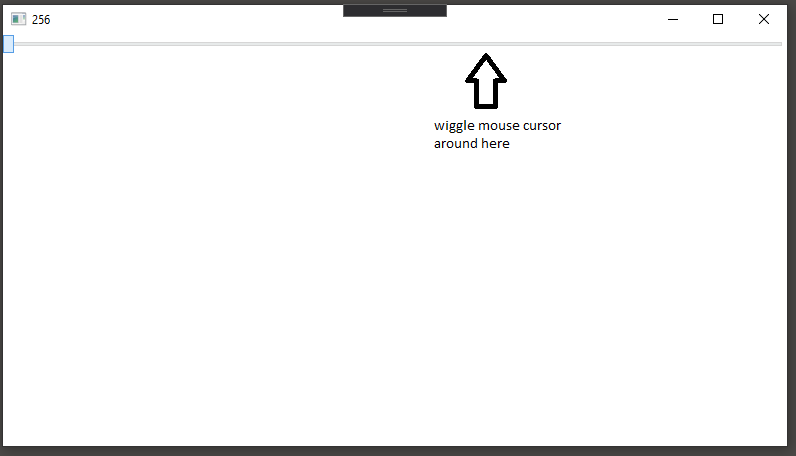
Just drag the handle with the mouse and wiggle it around the value 1000. After few seconds of wiggling you will see the slider's value wandering of to the left until it hits the minimum value, which is over 200 pixels away from the mouse cursor!
Contributor guide
Assessment
This issue has not been assessed yet.