[Multi-Monitor][PerMonitorV2] ScrollBar is not scaled well on secondary screen
- Dominant language
- C#
- Stars
- 4.9k
- Forks
- 1.1k
- Avg merge
- 20h 23m
- Merged PRs (30d)
- 103
Description
### .NET version
.NET 8.0.100-preview.2.23106.11
### Did it work in .NET Framework?
Yes
### Did it work in any of the earlier releases of .NET Core or .NET 5+?
No, it also repro on .NET 6.0 & 7.0.
### Issue description
ScrollBar(HScrollBar&VScrollBar) control is not scaled well in secondary screen under PermonitorV2 mode. https://github.com/dotnet/winforms/pull/8312 solved the problem of rectangular shadows not being displayed. But move from 300% DPI to 100% DPI, scrollbars should display the same result as 100% scrollbars. Move from 100% DPI to 300% DPI, scrollbars should display the same result as 300% scrollbars.
### Steps to reproduce
1. Launch VS instance on 300% primary screen.
2. Create a WinForms .NET Core project.
3. Add `PerMonitorV2` in csproj file.
4. Add a HScrollBar and VScrollBar to form designer.
5. Build and run it, move to 100% secondary monitor.
Or
1. Extract and open [testscrollbar.zip](https://github.com/dotnet/winforms/files/10673549/testscrollbar.zip) on 300% primary screen.
2. Build and run it.
3. Move to 100% secondary monitor.
**Actual result:**
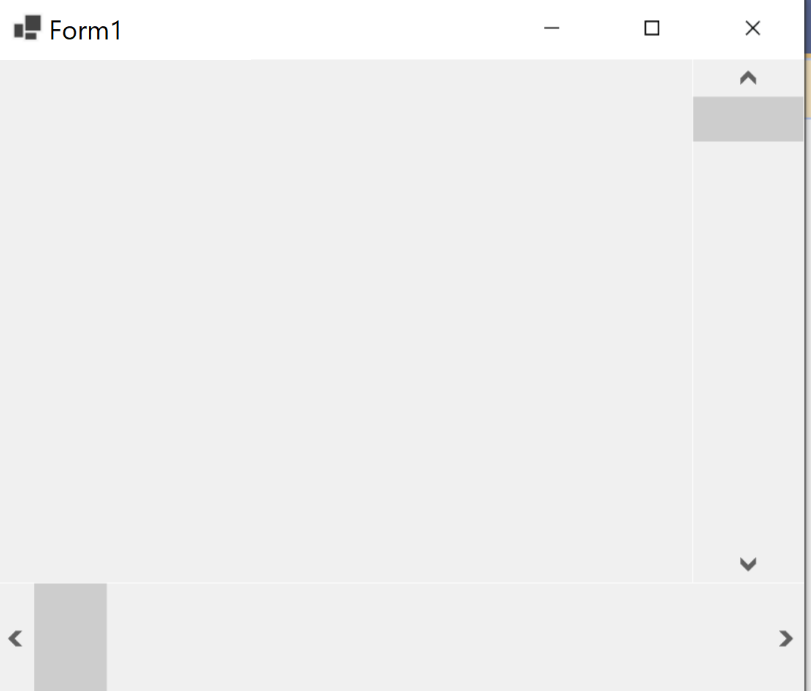
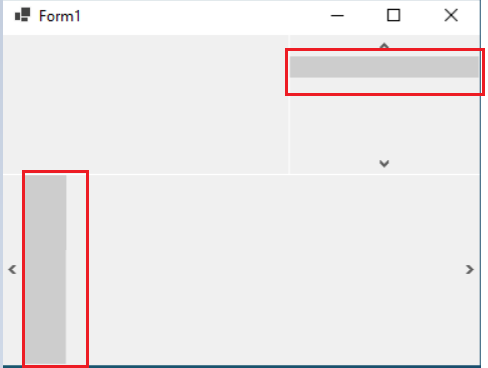
ScrollBar is not scaled well when move from 300% primary screen to 100% secondary monitor.
300% primary screen:
move to 100% secondary monitor
**Expected result:**
ScrollBar should be scaled well when move from 300% primary screen to 100% secondary monitor.
**More info:**
1. This issue doesn't repro on SystemAware and DpiUnware mode.
2. The original issue: https://github.com/dotnet/winforms/issues/8270.
3. https://github.com/dotnet/winforms/pull/8312 solved the problem of rectangular shadows not being displayed. But move from 300% DPI to 100% DPI, scrollbars should display the same result as 100% scrollbars. Move from 100% DPI to 300% DPI, scrollbars should display the same result as 300% scrollbars.
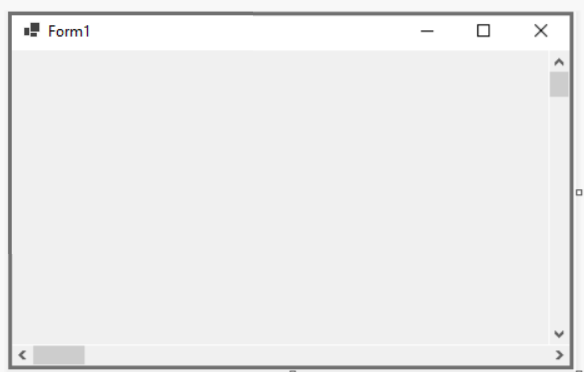
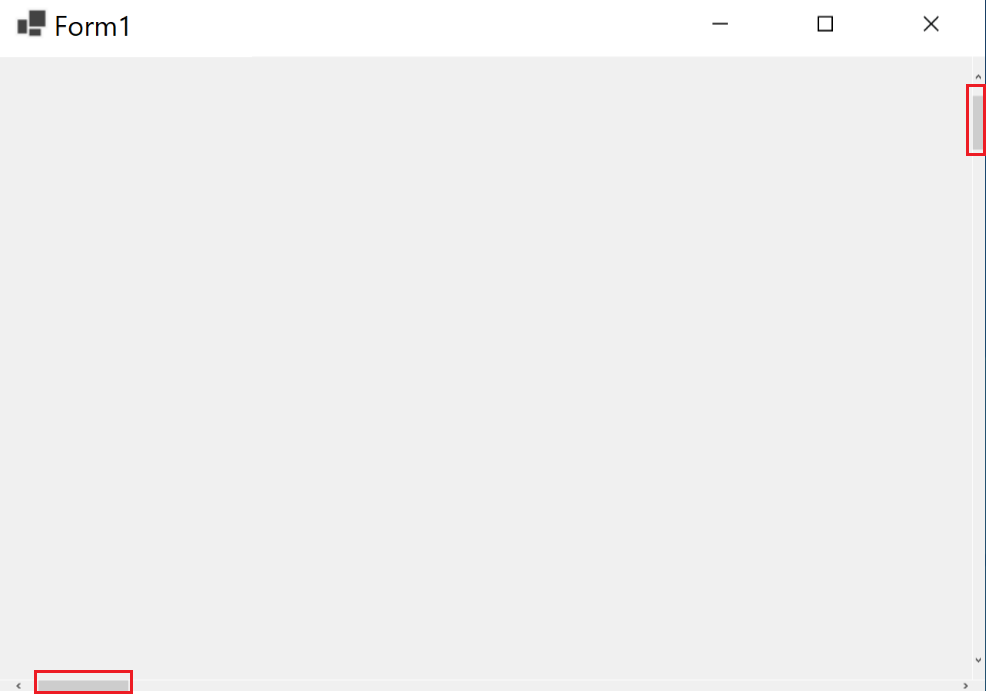
4. This issue also occur when move from 100% primary to 300% secondary monitor.
100% primary screen:
move to 300% secondary monitor:
Contributor guide
Assessment
This issue has not been assessed yet.