[Multi-Monitor][SystemAware] Resizing form1 appears shadow
- Dominant language
- C#
- Stars
- 4.9k
- Forks
- 1.1k
- Avg merge
- 20h 23m
- Merged PRs (30d)
- 103
Description
### .NET version
8.0.100-alpha.1.22567.28
### Did it work in .NET Framework?
Yes
### Did it work in any of the earlier releases of .NET Core or .NET 5+?
No, it also repro on .NET 6.0 & 7.0.
### Issue description
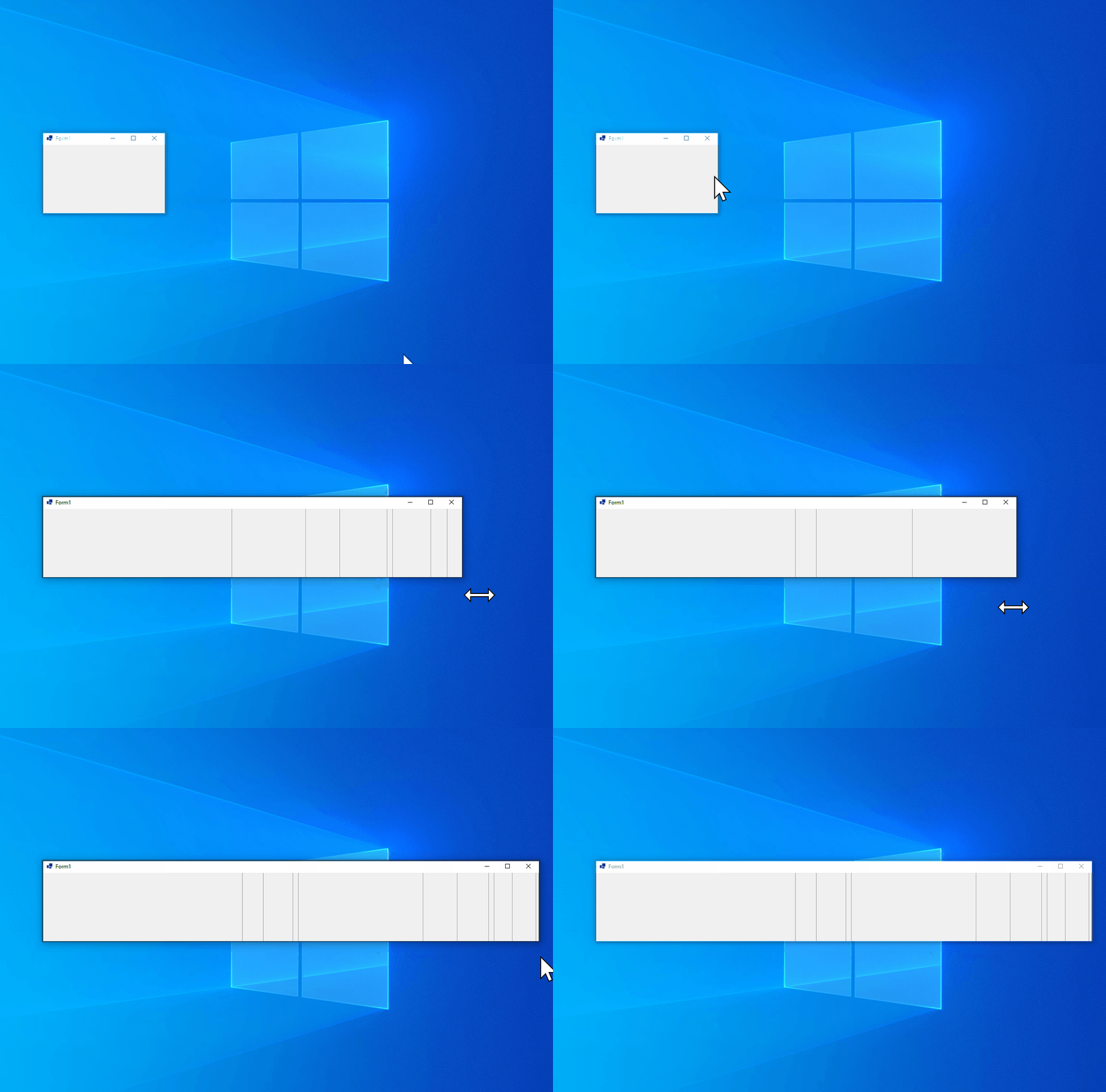
In SystemAware mode, Form1 appears shadow When move VS from 300 primary screen to 100 secondary screen and resize form1.
### Steps to reproduce
1. Launch VS instance on 300% primary monitor.
2. Create a winforms .net core project.
3. Build and run.
4. Move to 100% secondary monitor.
5. Resize form1.
**Actual result:**
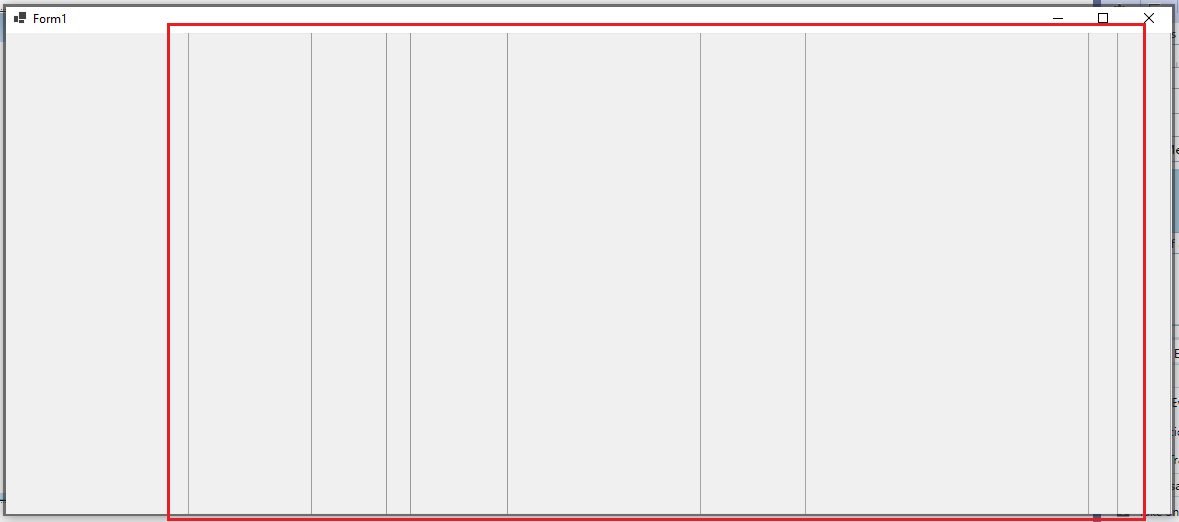
The shadow appears.
**Expected result:**
The shadow should not appear.
**More Info:**
1. This issue also repro on .NET7.0, .NET6.0.
2. This issue does not repro on framework project.
3. This issue does not repro on moved VS from 100% primary to 300% secondary.
4. This issue does not repro PerMonitorV2 mode.
Contributor guide
Assessment
This issue has not been assessed yet.