The button/Label control in the tabControl's tabPage2 move up after the app built
- Dominant language
- C#
- Stars
- 4.9k
- Forks
- 1.1k
- Avg merge
- 1d 13m
- Merged PRs (30d)
- 85
Description
* VS Version:
The latest main VS build
* .NET Core Version:
VS comes with .NET SDK 6.0.22.10605
* Have you experienced this same bug with .NET Framework?:
No
**Minimal repro:**
1. Create a .NET Core winforms app.
2. Add a TabControl to the form designer.
3. Add a button into the tabPage2 of the tabControl1.
4. Change the Anchor' property value of the button to 'None' or 'Buttom&Right'.
5. Set the form's font property value to 'Segoe UI, 12pt' and Font style is Regular.
6. Observe the Button's location value and build the app.
7. Observe the Button's location value.
Or
1. Extract "[TestApp.zip](https://github.com/dotnet/winforms-designer/files/8020188/TestApp.zip)" and open it in VS.
2. Observe the Button's location value and then build the app.
3. Observe the Button's location value.
**Actual behavior:**
The Button's location before build app is (220,180), after build app, the location of the button becomes (220,174).
The value of the Button's location property changes and the position moves up.
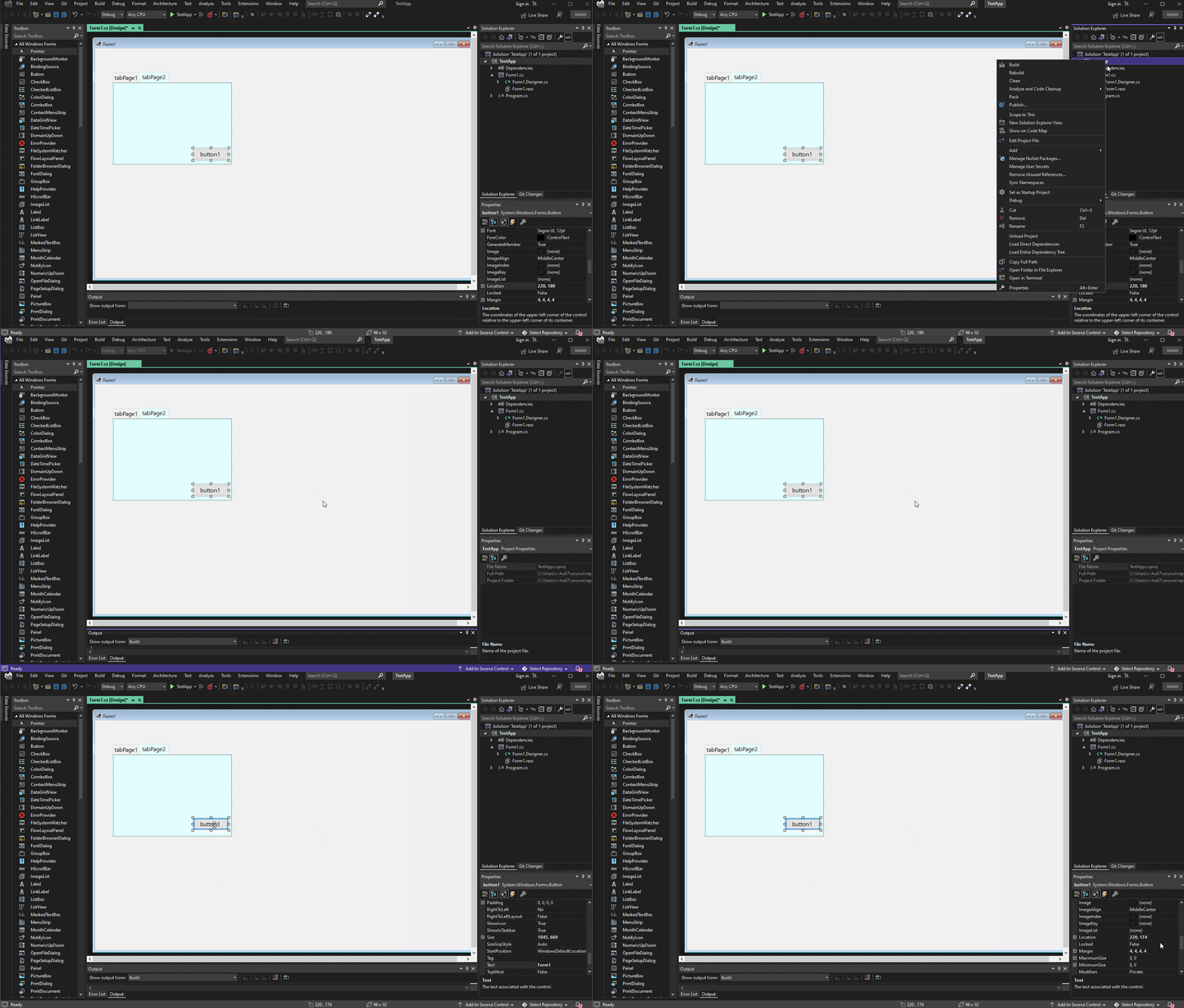
**Expected behavior:**
The Button's location before build app is (220,180), after build app, the location of the button remains (220,180).
The value of the Button's location property should not change and the position remains unchanged.

**More info**
1. The button/Label control in the tabControl's tabPage1, the issue cannot repro, it occurs from tabPage2 and onwards in tabs.
2. Workaround: If you don’t change the Anchor property of the Button so that it defaults to (Top, Left), then the font of the Form is changed to “Segoe UI”, 12F, System.Drawing.FontStyle.Regular". After build project, the button will not move up.
2. The initial feedback ticket: https://devdiv.visualstudio.com/DevDiv/_queries/edit/1457510/?triage=true
3. Original issue: [4029](https://github.com/dotnet/winforms-designer/issues/4092)
Contributor guide
Assessment
This issue has not been assessed yet.