[DpiUnaware] The ListBox and CheckedListBox controls are not scaled well on 300% system DPI
- Dominant language
- C#
- Stars
- 4.9k
- Forks
- 1.1k
- Avg merge
- 20h 23m
- Merged PRs (30d)
- 103
Description
* .NET Core Version:
.NET SDK 7.0.100-alpha.1.21568.2
* Have you experienced this same bug with .NET Framework?:
No
**Problem description:**
The ListBox and CheckedListBox controls are not scaled well on 300% system DPI.

**Expected behavior:**
The ListBox and CheckedListBox controls should be scaled well on 300% system DPI.

**Minimal repro:**
1. Open the [TestApp.zip](https://github.com/dotnet/winforms/files/7600905/TestApp.zip) on 300% DPI.
2. Change the ApplicationHighDpiMode to DpiUnAware in .csproj file, set AutoScaleMode = Font and font size from 9 to 10 for Form1 designer.
3. Run it.
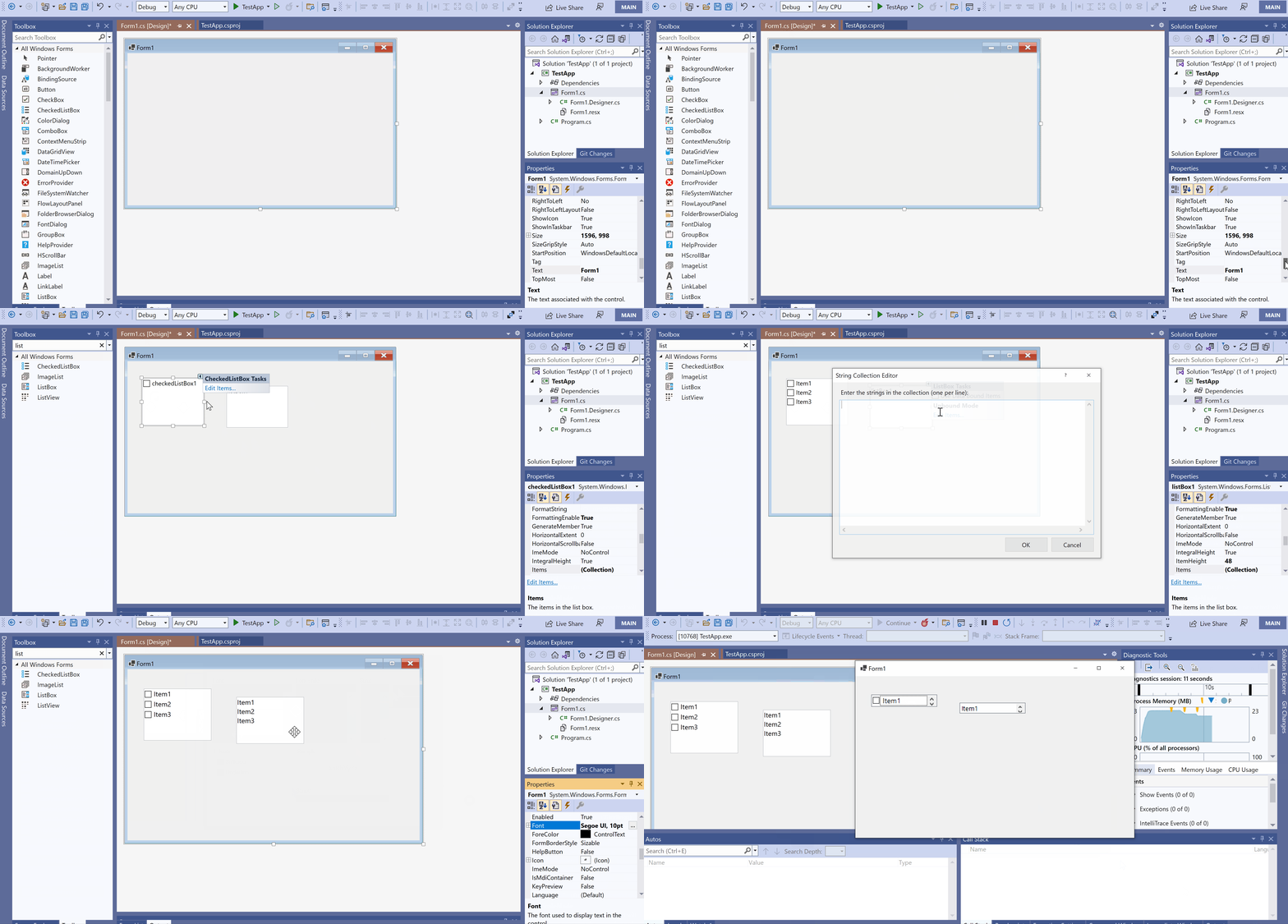
**More info:**
1. This issue cannot repro under DpiUnAware & AutoScaleMode = dpi or none
2. This issue doesn't reproduce under PerMonitorV2 and SystemAware modes.
Contributor guide
Assessment
This issue has not been assessed yet.