DTS: USER32!SetScrollInfo is not called as expected when you drag the scrollbar over the window
- Dominant language
- C#
- Stars
- 4.9k
- Forks
- 1.1k
- Avg merge
- 20h 23m
- Merged PRs (30d)
- 103
Description
* .NET Core Version:
5.0.100-rc.1.20367.2
* Have you experienced this same bug with .NET Framework?:
Yes
**More info:**
1. This is **not** a regression issue in both .NET Framework and .NET Core.
2. If add the below code in **hScrollBar1_Scroll** event handler, this issue will not be reproduced.
`panel1.PerformLayout();`
**Problem description:**
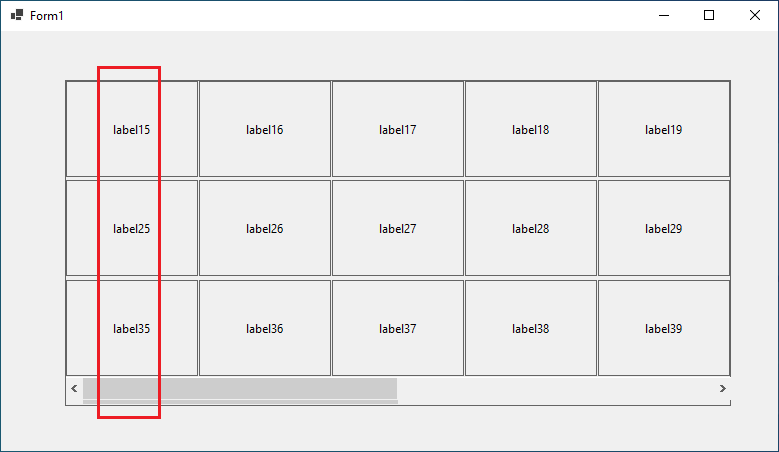
The label15 appears on the left side when the position of the scrollbar is left side as below.
**Expected behavior:**
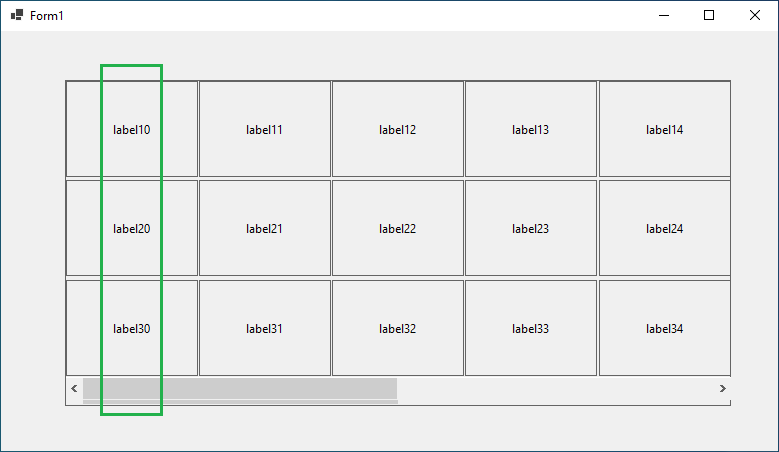
The label10 should appears on the left side when the position of the scrollbar is left side as below.
**Minimal repro:**
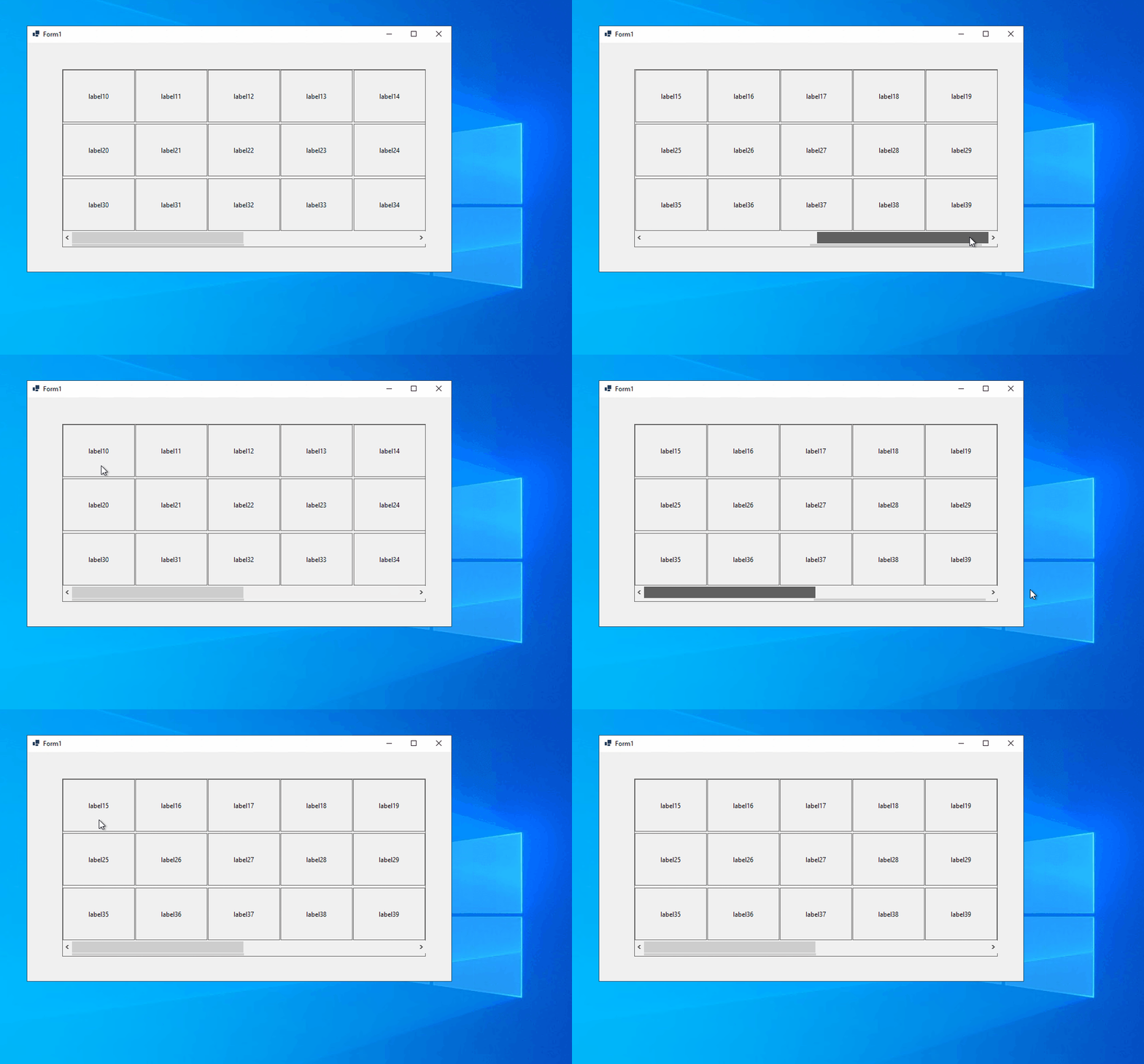
1. Launch the attached project in VS and run it.
2. Drag the scrollbar to the right edge, and continue move the mouse cursor from the right edge outside the form, still keep mouse button down. (The scrollbar will returns to left side automatically)
3. Move mouse cursor back into the right edge of form, still keep mouse button down.
4. Then move the mouse cursor from the right edge outside the form again, and release the mouse.
[TestApp.zip](https://github.com/dotnet/winforms/files/4951672/TestApp.zip)
Contributor guide
Assessment
This issue has not been assessed yet.