Windows forms ComboBox.DropDownStyle change causes System.AccessViolationException randomly
- Dominant language
- C#
- Stars
- 4.9k
- Forks
- 1.1k
- Avg merge
- 1d 13m
- Merged PRs (30d)
- 85
Description
* .NET Core Version:
.Net 5.0.100-rc.1.20366.7 from 5.0 master branch + VS2019 with latest core designer
* Have you experienced this same bug with .NET Framework?:
Yes
**More Info**
This issue can reproduce from .NET 3.5 to .NET 4.8 on Dev14/Dev15/Dev16. And this is a randomly issue, not happened each time.
**Minimal repro:**
1. Extract “Core.zip” and open it in VS.
[Core.zip](https://github.com/dotnet/winforms/files/4935973/Core.zip)
2. Build and run the project.
3. Click the dropdown button of ComboBox in form1, then form2 shown.
4. Click “X” to close form2.
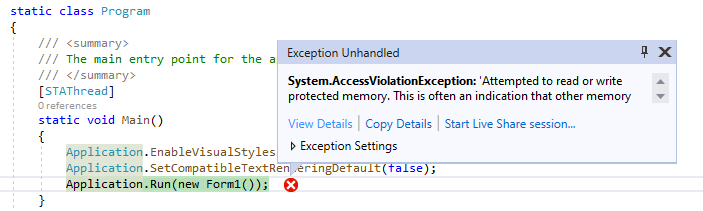
**Actual behavior:**
After step4, an error dialog pop up:
[Call_stack.txt](https://github.com/dotnet/winforms/files/4935975/Call_stack.txt)
**Expected behavior:**
There is no error dialog pop up. The project can run normally.
Contributor guide
Assessment
This issue has not been assessed yet.