System font scaling not working on the fly
- Dominant language
- C#
- Stars
- 4.9k
- Forks
- 1.1k
- Avg merge
- 20h 23m
- Merged PRs (30d)
- 103
Description
* .NET Core Version: **3.0+**
* Have you experienced this same bug with .NET Framework?: **Yes**, but strictly not applicable because .NET Framework dose'nt respect system font.
**Problem description:**
With `AutoScaleMode.Font` WinForms app must respect system font changes on the fly. But this doesn't happens - some controls will increase their font, some will not, but all of them not will increase their sizes. Correct look will be only after restart the app.
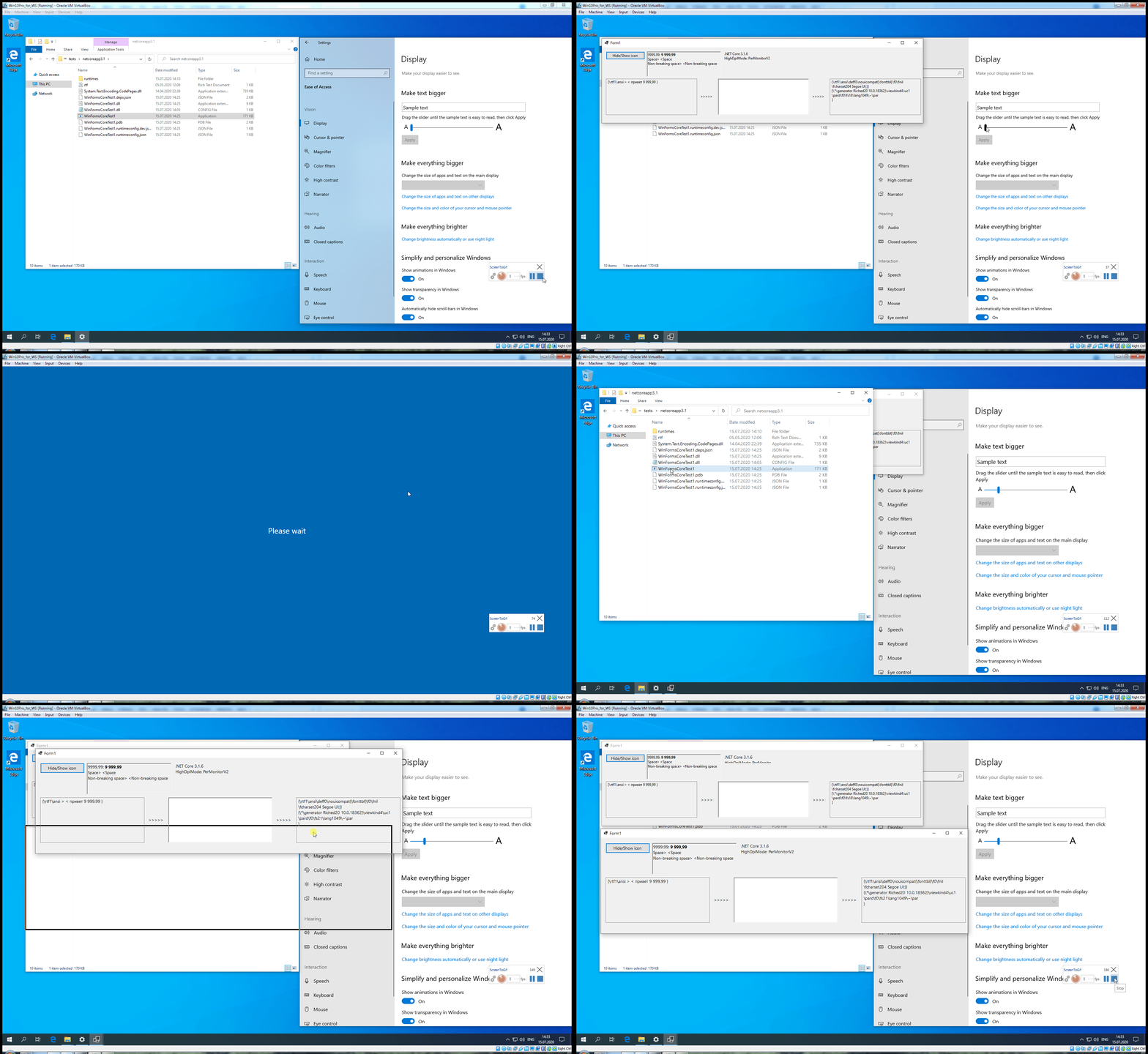
I think this is well known problem, but have created this for tracking...
**Expected behavior:**
App must correctly scale after system font changed, without relaunch.
**Minimal repro:**
Any WinForms app with `AutoScaleMode.Font`.
Contributor guide
Assessment
This issue has not been assessed yet.