The ""cell error" icon can't be seen after selected the "CheckBox" cell of the DataGridView control
Open
:beetle: bug
:construction: work in progress
area-controls-DataGridView
help wanted
- Dominant language
- C#
- Stars
- 4.9k
- Forks
- 1.1k
- Avg merge
- 1d 13m
- Merged PRs (30d)
- 85
Description
.NET Core Version: .NET Core 3.0.100-rc2-014265 from Release branch
Have you experienced this same bug with .NET Framework?: Yes
**Steps to reproduce:**
1. Open the attached application, build and run it.
[DGVTest.zip](https://github.com/dotnet/winforms/files/3624106/DGVTest.zip)
2. Select the "CheckBox" cell by using the Keyboard or mouse.
**Actual Results:**
The "Cell Error" icon can't be seen after selected the "CheckBox" cell.
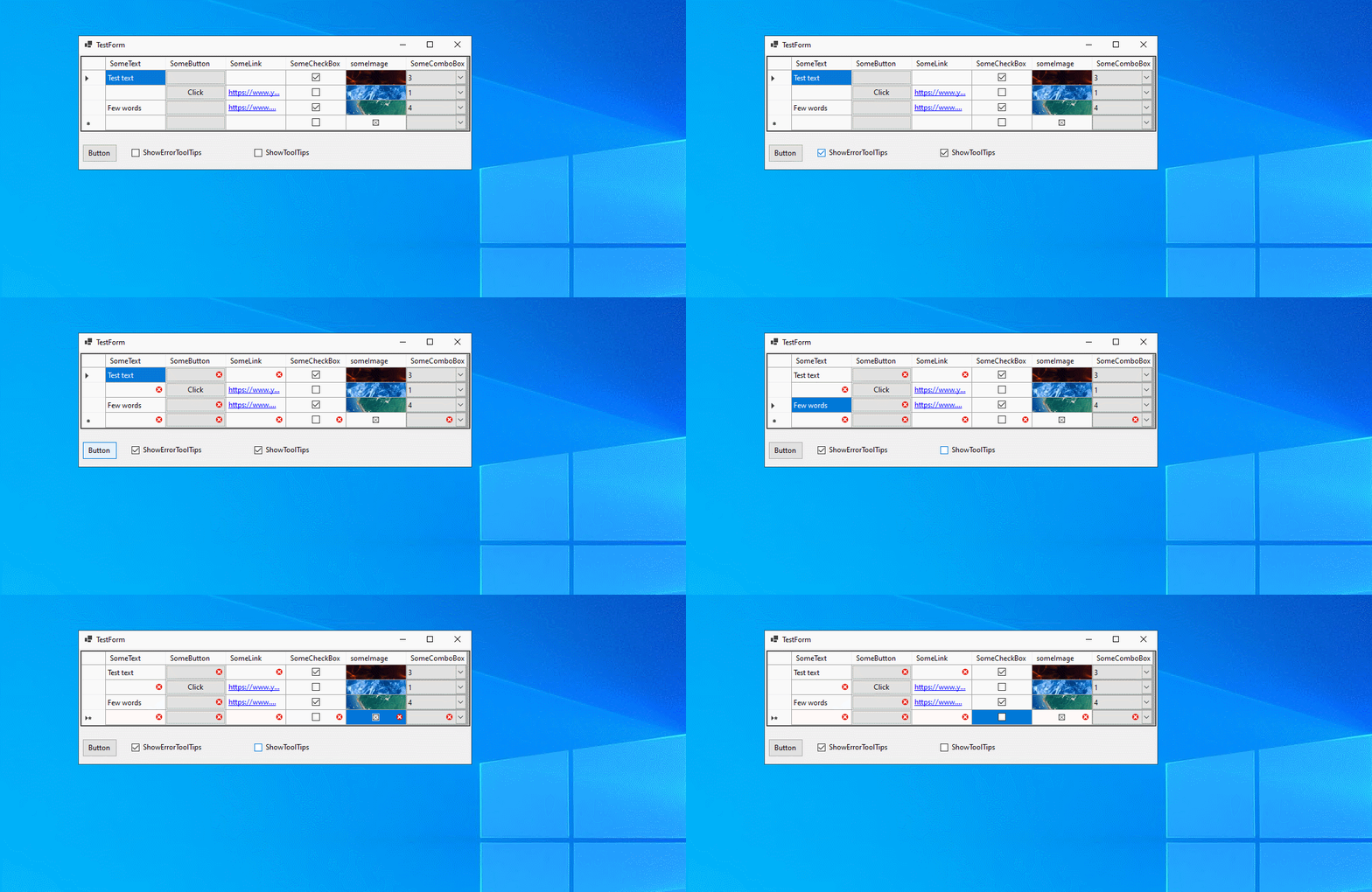
**Expected Results:**
The "Cell Error" icon should be seen as well as others cells, such as button cell, etc.
Contributor guide
Assessment
This issue has not been assessed yet.