dotnet / dotnet/project-system
Cannot use 'dotnet build' to build the repo
- Dominant language
- C#
- Stars
- 1k
- Forks
- 415
- PR merge metrics
- No merged PRs in 30d
Description
Related: https://devdiv.visualstudio.com/DevDiv/_workitems/edit/1495770
Related: https://devdiv.visualstudio.com/DevDiv/_workitems/edit/1522781
(Potentially) Related: https://github.com/dotnet/msbuild/issues/4704
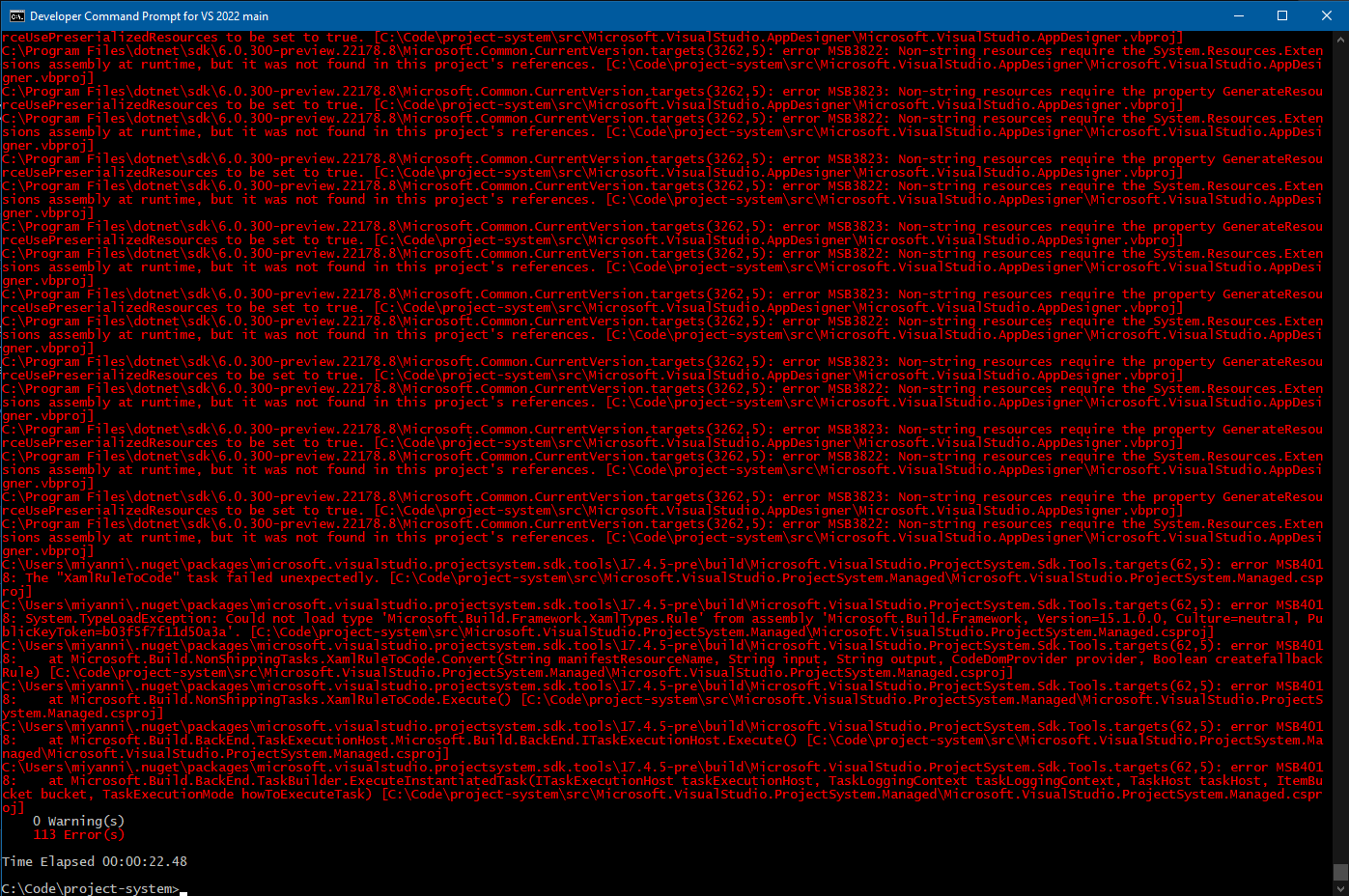
Normally, any SDK-style project that `msbuild` can build, the dotnet CLI using `dotnet build` can also build. This is because under-the-hood, the dotnet CLI is calling `msbuild`. The dotnet CLI also exposes this directly with the [dotnet msbuild](https://docs.microsoft.com/en-us/dotnet/core/tools/dotnet-msbuild) command. However, these commands are calling a version of msbuild called **msbuild core**. There are some slight differences between msbuild and msbuild core. The difference that concerns us is a set of types in the msbuild SDK that msbuild core doesn't have. These are the 'XamlTypes' via [Microsoft.Build.Framework.XamlTypes](https://docs.microsoft.com/en-us/dotnet/api/microsoft.build.framework.xamltypes?view=msbuild-17). An [existing issue against MSBuild](https://github.com/dotnet/msbuild/issues/6045) details this difference. Once msbuild core contains XamlTypes, we should verify we can properly build the repo using `dotnet build`.
Additionally, once the repo can build using `dotnet build`, our [build.cmd](https://github.com/dotnet/project-system/blob/main/build.cmd) can be simplified to call `dotnet build` instead of requiring a separate mechanism to locate `msbuild`. The dotnet CLI is always added to the system PATH when the dotnet SDK is installed, so we don't need any additional lookup to use this.
### Error Message
Contributor guide
Assessment
This issue has not been assessed yet.