dotnet / dotnet/project-system
The selected target project in Reference Manager dialog is not correct when adding project reference in 2 Winforms .Net core projects
- Dominant language
- C#
- Stars
- 1k
- Forks
- 415
- PR merge metrics
- No merged PRs in 30d
Description
**Visual Studio Version**:
Version 16.11.0 Preview 1.0 [31317.239.d16.11]
**Steps to Reproduce**:
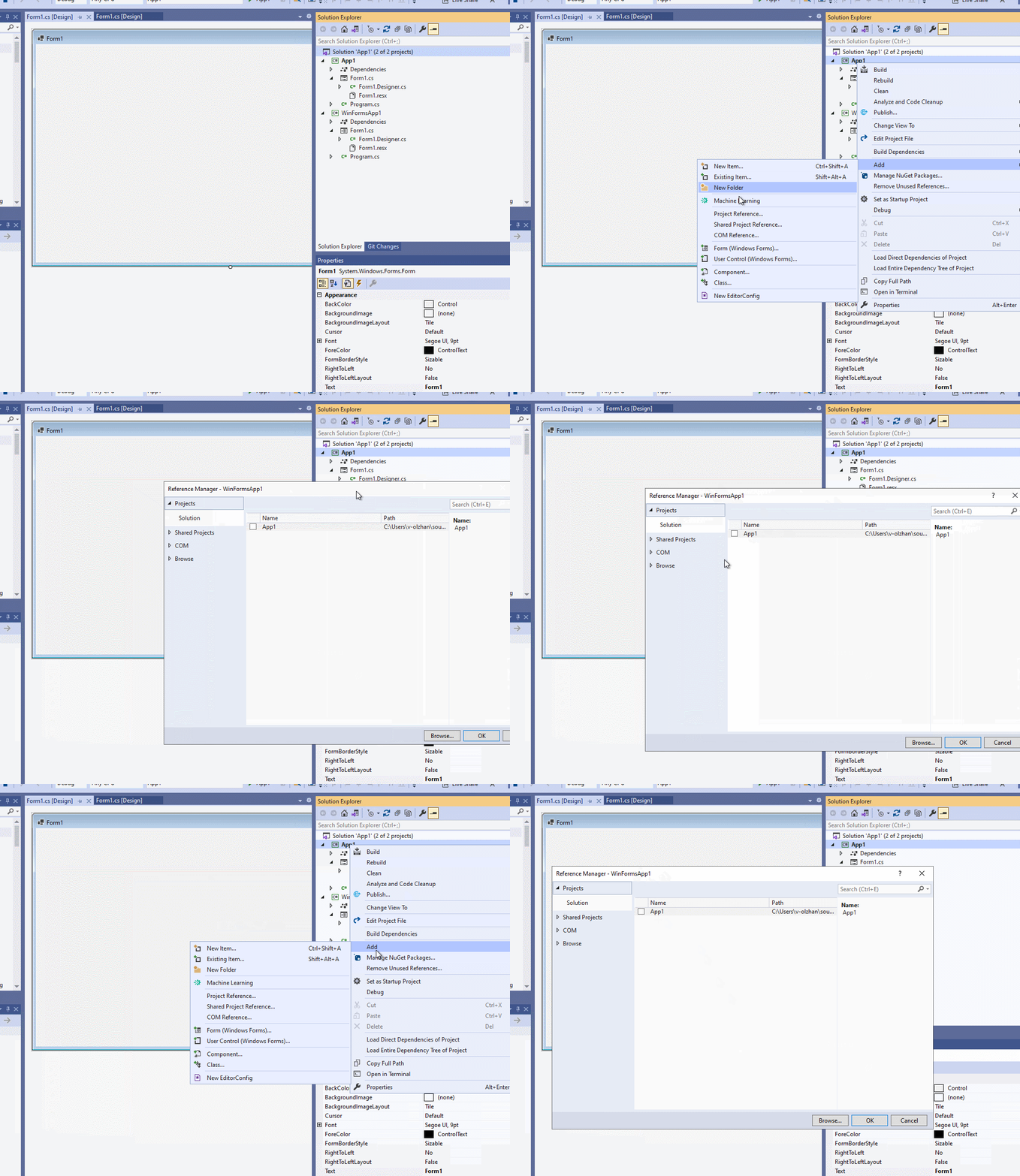
1. Create a Winforms .Net Core app with named "App1"
2. In same solution, add the second Winforms .Net Core app with default name "WinFormsApp1"
3. Don't build entire solution, right click App1 project node in Solution Explorer, select Add -> Project
**Expected Behavior**:
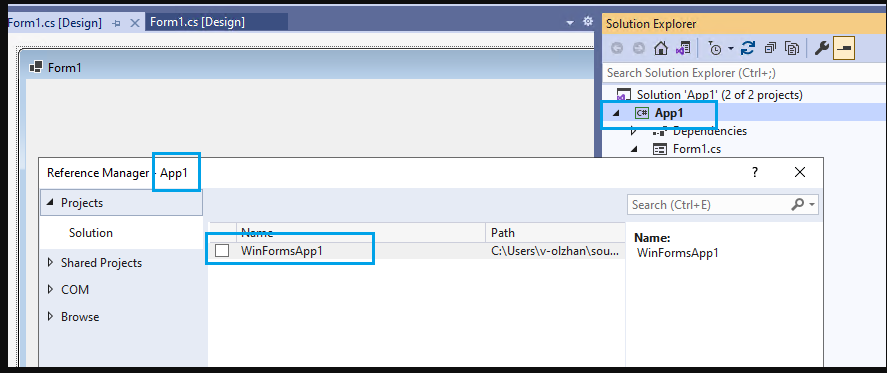
In Reference Manager dialog, the selected target app is App1
**Actual Behavior**:
In Reference Manager dialog, the selected target app is not App1, it is the second one: WinFormsApp1

**More Info**:
If building entire solution before adding project reference, this issue cannot repro.
Contributor guide
Assessment
This issue has not been assessed yet.