dotnet / dotnet/project-system
No ActiveConfiguration on new project causes EFCore migration .deps.json does not exist error
- Dominant language
- C#
- Stars
- 1k
- Forks
- 415
- PR merge metrics
- No merged PRs in 30d
Description
**Visual Studio Version**: VS2019 16.8.3
**Summary**: I was asked by the EFCore team to post here since it seems it's related to the project-system. I created a brand new project, added EFCore to it with a simple blog.cs class, then tried to add migration and received the dllname.deps.json file not found:
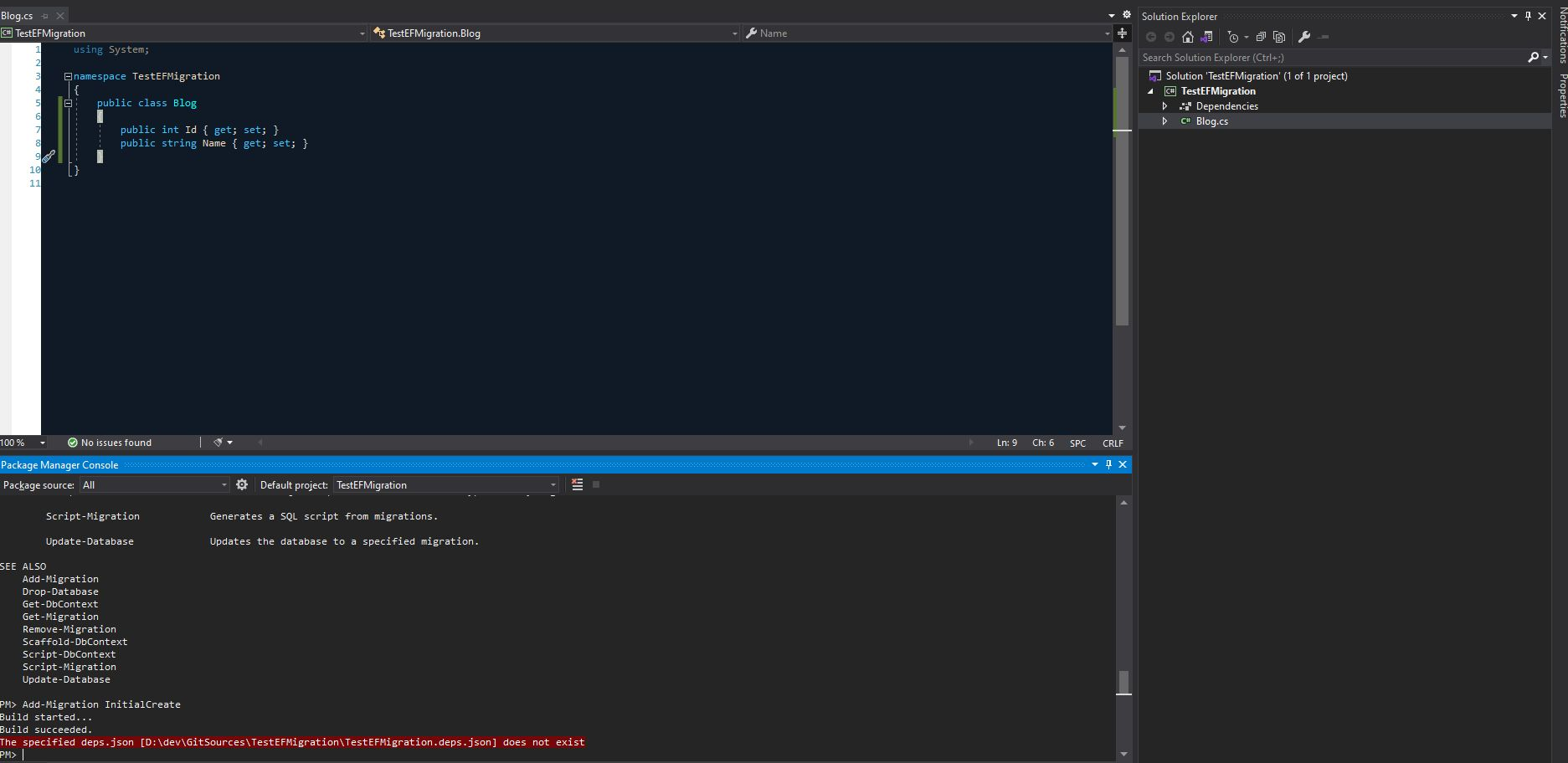
@bricelam asked me to run some commands to get more details on the problem:

The only thing I did is create a new .Net 5 project, nothing else.
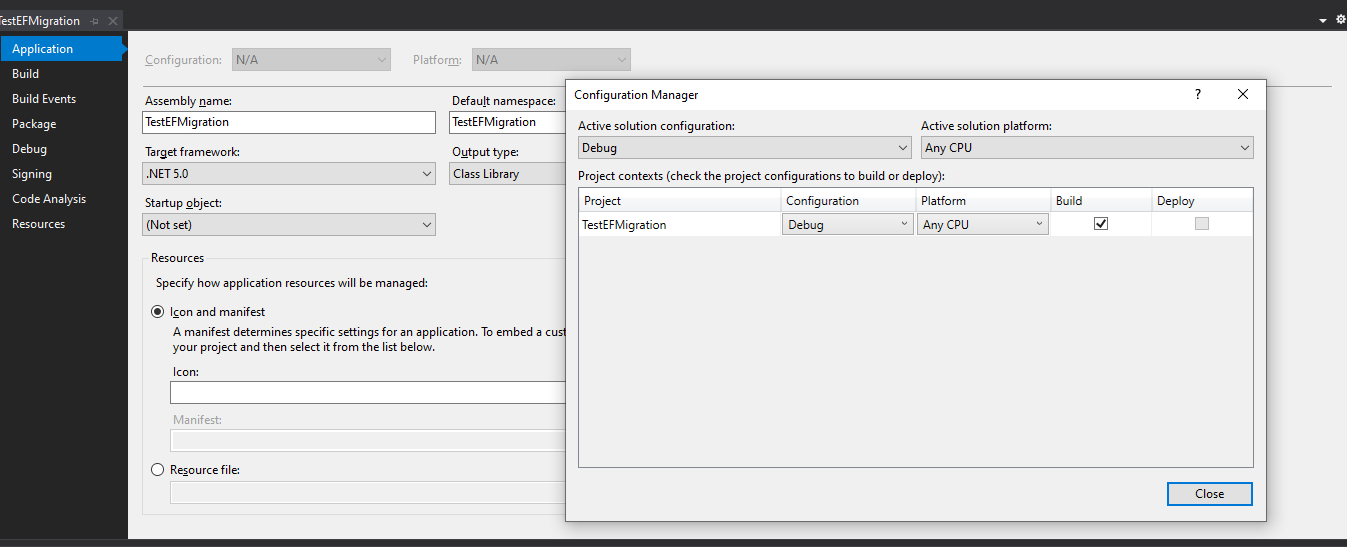
My project conf with my configuration manager details:
Reference to this case: https://github.com/dotnet/efcore/issues/23607
I also joined the .zip of the project. Please help, I haven't been able to run ef core commands from package manager console for like almost a year now.
[TestEFMigration.zip](https://github.com/dotnet/project-system/files/5668056/TestEFMigration.zip)
Contributor guide
Assessment
This issue has not been assessed yet.