Add --no-restore to dotnet ef migrations bundle
- Dominant language
- C#
- Stars
- 14.8k
- Forks
- 3.4k
- PR merge metrics
- PR metrics pending
Description
Running ```dotnet ef migrations bundle``` in a DevOps pipeline task fails, because the projects consume packages from a private NuGet feed.
The repo contains a NuGet.config file which points to the feed.
The feed's credentials are declared in Service Connections in DevOps.
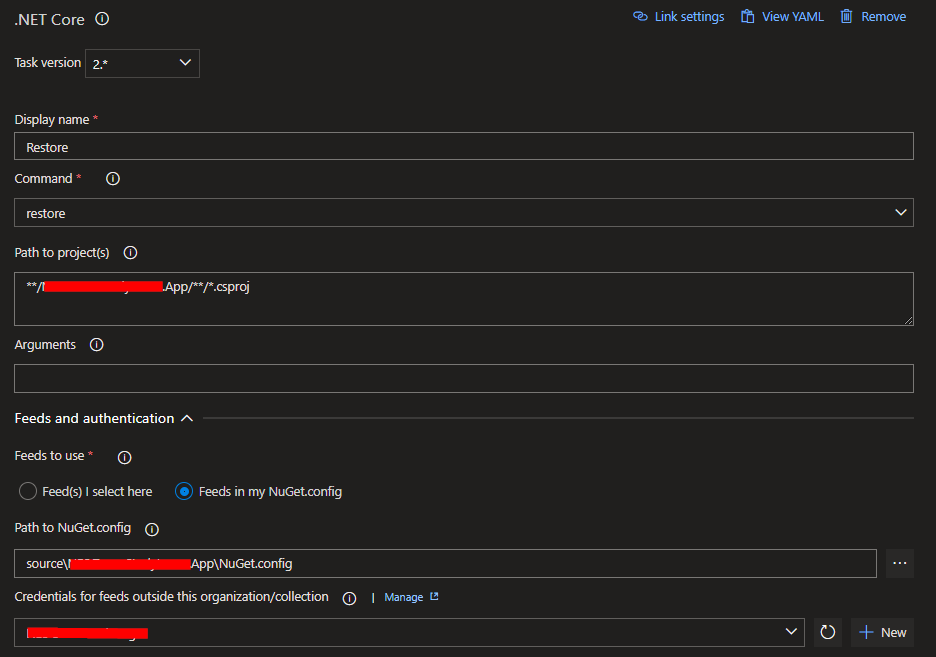
The DevOps pipeline has a .NET Core Restore step which specifies the path to NuGet.config and the aforementioned credentials.
The Restore step runs successfully and is able to fetch packages from that feed, but the ```ef migrations bundle``` command doesn't pick up the credentials and I don't see a way to configure it to do so.
EDIT - after some further trial and error, if the NuGet.config file contains the following (redacted):
```
```
then the migration bundle builds ok. But if NuGet.config contains %NuGetUsername% and %NuGetPassword% environment variables, these do not appear to be substituted as expected by the bundler. The environment variables are defined in the Variables tab in the DevOps pipeline.
Is it maybe a NuGet issue? I can work around it by using a PowerShell task to insert credentials into NuGet.config from secured environment variables.
```
Building bundle...
dotnet publish --runtime win10-x64 --output C:\Users\VssAdministrator\AppData\Local\Temp\o1ilebbo.deb\publish --no-self-contained --configuration Release
Microsoft (R) Build Engine version 17.0.0+c9eb9dd64 for .NET
Copyright (C) Microsoft Corporation. All rights reserved.
Determining projects to restore...
Retrying 'FindPackagesByIdAsyncCore' for source '[https://***.azurewebsites.net/nuget/FindPackagesById()?id='runtime.any.System.Runtime'&semVerLevel=2.0.0'.](https://%2A%2A%2A.azurewebsites.net/nuget/FindPackagesById()?id=%27runtime.any.System.Runtime%27&semVerLevel=2.0.0%27.)
Response status code does not indicate success: 401 (Unauthorized).
```
Full logs:
[BundleLogs.txt](https://github.com/dotnet/efcore/files/8079790/BundleLogs.txt)
Using the ```--no-build``` argument doesn't change the outcome, it still invokes the publish command as shown above and fails in the same way.
EF Core version: 6.0.2
Database provider: Microsoft.EntityFrameworkCore.SqlServer 6.0.2 with Microsoft.Data.SqlClient 4.1.0
Target framework: .NET 6.0
Operating system: windows-2022 (DevOps agent)
IDE: Visual Studio 2022
DevOps pipeline:
1. Restore step:
2. Build
3. Publish
4. Install EF global tool
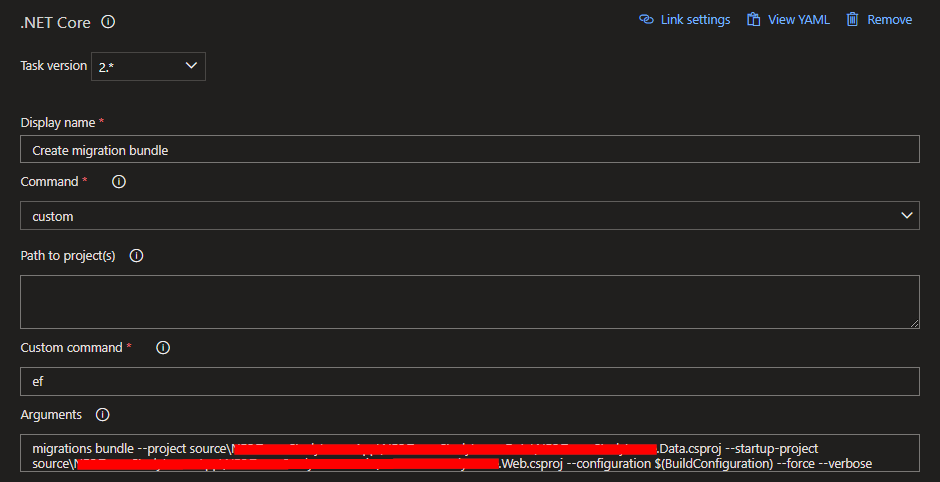
5. Bundle:
6. Publish web project artifact
7. Publish efbundle.exe artifact
Contributor guide
Assessment
This issue has not been assessed yet.