[Bug] Breadcrumbs for classes with the memberpage plugin are wrong
- Dominant language
- C#
- Stars
- 4.4k
- Forks
- 890
- Avg merge
- 2h 9m
- Merged PRs (30d)
- 11
Description
**Describe the bug**
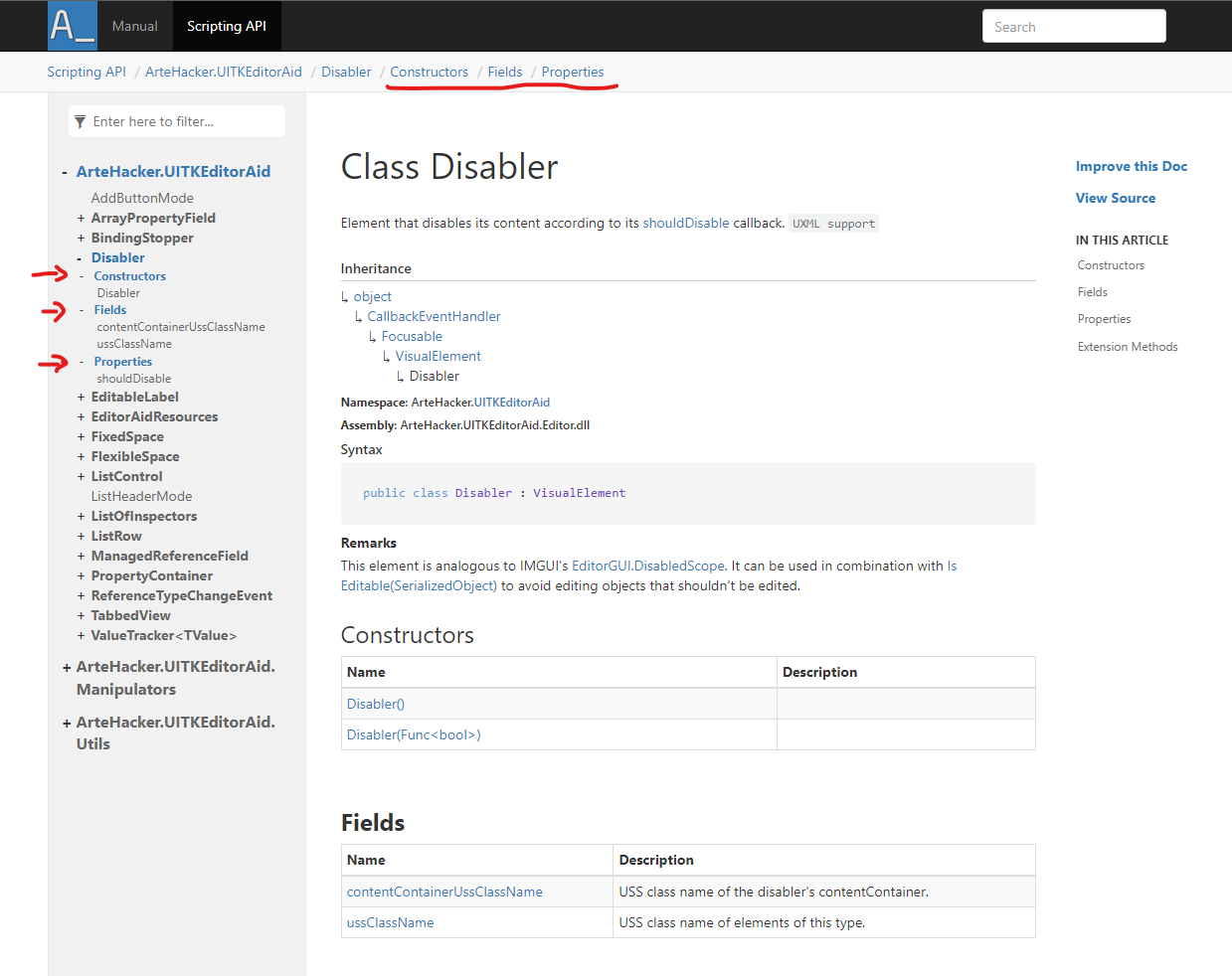
I created a site using the new way with DocAsCode like in [this sample](https://github.com/dotnet/docfx/tree/main/samples/extensions). I used version 2.62.1. The breadcrumbs for class pages include elements for subsections like "Fields" and "Properties". Those extra elements link to the same class page. I've included a screenshot bellow. The resulting breadcrumbs purported path looks wrong.
I think this happens because Breadcrumbs are generated from the page's TOC. Previously, class subsection entries in the TOC like "Fields" or "Properties" didn't have a link to anywhere; their only function was to hide/show their member-page items. Now, they link to the class's page, so they get added to the Breadcrumbs.
**To Reproduce**
Steps to reproduce the behavior:
1. Create a documentation site for a C# project with the new DocAsCode way, using the member page plugin and template, like in [this sample](https://github.com/dotnet/docfx/tree/main/samples/extensions).
2. Serve the site. Can be done from a console with `docfx serve path/to/site`
3. Go to a class page in the site that has at least a member inside. Notice the breadcrumbs have some undesired elements.
**Screenshots**
Here's how it looks now in a page for a class named _Disabler_. I've marked the undesired elements in the breadcrumbs with a red line, as well as the items in the TOC that generate them with red arrows:
Here's how the breadcrumbs looked before, in version 2.59.4:

**Context (please complete the following information):**
- OS: Windows
- Docfx version: 2.62.1
Contributor guide
Assessment
This issue has not been assessed yet.