IIS authentication fails after uninstall .NET 3.0 / 5.0
- Dominant language
- C#
- Stars
- 774
- Forks
- 72
- Avg merge
- 1d 23h
- Merged PRs (30d)
- 2
Description
After uninstalling all .NET version beside .NET 3.1 and .NET 6 the authentication fails on IIS. The commands for removing the installed .NET versions;
```
dotnet-core-uninstall.exe remove --aspnet-runtime --all-below 3.1.0
dotnet-core-uninstall.exe remove --aspnet-runtime 5.0.0
dotnet-core-uninstall.exe remove --runtime --all-below 3.1.0
dotnet-core-uninstall.exe remove --runtime 5.0.0
dotnet-core-uninstall.exe remove --sdk --all-below 3.1.0
dotnet-core-uninstall.exe remove --sdk 5.0.0
dotnet-core-uninstall.exe remove --hosting-bundle --all-below 3.1.0
dotnet-core-uninstall.exe remove --hosting-bundle 5.0.0
```
After removing these .NET version, the following error occur in IIS.
Opning IIS and try to open "Authentication";
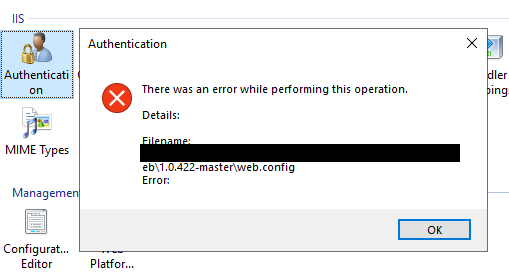
IIS cant retrieve authentication state;

The solution was to run the .NET 6.0 Hosting Bundle and "repair". Dont know if relevant but, after the repair there was one change in `applicationHost.config`

Contributor guide
Assessment
This issue has not been assessed yet.