Generated view doesn't contain enum options in the select window.
- Dominant language
- C#
- Stars
- 818
- Forks
- 260
- Avg merge
- 1d 8h
- Merged PRs (30d)
- 10
Description
## High level explanation
Given we are scaffolding a controller with views using Entity Framework, when the model contains an enum property, then on the Create and Edit pages the select for the enum property doesn't contain options to choose from.
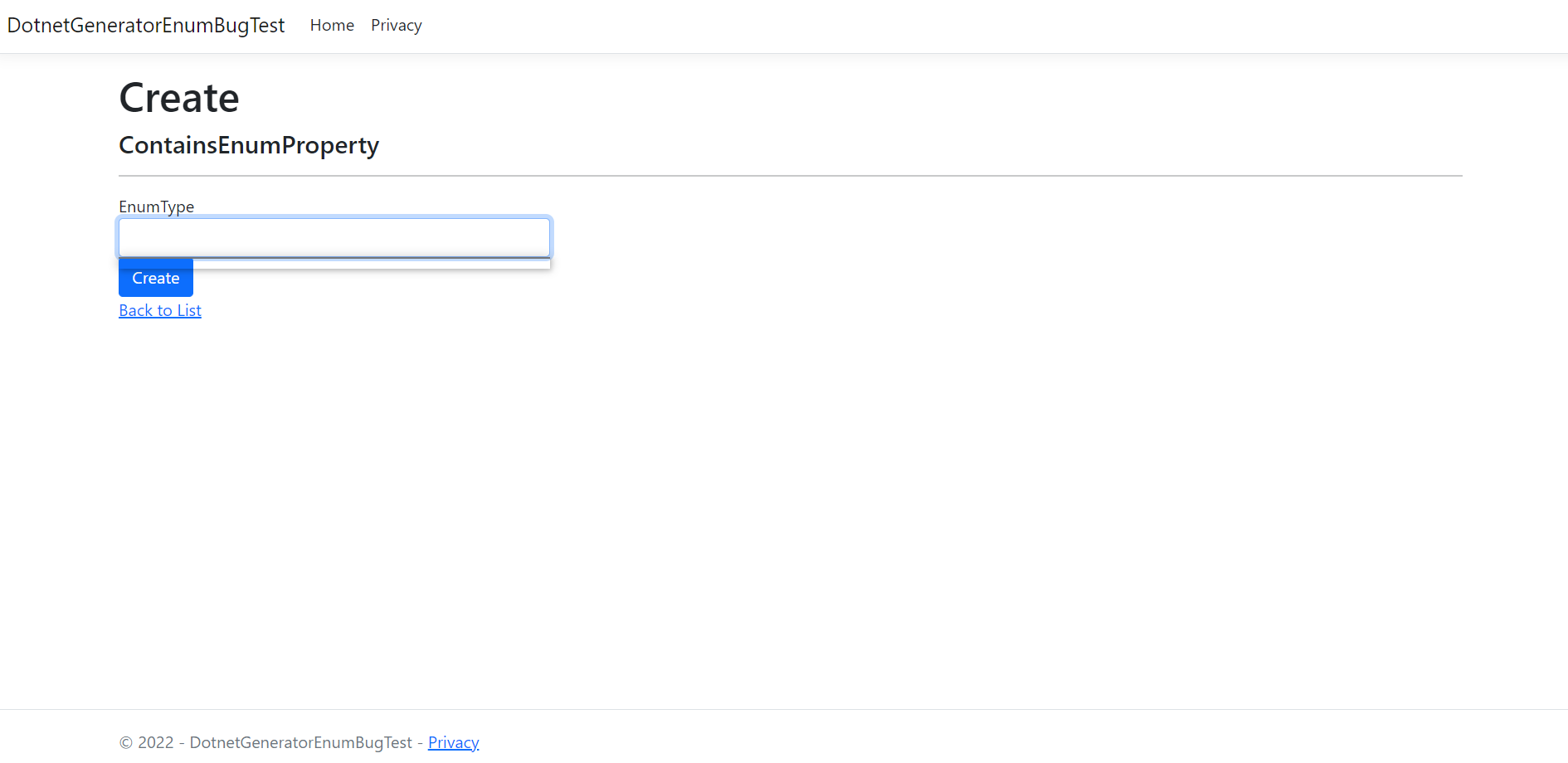
### Reproduction
To reproduce the issue, one must only create a model with an enum property, add it to a DbSet and generate a controller with views using Entity Framework.
```C#
public class ContainsEnumProperty
{
[Key]
public Guid Id { get; set; }
public EnumType EnumType { get; set; }
}
public enum EnumType
{
Option1,
Option2
}
```
The minimal reproduction I could come up with is linked here: https://github.com/MarcinKnyc/DotnetGeneratorEnumBugTest
The readme records exactly what I did to create this project, in order.
### Expected behavior
I expect the select window, when clicked, to display a list of enum options to choose from.
### Include provider and version information
Microsoft.VisualStudio.Web.CodeGeneration.Design version:
Target framework: (e.g. .NET 6.0.4)
Operating system: Windows 10 x64
IDE: (e.g. Visual Studio 2022 17.1.1)
Note: I downloaded the latest version of Microsoft.VisualStudio.Web.CodeGeneration.Design from NugetPacketManager, yet my .csproj file says ``
### Additional info
As a new user, I do not know whether the bug was present in past versions of this code generator.
## Proposed solution
I have found a working solution in the Core Docs - the `Html.GetEnumSelectList<...>()` method:
https://docs.microsoft.com/en-us/aspnet/core/mvc/views/working-with-forms?view=aspnetcore-6.0
I think it should be used in following files:
```
.\src\Scaffolding\VS.Web.CG.Mvc\Templates\RazorPageGenerator\Bootstrap3\Create.cshtml
.\src\Scaffolding\VS.Web.CG.Mvc\Templates\RazorPageGenerator\Bootstrap3\Edit.cshtml
.\src\Scaffolding\VS.Web.CG.Mvc\Templates\RazorPageGenerator\Bootstrap4\Create.cshtml
.\src\Scaffolding\VS.Web.CG.Mvc\Templates\RazorPageGenerator\Bootstrap4\Edit.cshtml
.\src\Scaffolding\VS.Web.CG.Mvc\Templates\RazorPageGenerator\Bootstrap5\Create.cshtml
.\src\Scaffolding\VS.Web.CG.Mvc\Templates\RazorPageGenerator\Bootstrap5\Edit.cshtml
.\src\Scaffolding\VS.Web.CG.Mvc\Templates\ViewGenerator\Bootstrap3\Create.cshtml
.\src\Scaffolding\VS.Web.CG.Mvc\Templates\ViewGenerator\Bootstrap3\Edit.cshtml
.\src\Scaffolding\VS.Web.CG.Mvc\Templates\ViewGenerator\Bootstrap4\Create.cshtml
.\src\Scaffolding\VS.Web.CG.Mvc\Templates\ViewGenerator\Bootstrap4\Edit.cshtml
.\src\Scaffolding\VS.Web.CG.Mvc\Templates\ViewGenerator\Bootstrap5\Create.cshtml
.\src\Scaffolding\VS.Web.CG.Mvc\Templates\ViewGenerator\Bootstrap5\Edit.cshtml
```
for example, for file `.\src\Scaffolding\VS.Web.CG.Mvc\Templates\ViewGenerator\Bootstrap5\Edit.cshtml` the line should be 86:
```C#
@:
```
I would change it to:
```C#
@:
```
I don't currently have an idea how to add the using statement for the enum type.
## Conclusion
I'm an IT student, a junior developer and I'm fascinated by the opportunities created by code generation. I'd like to do the fix myself if possible. This is my first time contributing and I'm open to feedback. I'd love some help with the using statement. Is it something you want fixed, is my solution viable?
Contributor guide
Assessment
This issue has not been assessed yet.