Bug with Open XML SDK: PowerPoint could not open the file created by v2.18 with mc:AlternateContent element
- Dominant language
- C#
- Stars
- 4.6k
- Forks
- 605
- PR merge metrics
- No merged PRs in 30d
Description
**Describe the bug**
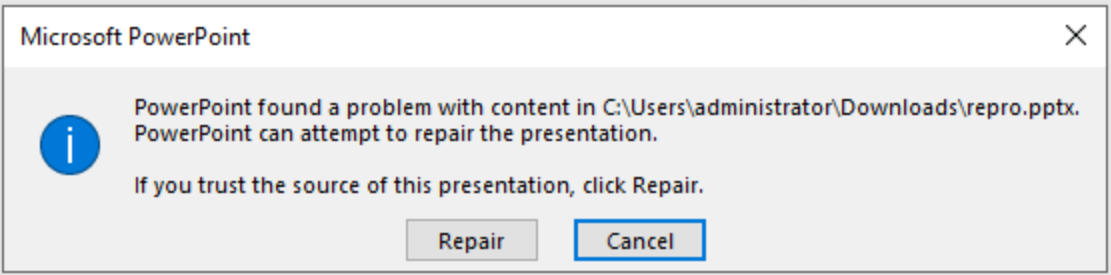
The customer generated PPTX documents by using OpenXML SDK, but PowerPoint would prompt Repair dialog while opening the document, and part of slide layout would be missed. This issue was not there when using OpenXML SDK 2.7.2 until upgraded OpenXML SDK to version 2.11~2.18.
**Screenshots**
**To Reproduce**
Steps to reproduce the behavior:
1. Use following code, to generate a new pptx file.
```csharp
public static SlideLayoutPart CreateSlideLayout(PackEngineContext packEngineContext, SlideLayoutPart sourceLayoutPart, PresentationDocument targetDoc, SlideMasterPart targetMasterPart, List imageCacheItems, PPTIdCounter pptIdCounter)
{
SlideLayoutPart targetLayoutPart = targetMasterPart.AddNewPart();
targetLayoutPart.FeedData(sourceLayoutPart);
if (targetMasterPart.IsRepeatNameOfSlideLayout(targetLayoutPart))
{
targetLayoutPart.SetNameofSlideLayout();
}
targetLayoutPart.AddPart(targetMasterPart, targetDoc.PresentationPart.GetIdOfPart(targetMasterPart));
bool needCloneDiagramParts = (sourceLayoutPart.DiagramColorsParts != null && sourceLayoutPart.DiagramColorsParts.Count() > 0) ||
(sourceLayoutPart.DiagramDataParts != null && sourceLayoutPart.DiagramDataParts.Count() > 0);
bool needCloneChartParts = sourceLayoutPart.HasChart();
AddImageRelatedParts(sourceLayoutPart, sourceLayoutPart.SlideLayout.CommonSlideData, sourceLayoutPart.VmlDrawingParts,
targetLayoutPart, imageCacheItems, needCloneDiagramParts, needCloneChartParts);
HandleOtherParts(packEngineContext, sourceLayoutPart, sourceLayoutPart.SlideLayout.CommonSlideData,
targetDoc, targetLayoutPart, targetLayoutPart.SlideLayout.CommonSlideData);
SlideLayoutId newLayoutId = new SlideLayoutId();
newLayoutId.Id = pptIdCounter.GetNextSlideMasterLayoutId();
newLayoutId.RelationshipId = targetMasterPart.GetIdOfPart(targetLayoutPart);
targetMasterPart.SlideMaster.SlideLayoutIdList.Append(newLayoutId);
targetLayoutPart.SlideLayout.Save();
return targetLayoutPart;
}
```
**Observed behavior**
PowerPoint will pop up repair error message when opening the error.pptx.
**Expected behavior**
No repair prompt and slide layout would not be broken.
**Desktop (please complete the following information):**
- OS: Windows
- Office version 16.0.15726.20202
- .NET Target: .NET Core
- DocumentFormat.OpenXml Version: 2.18.0
**Additional context**
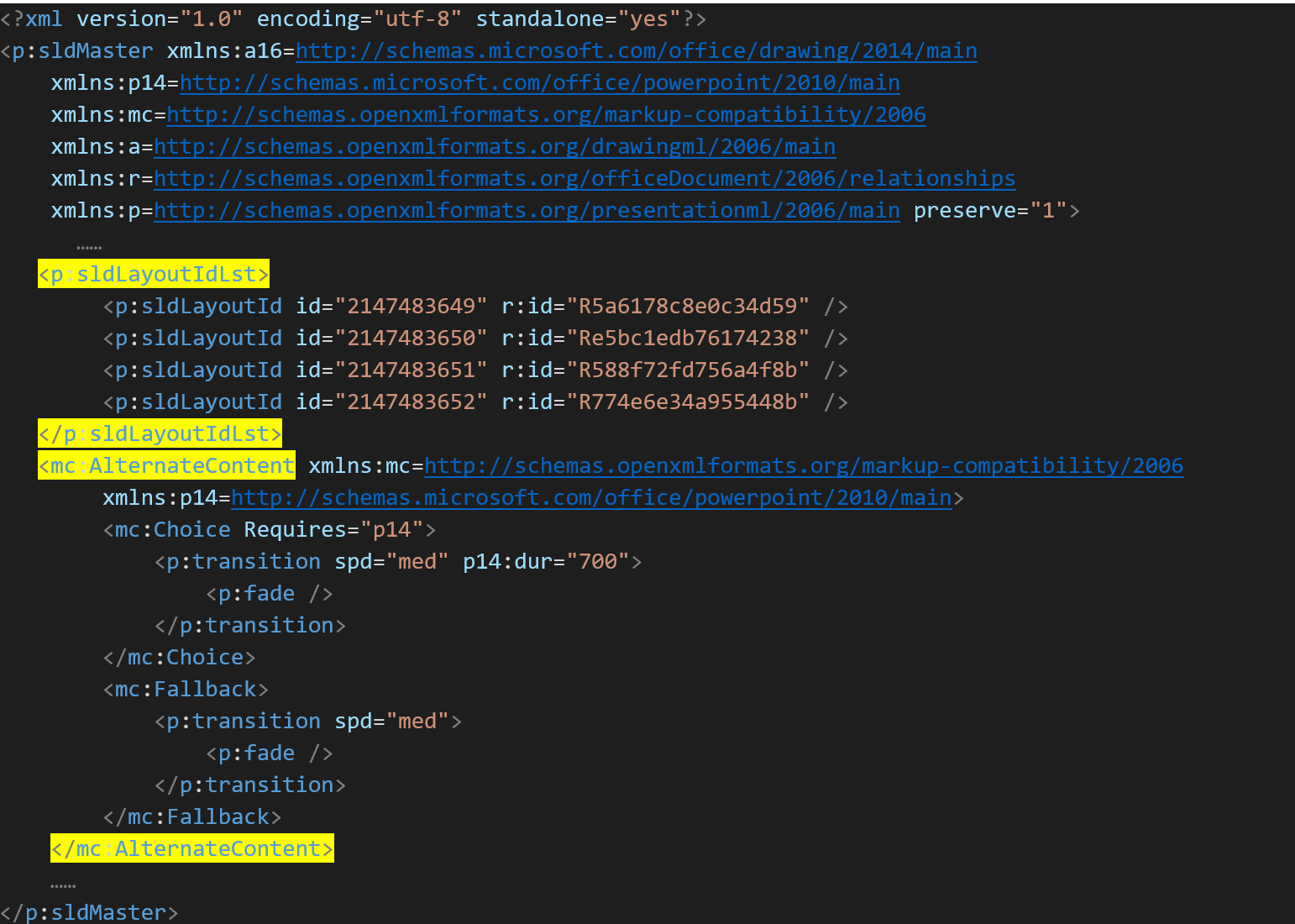
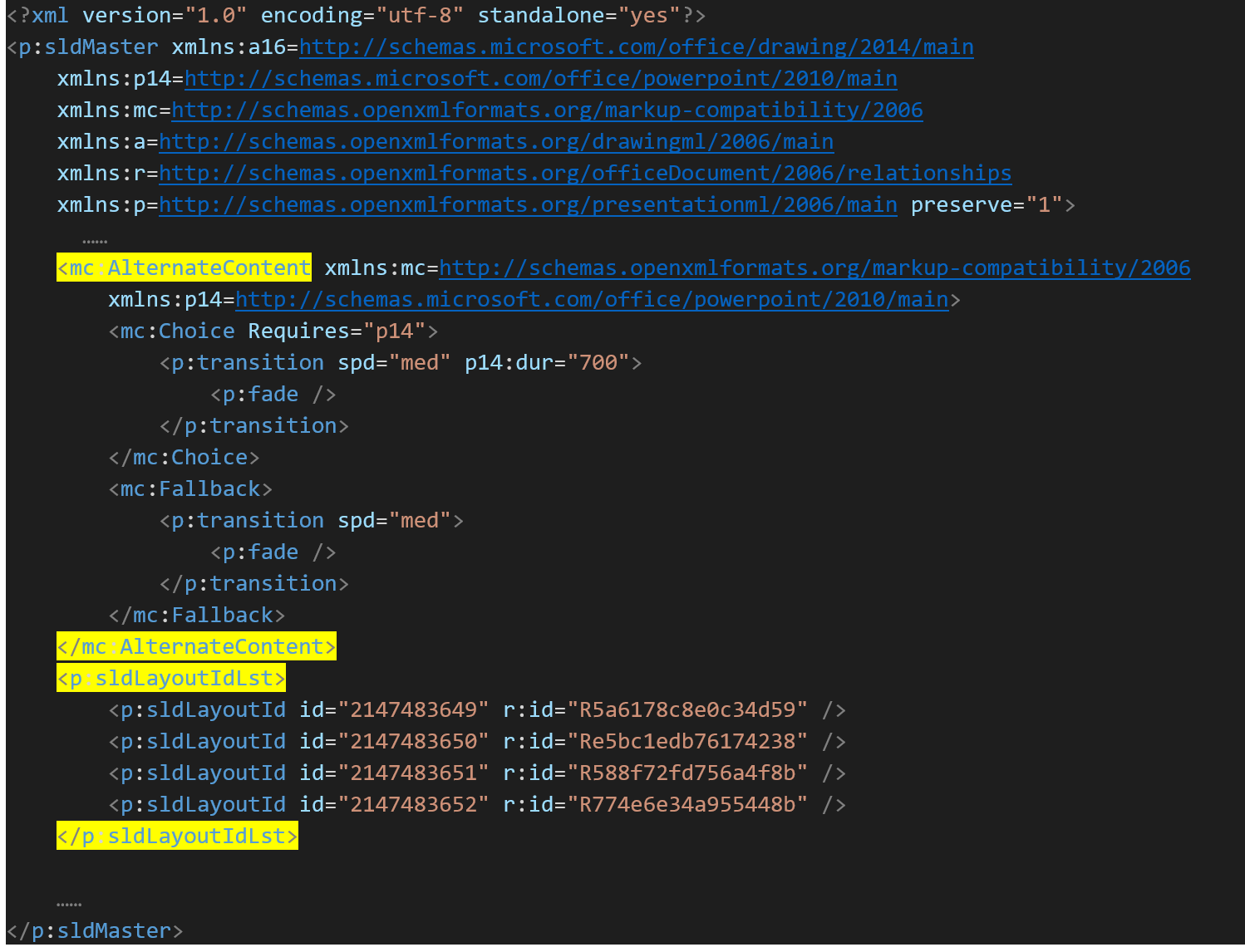
1. We compared the normal.pptx and error.pptx, then found the element order is different, if we manually change the element order, then PowerPoint can open the file successfully.
3. The following code came from the directory &\ppt\slideMasters\slideMaster1.xml, XML node in PPTX generated by openxml2.7.2 is as follows, the element AlternateContent was behind sldLayoutIdLst, and the document can be opened normally.
4. In version 2.11~2.18 of OpenXML, the generated XML document changed to such that the "AlternateContent" and "p:sldLayoutIdLst" were reversed, causing this problem.
Contributor guide
Assessment
This issue has not been assessed yet.