dotnet / dotnet/AspNetCore.Docs
Show support jQuery validation for non-English locales that use a comma (",") for a decimal point
- Dominant language
- C#
- Stars
- 13.1k
- Forks
- 24.6k
- Avg merge
- 1d 3h
- Merged PRs (30d)
- 97
Description
https://docs.microsoft.com/en-us/aspnet/core/tutorials/first-mvc-app/validation mentions
You may not be able to enter decimal points or commas in the Price field. To support jQuery validation for non-English locales that use a comma (",") for a decimal point, and non US-English date formats, you must take steps to globalize your app.
Need tutorial that shows how to do this. Until the tutorial is written, follow these instructions:
On `Index.cshtml` add
```c#
@System.Globalization.CultureInfo.CurrentUICulture
```
Refreshing the page you should see `en-US` displayed at the very top.
This will help to see if you does have localization enabled on mvc. When localization is working it can be removed.
To enable another locale than default on mvc you need to add localization support (read [Globalization and localization in ASP.NET Core](https://docs.microsoft.com/en-us/aspnet/core/fundamentals/localization?view=aspnetcore-2.1))
For this sample, let's just add **es-UY** locale and set as the default.
on `Startup.cs`:
```c#
app.UseRequestLocalization("en-UY", "fr-FR");
```
this will add support for locale "es-UY" and also make it the default culture.
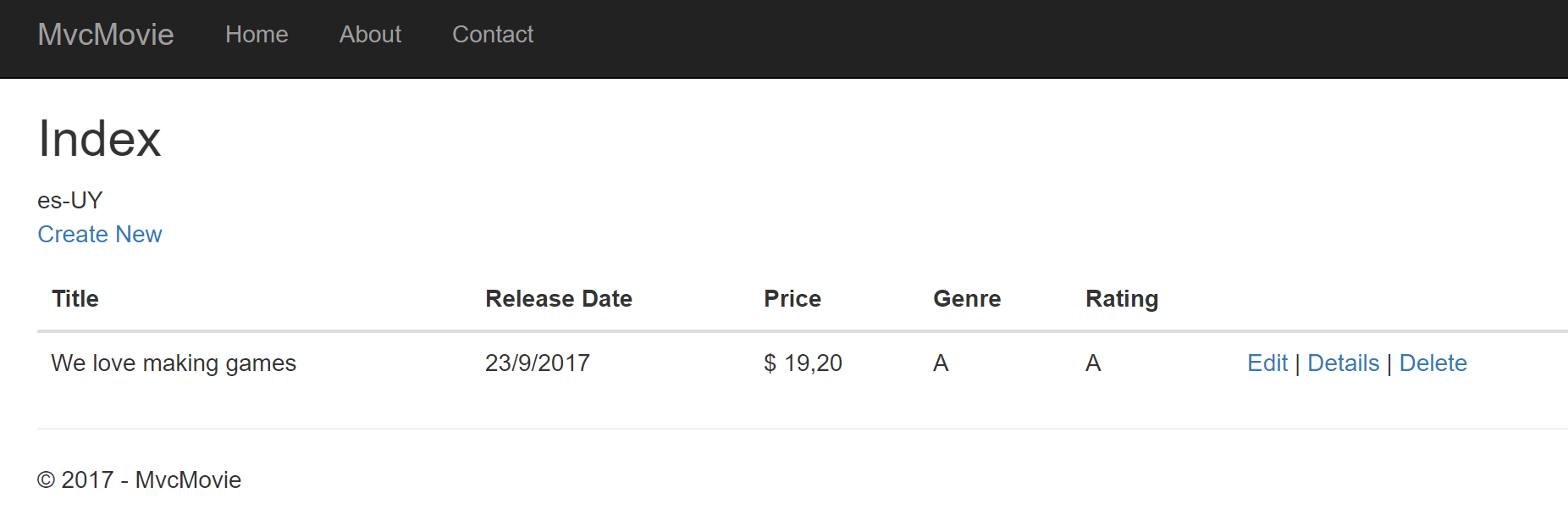
refreshing the Index page on your browser should now show es-UY as the current UI locale.
At this point, using decimal points on the client as 19.50 will allow the jQuery validation but on the server it won't be seen as decimals so you will end with 1.950,00 value.
Then you need to use [Globalize](https://github.com/globalizejs/globalize) with [jquery-validation-globalize](https://github.com/johnnyreilly/jquery-validation-globalize) plugin.
See [Globalize installation instructions](https://github.com/globalizejs/globalize#installation) and [jquery-validation-globalize installation instructions](https://github.com/johnnyreilly/jquery-validation-globalize#install-into-your-project). Unfortunately those instructions use bower for the installation and the ASP.NET CORE 2.0 and late doesn't use bower. If you want to use the recommended **NPM** way, you can still do it. Either way, I highly recommend you check out both projects for documentation and more info. You just need to install [Globalize](https://github.com/globalizejs/globalize) with [jquery-validation-globalize](https://github.com/johnnyreilly/jquery-validation-globalize) plugin - how you do it is secondary.
After you managed to install Globalize and jquery-validation-globalize plugin then you need to use it on your html pages.
on `_ValidationScriptsPartial.cshtml` add the new required javascript files (after jQuery):
```html
```
Refresh your page, it should work with the current culture (in this case, es-UY).
The [LibMan](https://github.com/aspnet/LibraryManager/issues/74) tool requires VS 15.8.0 Preview 2.0 or later.
Hope it helps.
Contributor guide
Assessment
This issue has not been assessed yet.