dotansimha / dotansimha/graphql-code-generator
Codegen generating inconsistent style/sorting in Windows VS Mac/Linux
- Dominant language
- TypeScript
- Stars
- 11.3k
- Forks
- 1.4k
- Avg merge
- 1d 1h
- Merged PRs (30d)
- 23
Description
**Describe the bug**
Hi, I'm having a strange issue while using codegen. When I generate code, my resulting file has a different "styling" then the one in the codebase.
For some reason, after running `yarn codegen`, some of my `export type XYZ` statements are moved and grouped together on top of the file.
I'm the only one having this issue in my company, and I am also the only dev on a Windows machine - all my colleagues are using Mac/Linux.
Our build pipelines generated file is consistent with the one of my colleagues, and therefore generating conflicts (and failing the pipeline) of all my PRs.
This is a snippet from my `api-types` file changes after I run `yarn codegen`: as you can see a lot of `export type` statements were moved together to be at the top of the file and they were removed from their original positions further down in the code.
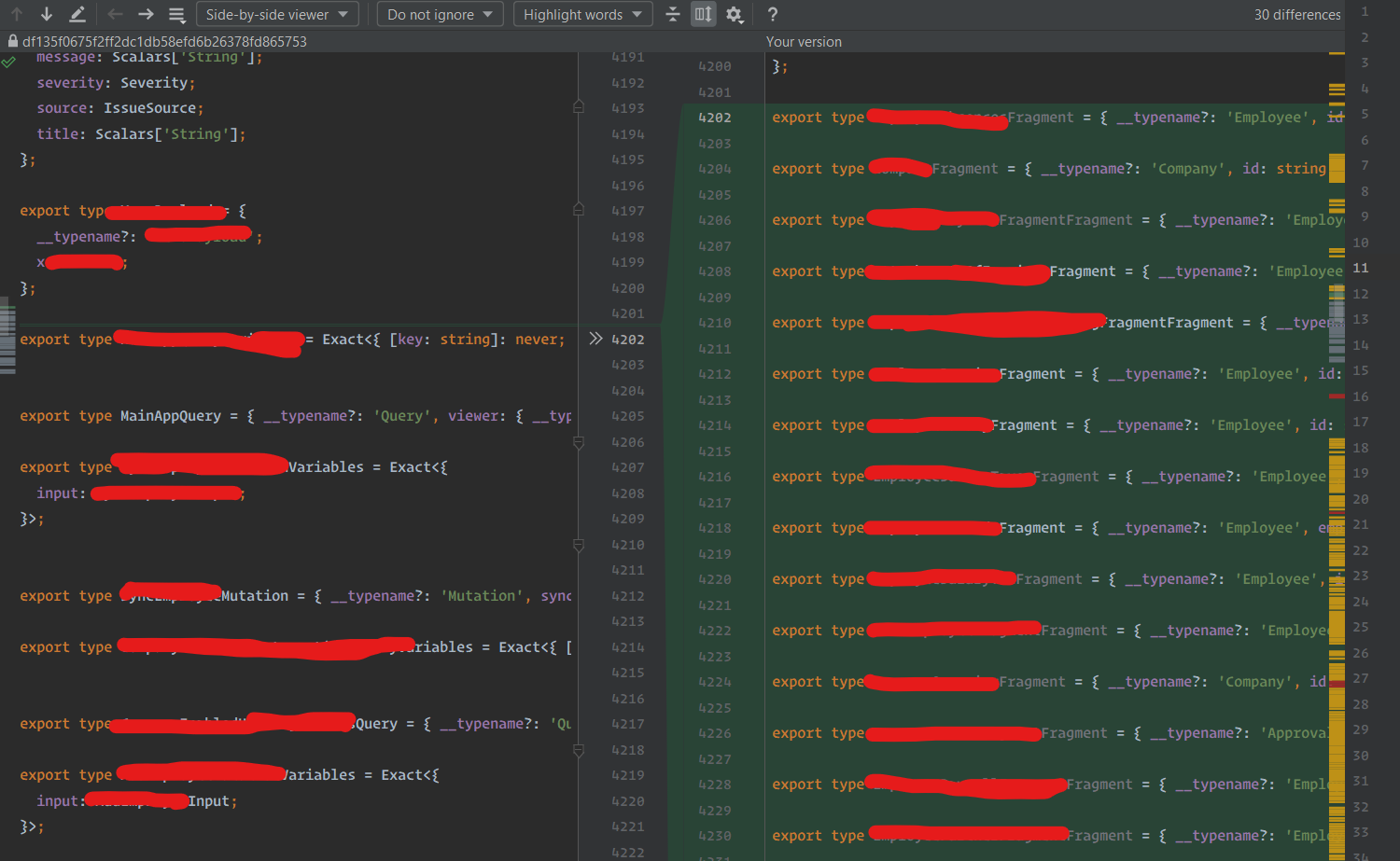
Example of a couple of statements that were moved to the top:

**To Reproduce**
1. I checkout my company's `master` branch.
2. I run `yarn codegen`.
Can't share my `schema` unfortunately 😢 .
6. My `graphql-codegen.yml` config file:
```
overwrite: true
schema:
- '../pkg/graphql/uk/schema/gql/*.graphql'
- '../pkg/approval/api/graphql/*.graphql'
documents:
- './src/**/*.ts'
- './src/**/*.tsx'
generates:
src/api-types.tsx:
config:
withComponent: true
withHOC: false
enumValues:
Gender: ./customTypes#Gender
PersonalTitle: ./customTypes#PersonalTitle
apolloReactHooksImportFrom: ./components/GraphQL/hooks
scalars:
Time: string
TaxCode: string
Hours: number
plugins:
- add:
content: '/* eslint-disable */'
- 'typescript'
- 'typescript-operations'
- 'typescript-react-apollo'
```
**Expected behavior**
3. Expected result: no code changes.
4. Actual result: the snippets above describe a part of it. No actual code generation changes, but styling/sorting differences happen.
**Environment:**
- OS: Windows 11 (was also happening on Windows 10)
```
"@graphql-codegen/add": "^3.1.1",
"@graphql-codegen/cli": "2.6.2",
"@graphql-codegen/introspection": "2.1.1",
"@graphql-codegen/typescript": "^2.4.7",
"@graphql-codegen/typescript-operations": "^2.3.4",
"@graphql-codegen/typescript-react-apollo": "^3.2.10",
```
- NodeJS: `v16.13.0`
**Additional context**
I used to have this issue a few months ago, and I did find a workaround for it - running `yarn codegen` inside a Windows Terminal tab opened with an **Ubuntu** profile would not generate weird styling changes.
This workaround made me think that this issue could be related to Windows specifically🤔
For some reason now this solution is no longer working (maybe something changed when I upgraded to Windows 11?) and running the command in the Ubuntu terminal is no longer having an impact on my files.
EDIT: I found out more about this. It seems like this weird code sorting only happens when running `yarn codegen` with an already fully generated file.
If I delete the file content and run `yarn codegen`, the file will be generated from scratch and it will look exactly like the one of my other colleagues.
Contributor guide
No contributing guide indexed for this repository
Assessment
This issue has not been assessed yet.