Theme incorrectly displayed in emacsclient terminal when connected to emacs-mac GUI server
- Dominant language
- Emacs Lisp
- Stars
- 22.7k
- Forks
- 3.1k
- Avg merge
- 10h 46m
- Merged PRs (30d)
- 4
Description
### I confirm that...
- [X] I have searched the [issue tracker](https://github.com/doomemacs/doomemacs/issues), [documentation](https://docs.doomemacs.org), [FAQ](https://docs.doomemacs.org/-/faq), [Discourse](https://discourse.doomemacs.org), and [Google](https://google.com), in case this issue has already been reported/resolved.
- [X] I have read "[How to Debug Issues](https://doomemacs.org/d/how2debug)", and will use it to provide as much information about this issue as possible.
- [X] The issue can be reproduced on the **latest** available commit of Doom.
- [X] The issue can be reproduced on a stable release of Emacs, such as 27 or 28. *(Doom does not support development builds like 29+ or any version ending in .50 or .9x)*
### Expected behavior
When running Emacs on MacOS, the theme should be consistently loaded and displayed in each permutation of `{GUI, terminal} x {standalone, emacsclient}`.
As I lay out below, I have found a workaround here, but it's sufficiently esoteric that I wanted to open a bug here to memorialize it. If this is expected behavior, I might suggest adding something to the docs about it. Future Mac users would thank you!
(And of course, thank you to @hlissner for the great editor!)
### Current behavior
## Summary
When running under emacs-mac on MacOS Ventura, and when connecting to a GUI-owned emacs-server, a terminal `emacsclient` frame does not correctly display the theme.
## Behaviors
Each case as follows:
1. [GUI standalone - WORKS CORRECTLY ✅]
- Run `emacs README.md` (or open by clicking the application icon)
- GUI frame opens, theme is correct
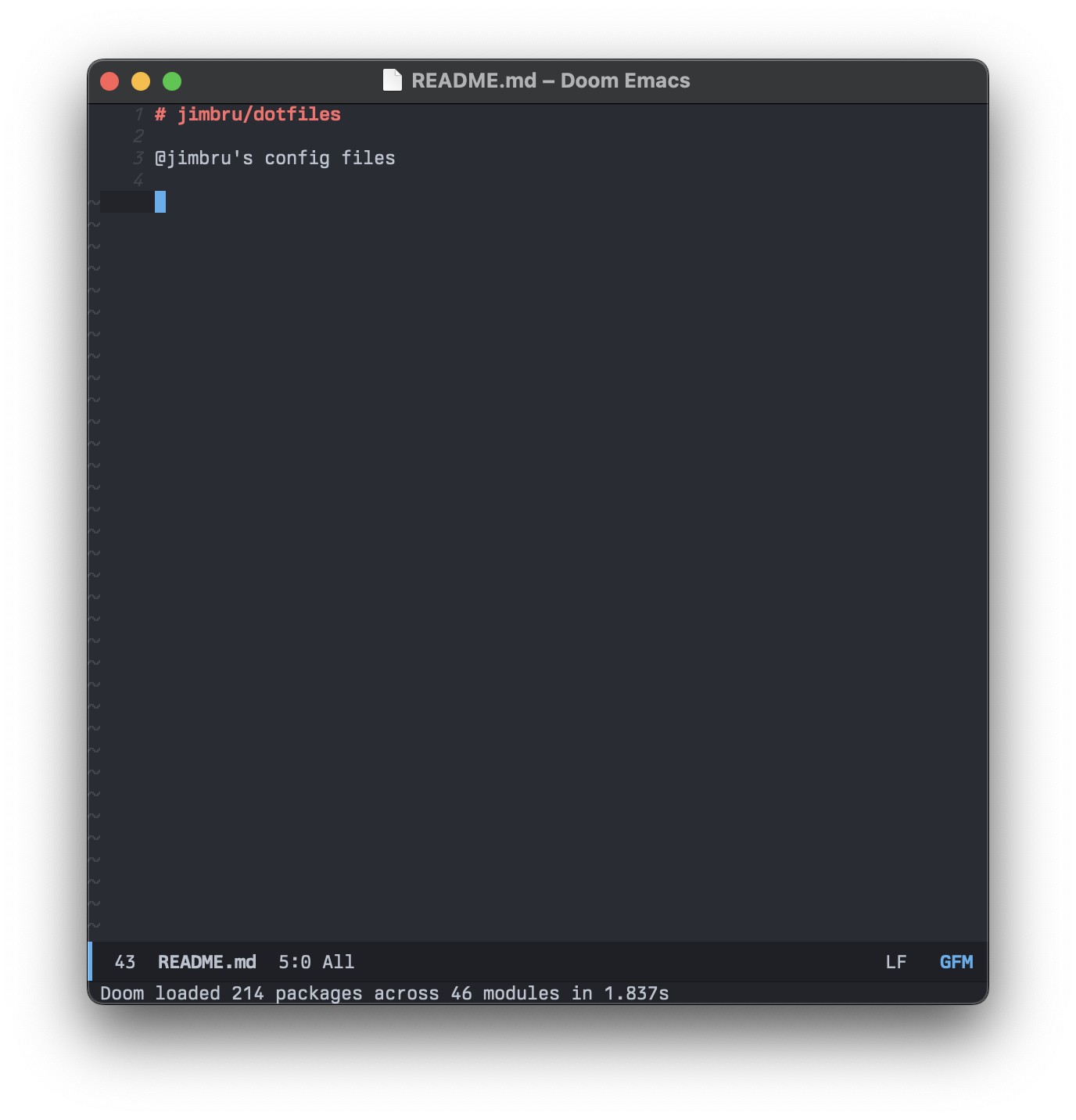
2. [Terminal standalone - WORKS CORRECTLY ✅]
- Run `emacs -nw README.md`
- Terminal frame opens, theme is correct
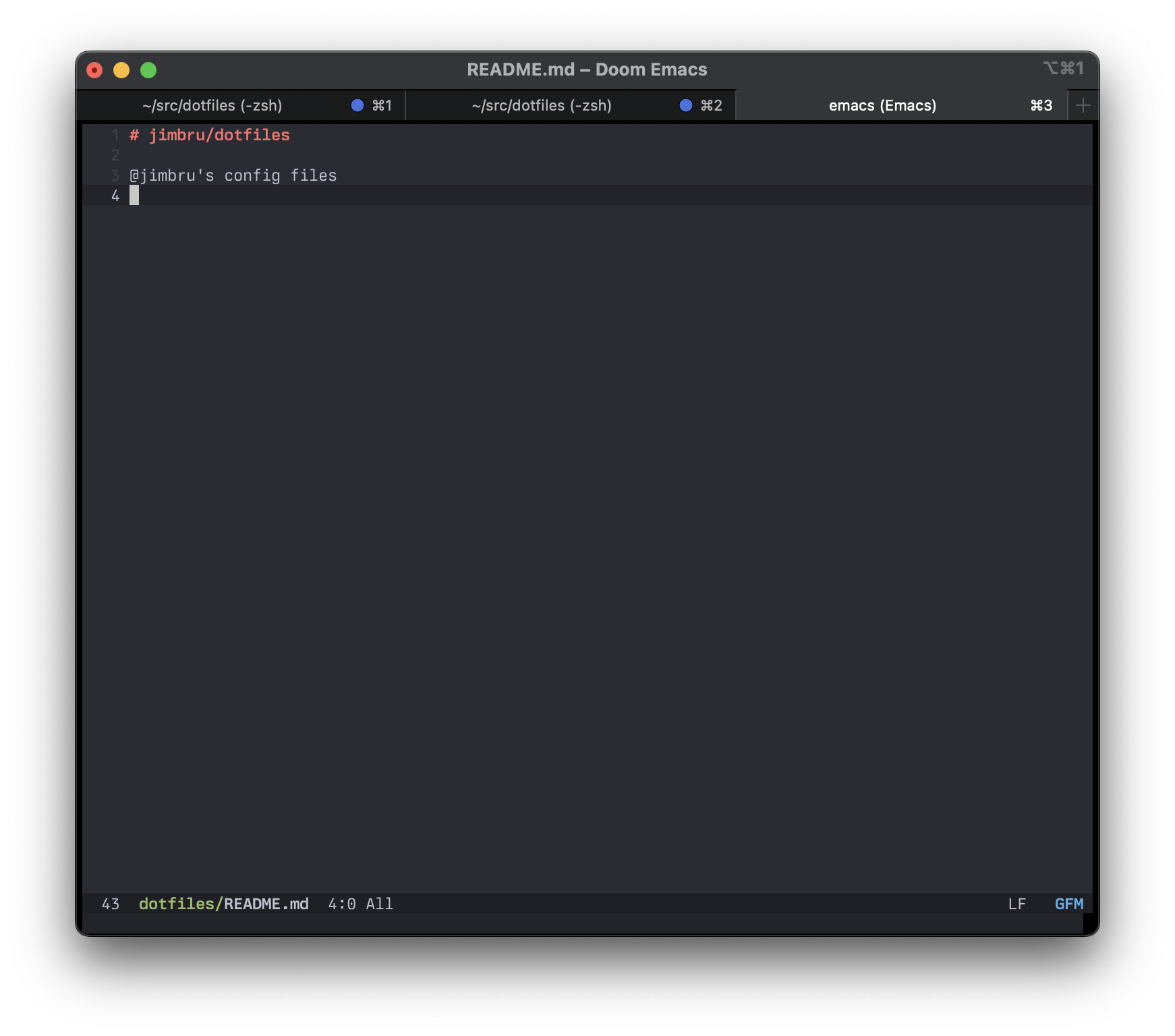
3. [GUI server + GUI client frame - WORKS CORRECTLY ✅]
- Ensure the emacs application is running (run `emacs`, or open by clicking the application icon)
- Run `emacsclient -c README.md`
- GUI frame opens, theme is correct
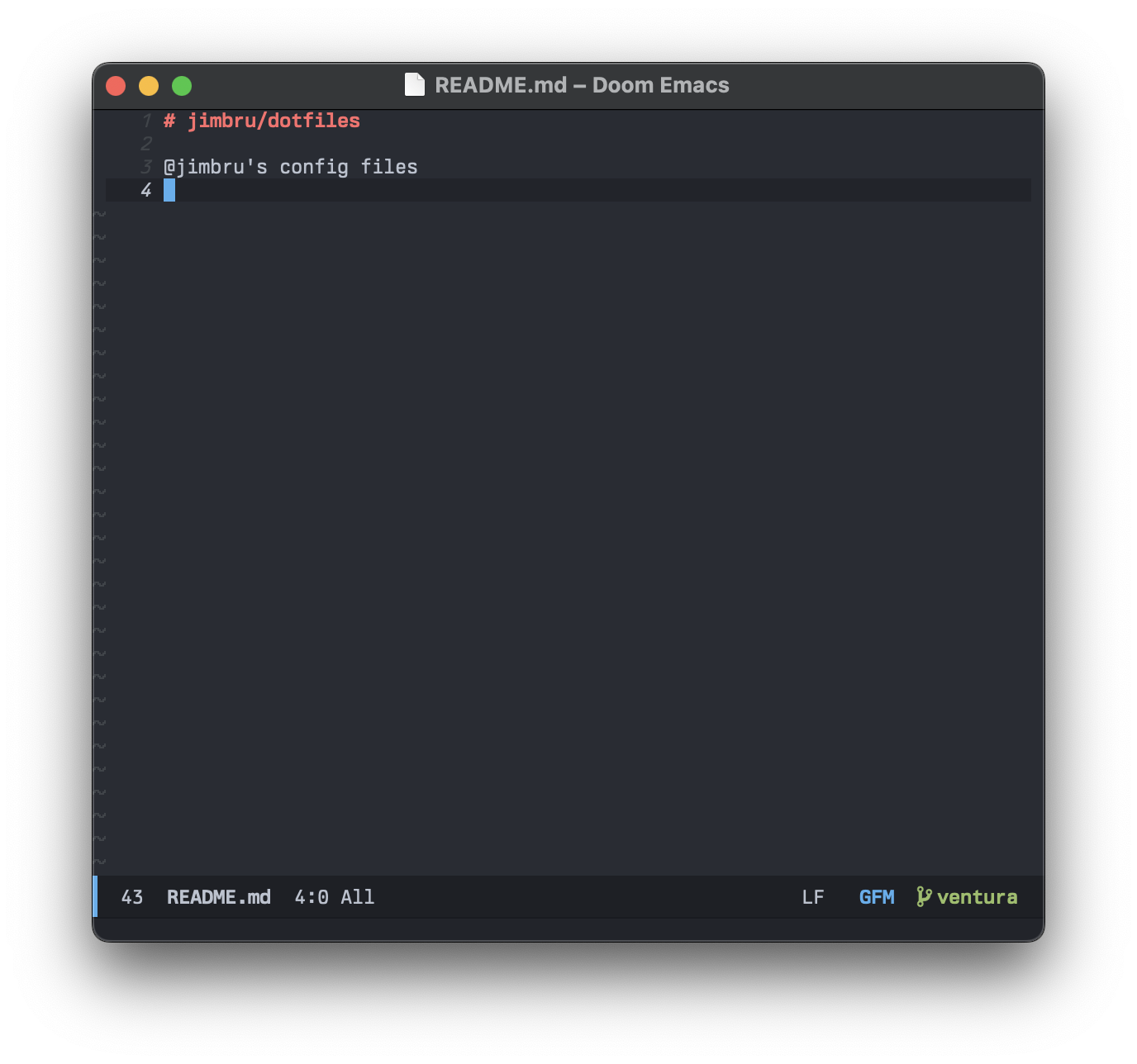
4. [GUI server + terminal client frame - BUG ❌]
- Ensure the emacs application is running (run `emacs`, or open by clicking the application icon)
- Run `emacsclient -nw README.md`
- Terminal frame opens, theme is broken (notice the incorrect background color, for example)
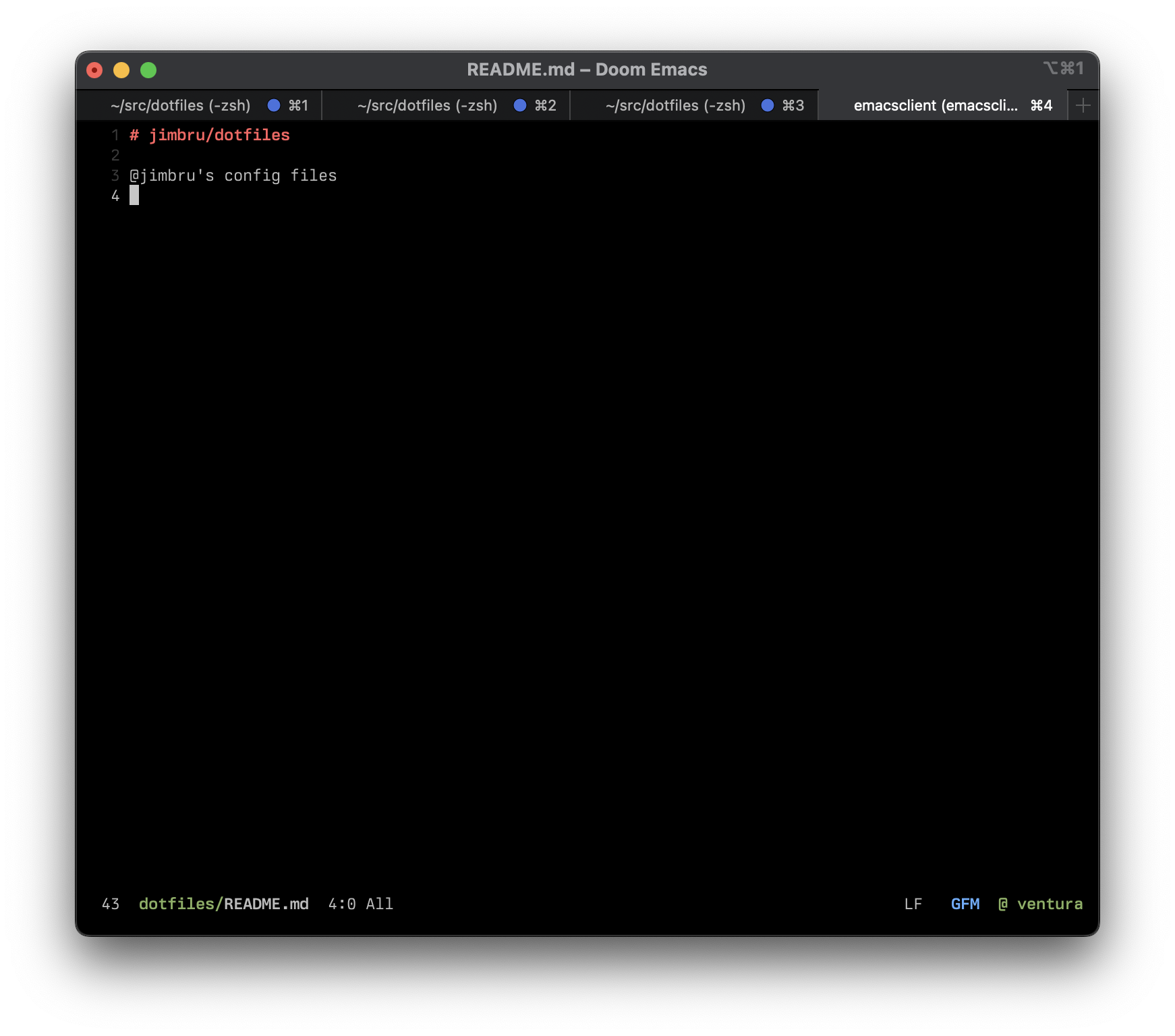
5. [Terminal server + terminal client frame - WORKS CORRECTLY ✅]
- Start the Emacs server from a terminal: `emacs --daemon`
- Then run `emacsclient -nw README.md`
- Terminal frame opens, theme is correct
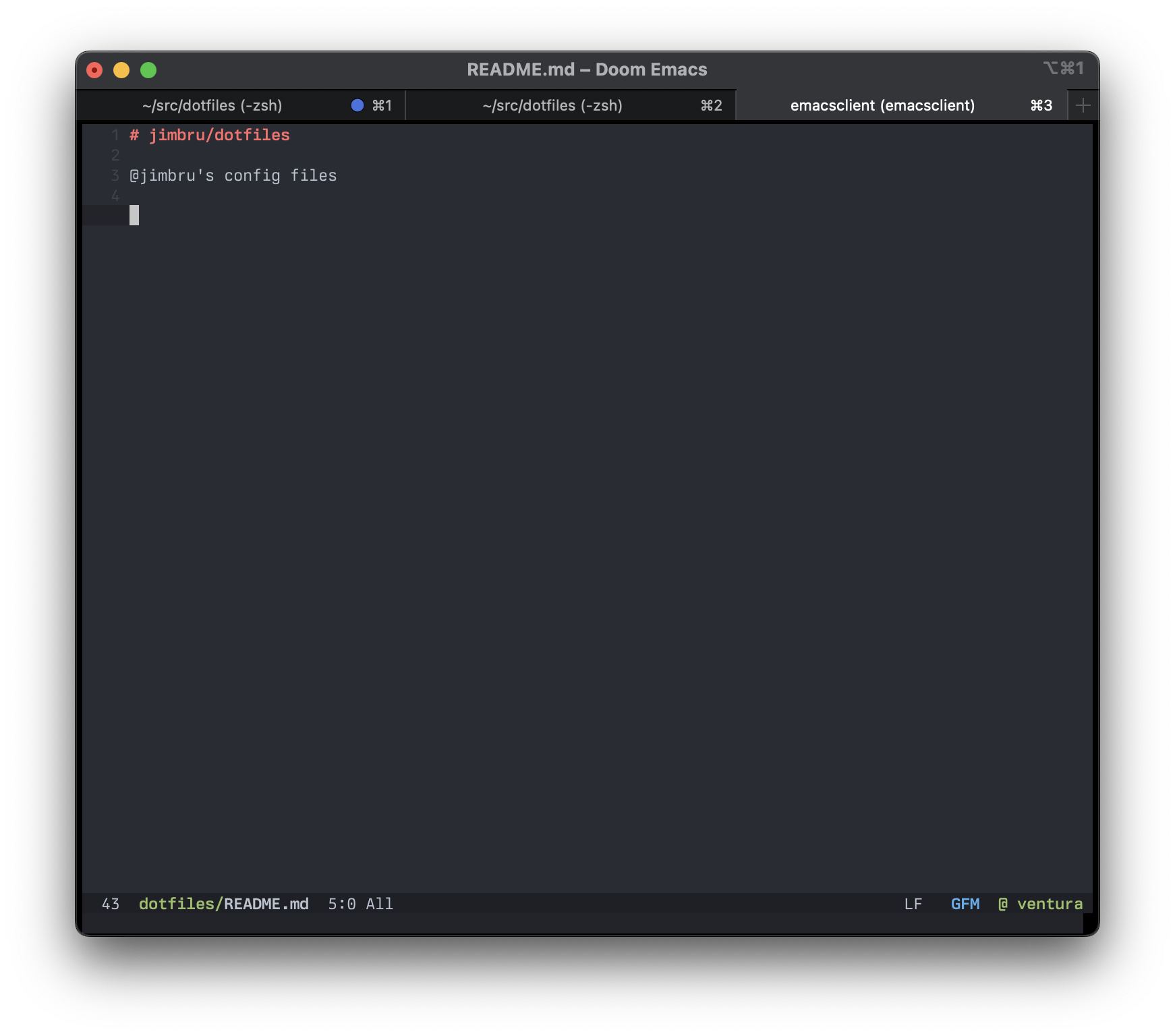
6. [Terminal server + GUI client frame - OTHER RESULT 🟡]
- Start the Emacs server from a terminal: `emacs --daemon`
- Then run `emacsclient -c README.md`
- Terminal frame opens _(not GUI!)_, theme is correct
## Prior Art
There are previous, seemingly related, issues reported. Here are the two most relevant:
- https://github.com/doomemacs/themes/issues/539
- https://discourse.doomemacs.org/t/different-bg-color-between-emacsclient-nw-and-emacs-nw/160
There are two accepted solutions. The first is to disable `solaire-mode` via `packages.el`. I tried disabling as instructed and re-ran the above test plan; it didn't change any of the outcomes.
The other accepted solution is to
>Adopt a terminal with 24-bit color support. Add COLORTERM=truecolor to your environmental variables (shell, systemd service, etc.).
but my terminal, `iTerm2` on MacOS, does support 24-bit color, and my env already had `COLORTERM=truecolor` set.
## Workaround
Further Googling led me to [this post about 24-bit color issues in iTerm2 and Fish shell](https://emacs.stackexchange.com/questions/32506/conditional-true-color-24-bit-color-support-for-iterm2-and-terminal-app-in-osx).
By default iTerm2 has `TERM=xterm-256color` set in addition to `COLORTERM=truecolor`. The workaround is to set `TERM=xterm-24bit` in iTerm2 settings. This additionally requires [generating a new `.terminfo` file (as instructed at the link above)](https://emacs.stackexchange.com/a/32701), or it results in a zsh error.
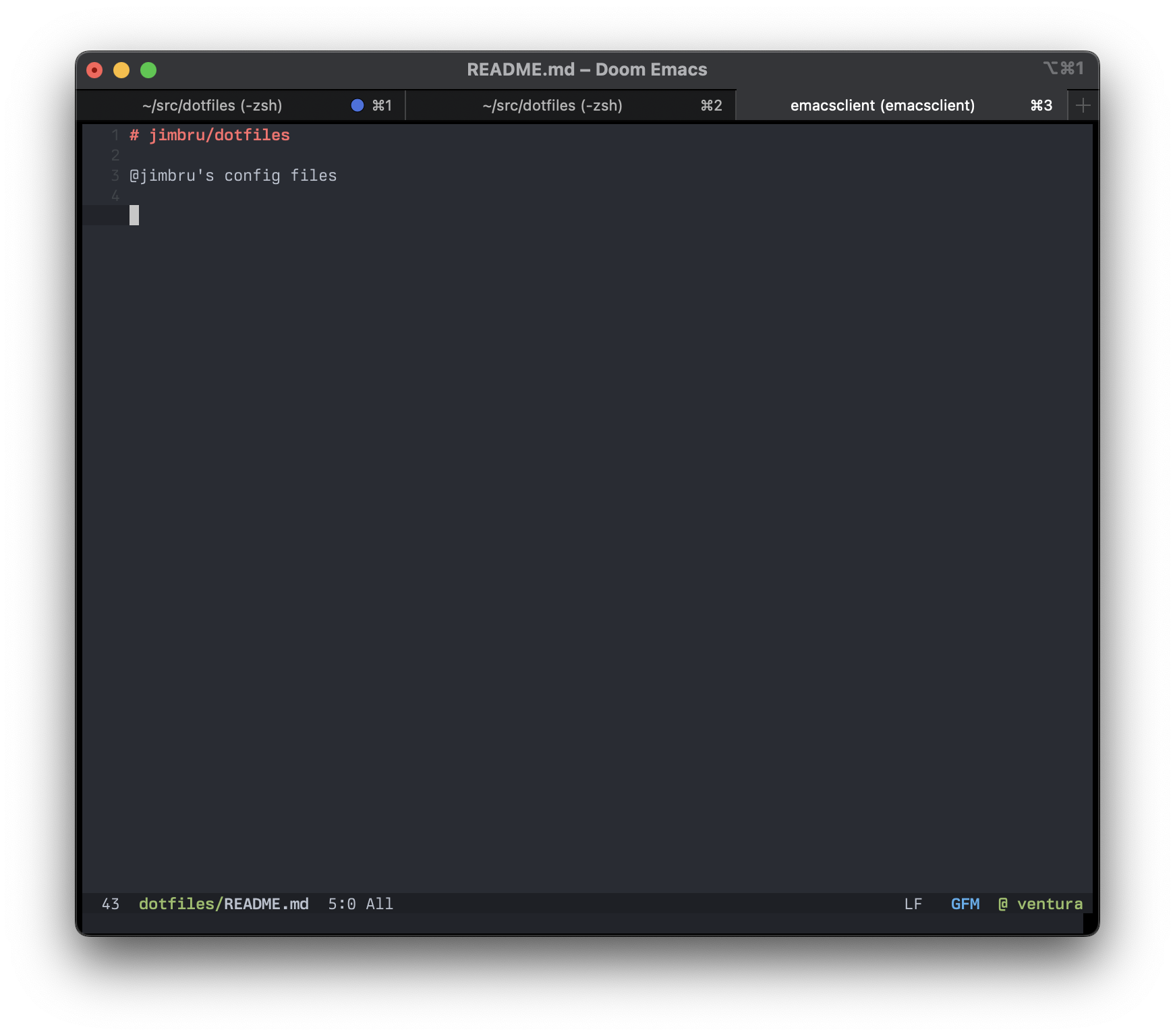
With this workaround, case `4` above is solved, and the theme appears as in the other screenshots. Case `6` is unaffected, but I think that's an unrelated issue.
### Steps to reproduce
See `Current behavior` section above for detailed steps.
System info:
- MacOS Ventura 13.2.1
- emacs-mac
```
==> railwaycat/emacsmacport/emacs-mac: stable emacs-28.2-mac-9.1, HEAD
YAMAMOTO Mitsuharu's Mac port of GNU Emacs
https://www.gnu.org/software/emacs/
/opt/homebrew/Cellar/emacs-mac/emacs-28.2-mac-9.1 (4,116 files, 127.8MB) *
Built from source on 2023-03-03 at 23:03:57 with: --with-natural-title-bar --with-starter --with-mac-metal --with-emacs-big-sur-icon
From: https://github.com/railwaycat/homebrew-emacsmacport/blob/HEAD/Formula/emacs-mac.rb
```
- doom info
https://gist.github.com/jimbru/f5a3714d9fb7912f8c0cc75b66d0254d
### System Information
https://gist.github.com/jimbru/f5a3714d9fb7912f8c0cc75b66d0254d
Contributor guide
Assessment
This issue has not been assessed yet.