Visual indicators for misspelled words are not visible for "large" org-mode files when using flycheck for spelling
- Dominant language
- Emacs Lisp
- Stars
- 22.7k
- Forks
- 3.1k
- Avg merge
- 10h 46m
- Merged PRs (30d)
- 4
Description
### I confirm that...
- [X] I have searched the [issue tracker](https://github.com/doomemacs/doomemacs/issues), [documentation](https://docs.doomemacs.org), [FAQ](https://docs.doomemacs.org/-/faq), [Discourse](https://discourse.doomemacs.org), and [Google](https://google.com), in case this issue has already been reported/resolved.
- [X] I have read "[How to Debug Issues](https://doomemacs.org/d/how2debug)", and will use it to provide as much information about this issue as possible.
- [X] The issue can be reproduced on the **latest** available commit of Doom.
- [X] The issue can be reproduced on a stable release of Emacs, such as 27 or 28. *(Doom does not support development builds like 29+ or any version ending in .50 or .9x)*
### Expected behavior
My primary OS is Windows, where there are no working builds of aspell available, hence I'm using `flyspell` with `hunspell` as the spellcheck backend. Please note that while the steps to reproduce and environment info show a Windows environment, I have also been able to replicate the issue on macOS.
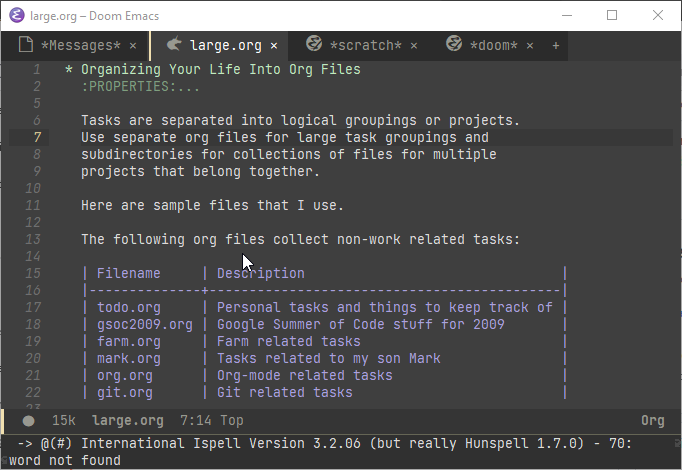
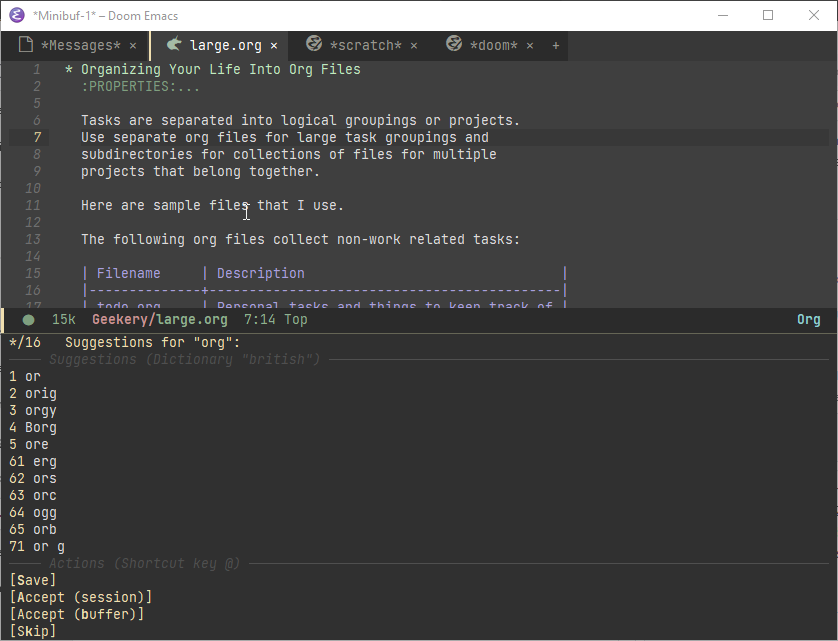
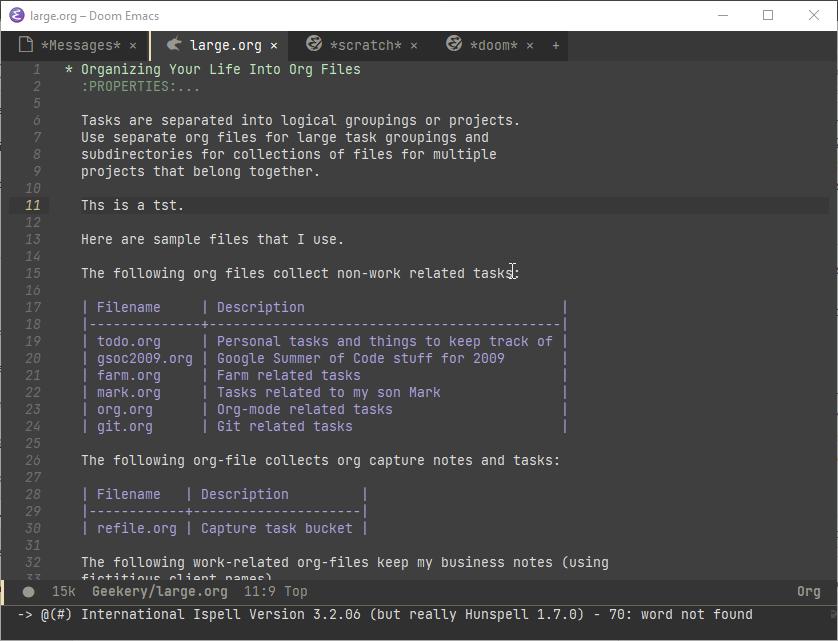
I find that when I open a "large" org-mode file (large here being defined as a file with 300+ lines), the spellcheck is running but there are no visual indicators for misspelled words. If I point to a misspelled word and then invoke `z =`, I am offered various options for correcting the spelling but that appears to be the only way to get the spelling prompt. I have also verified that entering new text with misspellings in the file still does not cause the visual indicators to appear.
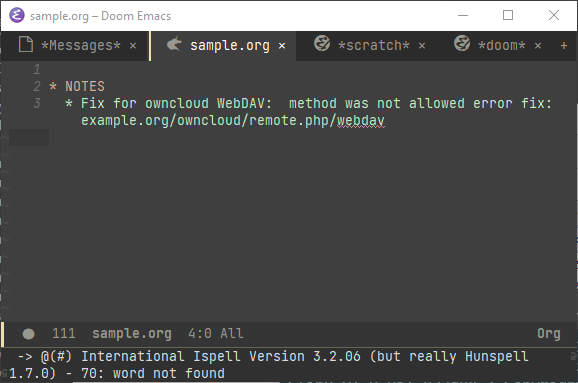
However, when I open a smaller org-mode file, the visual indicators do appear correctly. I would like to have the visual indicators appear for all files.
### Current behavior
* Backtrace for the scenario where I am opening a large org-mode file:
* https://pastebin.com/hG1EZgdP
* Screenshot showing the lack of visual indicators:
* Additional screenshots
* Screenshot showing that `z =` does show suggestions for replacement
* Screenshot that entering text with typos still does not result in visual indicators;
* Backtrace for the scenario where I am opening a small (2 line) org-mode file:
* https://pastebin.com/aNubYZAp
* Screenshot showing visual indicators are present:
### Steps to reproduce
1. Install Emacs via MSYS2
2. Clone doom emacs master branch into `%USERPROFILE%\.emacs.d`
3. Install hunspell via a package manager and then place the `.aff` files (say from [this repo](https://github.com/wooorm/dictionaries)) in the appropriate locations.
* I used `chocolatey` and hence the path to the `.aff` files in my sanitized `config.el` reflects these paths.
4. Modify `init.el` as follows:
* https://pastebin.com/tiqw2ihk
5. Modify `config.el` as follows:
* https://pastebin.com/zWeKSj64
6. Open the following org-mode file in Emacs
~~~
* NOTES
** Fix for owncloud WebDAV: method was not allowed error fix: example.org/owncloud/remote.php/webdav
~~~
* This should show visual indicators for misspelled words
7. Open the following org-mode file in Emacs (taken from http://doc.norang.ca/org-mode.html)
* https://pastebin.com/7pc7dCjv
* Observe that visual indicators do not appear, although the `*Messages*` window shows that spell checking has been done.
### System Information
https://pastebin.com/W9qCG65i
Contributor guide
Assessment
This issue has not been assessed yet.