broken ibuffer behavior after commit `c309e61eff` (switch to buffer in its workspace)
- Dominant language
- Emacs Lisp
- Stars
- 22.7k
- Forks
- 3.1k
- Avg merge
- 10h 46m
- Merged PRs (30d)
- 4
Description
### What did you expect to happen?
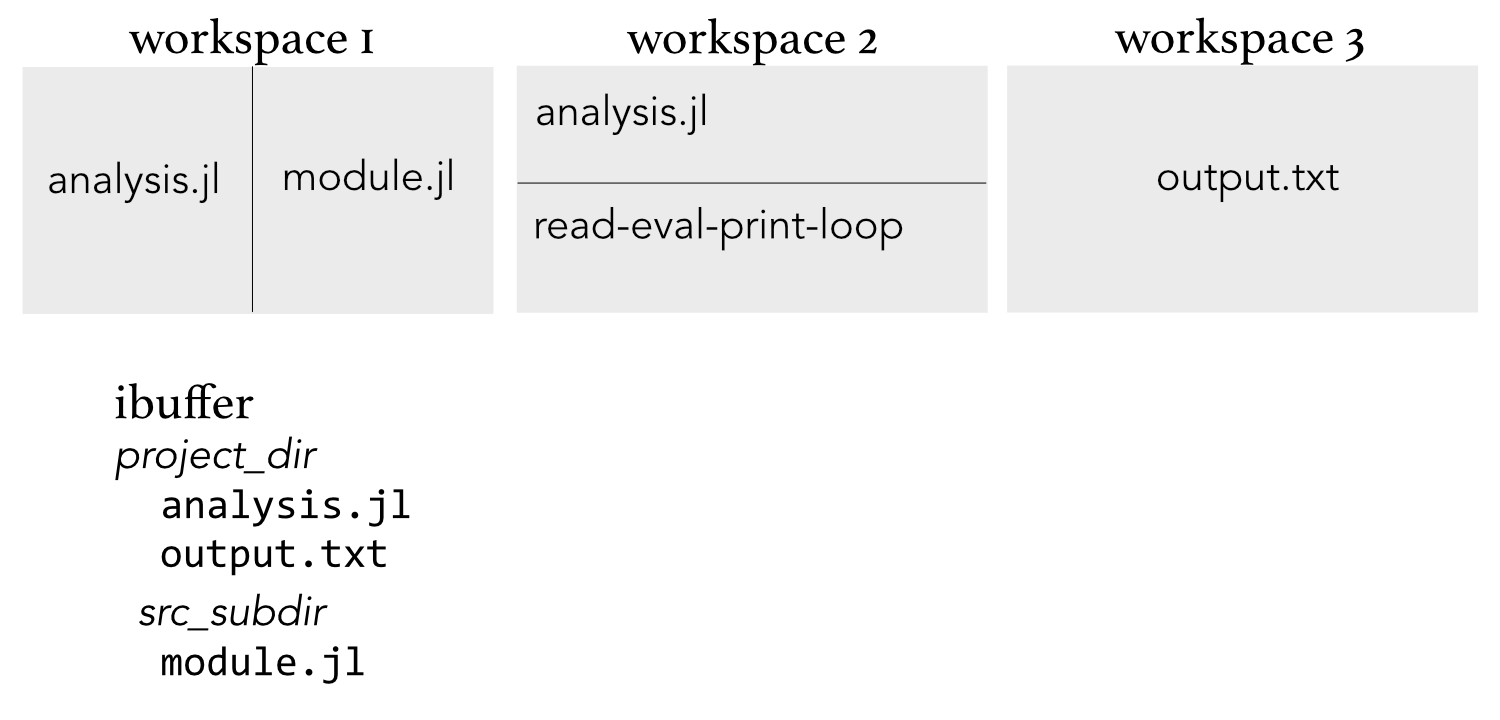
Before recent ibuffer module commits starting on Apr 3 (`e9c088cf3b`, `c309e61eff`, `8e33d2d04a`), one could open and browse a project folder in workspace 1 and ultimately open two source files in separate windows in that workspace. After creating workspace 2, one could bring up a source file and run it line-by-line in a REPL window in that workspace. Workspace 3 could then contain continuously updated text output from the analysis code in Workspace 2. This allows for quick back-and-forth between workspaces.
As each new workspace was created, ibuffer was used to bring up files from the project. It didn't matter if that file had already been browsed in workspace 1; the file would just open in workspace 2 or 3 from ibuffer.
### What actually happened?
After the above commits, when opening a source or text file from the project in workspace 2 or 3, doom continuously bounces back to workspace 1. The work-around is _not to use ibuffer_ to open these files but to do a file open (C-x C-f or aliases) in these workspaces.
This open one-by-one through file open, defeats the efficient use of ibuffer to switch between multiple open files. For the workflow described above, it's important to have the same file open in more than one workspace.
If the switch automatically to first workspace where file was opened feature is desired, perhaps make this an opt-in feature through a configuration? Leave the default ibuffer behavior as allowing opening of a buffer in multiple workspaces.
### Describe your attempts to resolve the issue
To get around this temporarily, I have simply reverted the `~/.emacs.d/modules/emacs/ibuffer/config.el` to the version prior to the above committs.
### Steps to reproduce
Open a project as above. Browse several project files in workspace one.
Then, split workspace 1 into two windows with two separate files.
Create workspace 2. Open a project file already browsed in workspace one. Open a REPL (inferior-process) window.
Create workspace 3 to look at yet another project file already browsed in workspace 1.
The continuous bouncing back to workspace 1 (sometimes with deletion of the window split) is unintended behavior.
### System Information
https://pastebin.com/g05VuaAT
Contributor guide
Assessment
This issue has not been assessed yet.