Doom Highlights Next Line When Brackets Auto-Expand
- Dominant language
- Emacs Lisp
- Stars
- 22.7k
- Forks
- 3.1k
- Avg merge
- 10h 46m
- Merged PRs (30d)
- 4
Description
### What did you expect to happen?
When you hit enter after typing `{`, for example, in JavaScript mode, the cursor should be indented, and placed in the body of the function, with only the line that the cursor is placed on being highlighted.
### What actually happened?
It seems to highlight the line with the closing bracket on it as well, after the brackets are expanded, which is extremely ugly and annoying.
This is just after typing `{` and `Enter`:
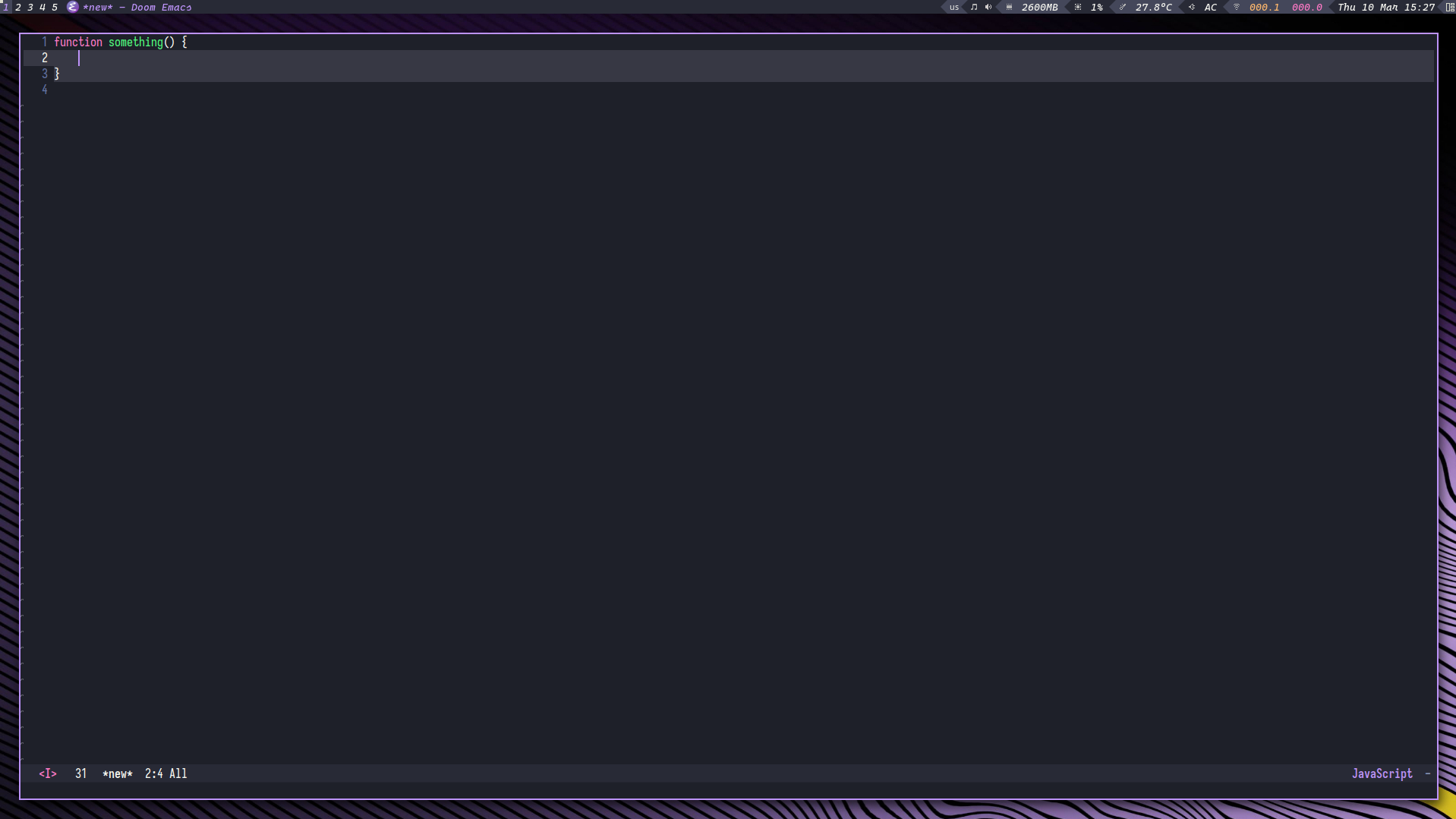
### Describe your attempts to resolve the issue
I disabled `smartparens-mode` which fixed the issue, but also (obviously) disabled the auto-expand functionality that's super useful.
I checked variables associated with `smartparens-mode`, but nothing looks related.
### Steps to reproduce
Open a buffer with JavaScript mode enabled, enter the opening curly brace after a function definition, and hit enter, and it may happen. However, sometimes you have to try multiple times to get it to happen (?).
### System Information
https://pastebin.com/eL9X1vtx
Contributor guide
Research direction
Start by reproducing the issue in JavaScript mode with smartparens-mode enabled: type an opening curly brace and press Enter, checking whether the current and closing-brace lines are both highlighted. Compare with smartparens-mode disabled and inspect the relevant mode interaction; done means only the cursor's line is highlighted after bracket expansion.
Written by the indexing model from the issue text.
Assessment
- Tech stack
- emacs, emacs-lisp, javascript
- Domain
- tooling
- Issue type
- Bug
- Difficulty
- 4/5
- Estimated time
- 3-5 days
- Activity status
- Stale
- Clarity
- Mostly clear
- Newbie friendliness
- 35/100