Window is re-spliited every time buffer is executed (C-c C-c) in Python mode
- Dominant language
- Emacs Lisp
- Stars
- 22.7k
- Forks
- 3.1k
- Avg merge
- 10h 46m
- Merged PRs (30d)
- 4
Description
### What did you expect to happen?
After 1) running Python interpreter (`Python - Interpreter - Python3`) 2) Changing layout to vertical split (left -code, right - interpreter) and 3) `executing py-execute-buffer` I expect the results of computation to be seen in the interpreter on the right side. But Emacs closes split layout and makes horizontal split and suggests to "File to save in : ~/project/" , and it also automatically makes equal split horizontal after each run.
### What actually happened?
When I
1) Open python file in the project
2) Run menu item `Python - Interpreter - Python3`
First issue comes here: I see a suggestion saying "File to save in : ~/project/"
Expected: just launch Python interpreter
3) After pressing Enter, python interpreter appears in the splitted window
4) Next when I run `C-c C-c` (same as `Python -> Send -> Execute buffer`) - **another** splitted window with the interpreter appears. And again the message "File save in ~/project", but i didn't change any file.
5) After another run `C-c C-c` the window is splitted again
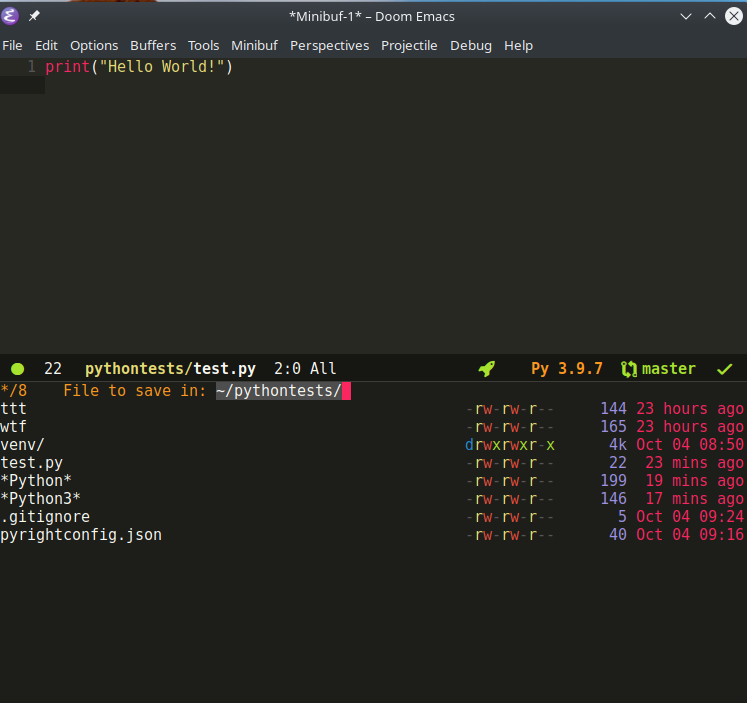
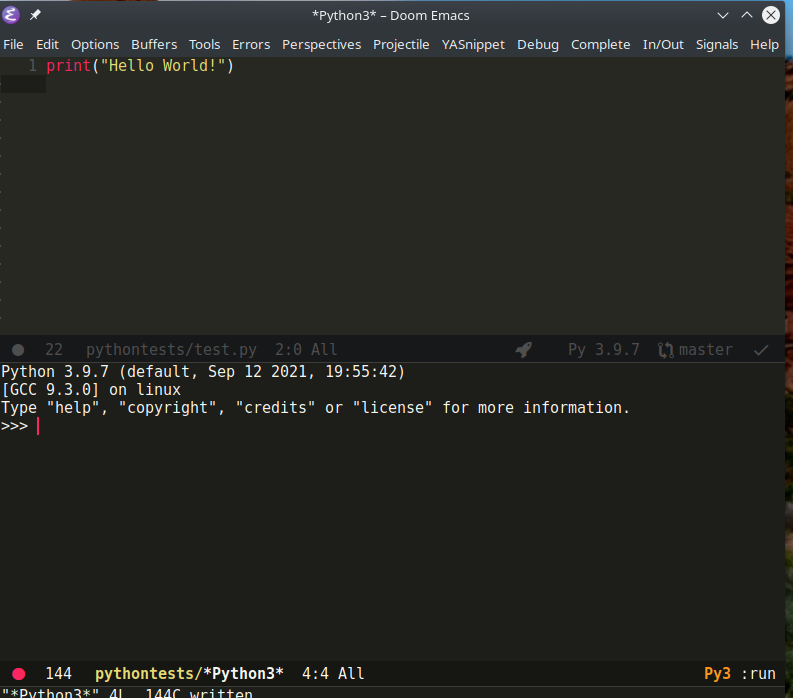
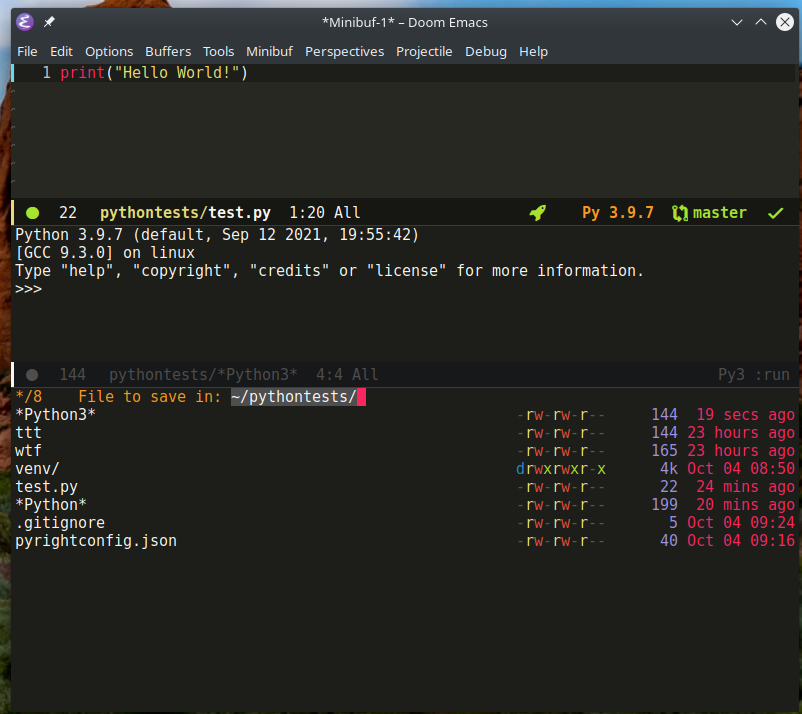
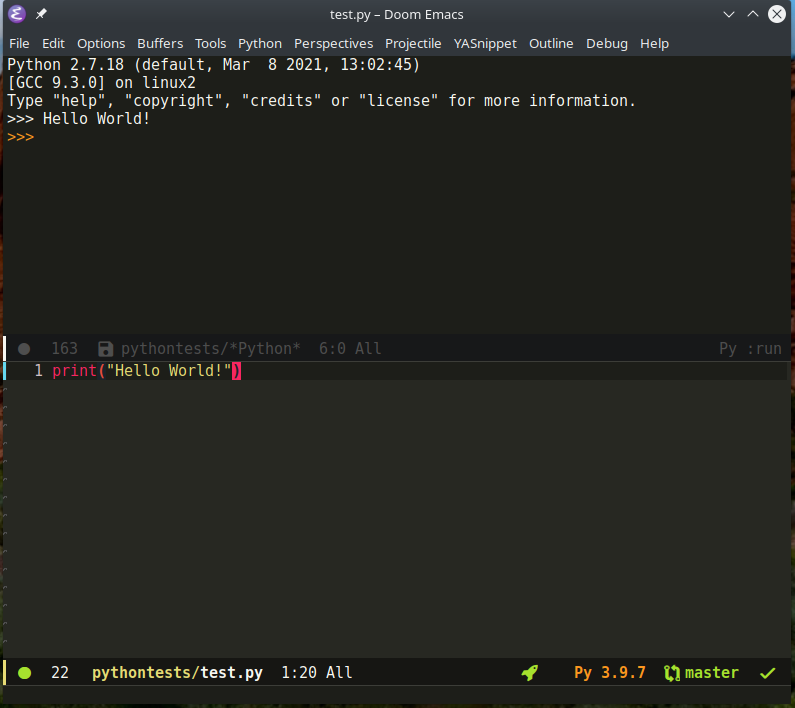
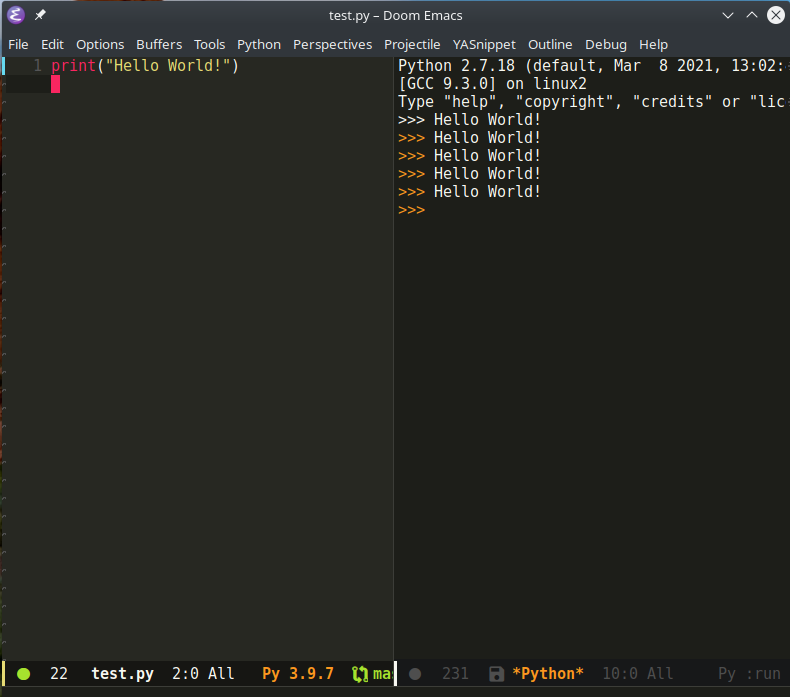
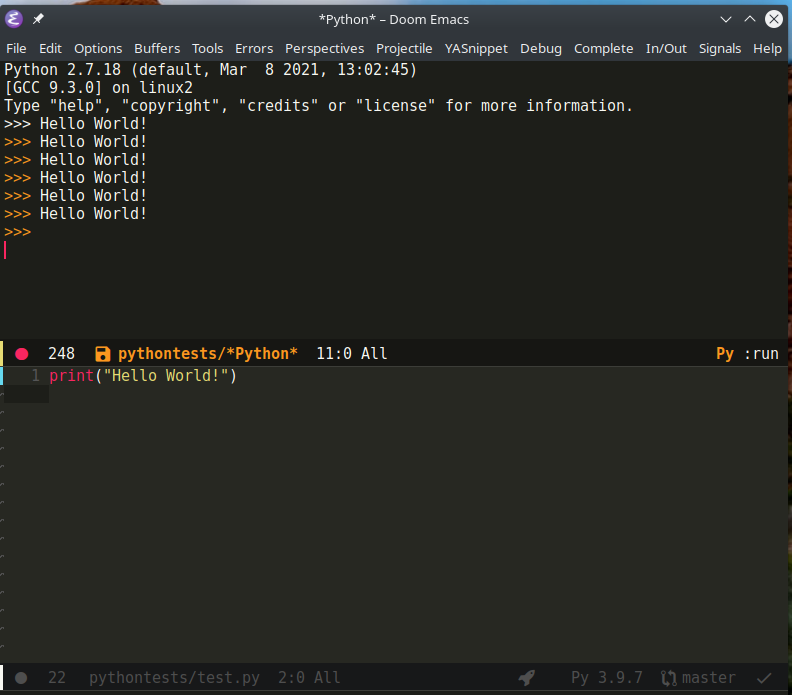
### Describe your attempts to resolve the issue
_No response_
### Steps to reproduce
1. Open python file in the project
2. Run menu item `Python - Interpreter - Python3`
3. "File to save in: " message appears, press Enter
4. `C-c C-c` (same as `Python -> Send -> Execute buffer`)
5. Again the message "File save in ~/project" appers, press Enter
6. Window is automatically splitted. Leave only window with the code `C-x 1`
7. Make vertical split `C-x 3`
8. Bring Python interpreter to the right window `C-x b *Python3*`
9. Switch to the left window with the code and run again `C-c C-c`
10. Right window with interpreter is closed and window is splitted horizontally and interpreter is again on top
### System Information
https://pastebin.com/DXT9dFKm
Contributor guide
Assessment
This issue has not been assessed yet.