Cursor is visible in treemacs buffer
- Dominant language
- Emacs Lisp
- Stars
- 22.7k
- Forks
- 3.1k
- Avg merge
- 10h 46m
- Merged PRs (30d)
- 4
Description
### What did you expect to happen?
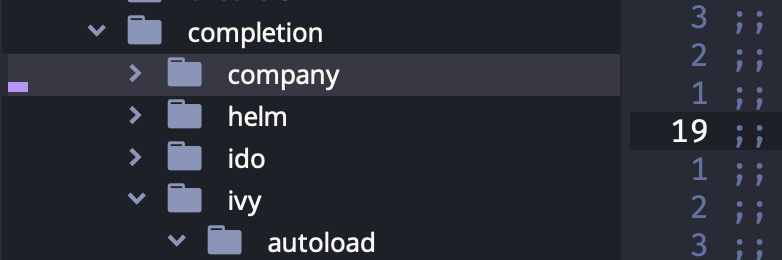
While browsing treemacs, the cursor should not be visible.
### What actually happened?
The cursor is visible.
### Describe your attempts to resolve the issue
The variable `evil-treemacs-state-cursor` seems to be relevant - it is set on startup as `(hbar . 0)`. Looking for this value, I found it is set [here](https://github.com/Alexander-Miller/treemacs/blob/master/src/elisp/treemacs-mode.el#L268) by treemacs-mode when `treemacs-show-cursor` is `t`, but it is `nil` in my session. It seems to be set in [treemacs-evil](https://github.com/Alexander-Miller/treemacs/blob/master/src/extra/treemacs-evil.el#L39) as `'(bar . 0)`. (But surely in both of these cases it should be invisible anyway?) I tried `(setq evil-treemacs-state-cursor nil)`, with no effect, as well as putting this in my config:
```
(after! treemacs
(setq evil-treemacs-state-cursor nil
treemacs-show-cursor nil
treemacs-width 30))
```
### Steps to reproduce
Only happens on my (M1) Mac - on my other host (Arch Linux) I cannot reproduce it.
I reproduced this with an empty config.el. Add `treemacs` in `init.el` and `SPC o p`.
### System Information
https://pastebin.com/SyXLW7c1
Contributor guide
Assessment
This issue has not been assessed yet.