diegomura / diegomura/react-pdf
zIndex has a strange behavior
- Dominant language
- TypeScript
- Stars
- 16.8k
- Forks
- 1.3k
- Avg merge
- 5h 6m
- Merged PRs (30d)
- 52
Description
**Describe the bug**
when `z-index` is not specified, elements are rendered on top of the other, the way they are placed in the document flow. But when `z-index` is specified, it is placed behind other elements, no matter where the style component was placed in the document flow
hence the following code does not render as expected:
```js
const Quixote = () => (
);
```
**To Reproduce**
**Here is an example with `z-index` not specified (or specified to `0`):**
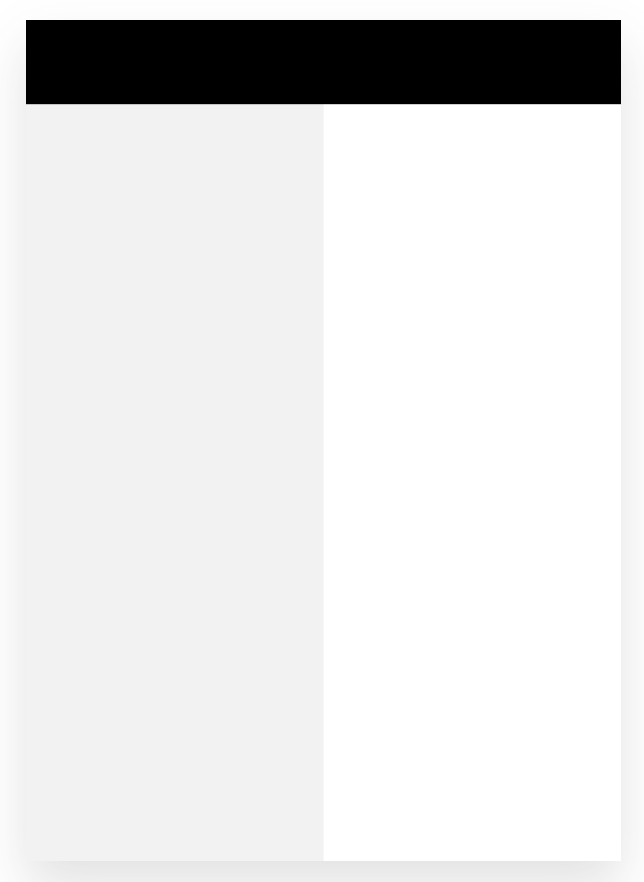
[repl (without `z-index`)](https://react-pdf.org/repl?code=3187b0760ce02e00408a057025803c450298c0bc300500943807cf805030c00f0022230080b6198531165d400a02180e619da74e5401a920c01dc3b0cad0027801b0cd8037aa99b3280231ec00359f004e201180026018442290460170c00e4018801880264f9e9c01a4d5a9248e65000168e4e00ac000c00a47e01b2a118487ca15011008cd171095a9400be058942b25400f4e252a5c26212d2f9300aca6a1a8d94c9a9e959b9feed304121e1ced9bd89c2000e2010485048e0113cda1036089879ed5020138ed17dedba06c6a616d6b60eceda8a7afa1b5a45258915559235d4e5bc02a515740cccacec02001b8c8a08012860f4502e0d0dc003a230b1cc18231e0a888543a0b0e562302c8400000)
[repl (with `z-index` set to 0](https://react-pdf.org/repl?code=3187b0760ce02e00408a057025803c450298c0bc300500943807cf805030c00f0022230080b6198531165d400a02180e619da74e5401a920c01dc3b0cad0027801b0cd8037aa99b3280231ec00359f004e201180026018442290460170c00e4018801880264f9e9c01a4d5a9248e65000168e4e00ac000c00a47e01b2a118487ca15011008cd171095a9400be058942b25400f4e252a5c26212d2f9300aca6a1a8d94c9a9e959b9feed304121e1ced9bd89c2000e2010485048e0113cda1036089879ed5020138ed17dedba06c6a616d6b60eceda8a7afa1b8d005e0092161828bbe33045258915559235d472af004a50a9d018cc563b008006e323c2004a183d140b83437000e88c2c730608c782a22150e82c39588b0b21000)
Relevant code:
```jsx
const Quixote = () => (
);
```
**Here is an example with `z-index` set to a positive value:**
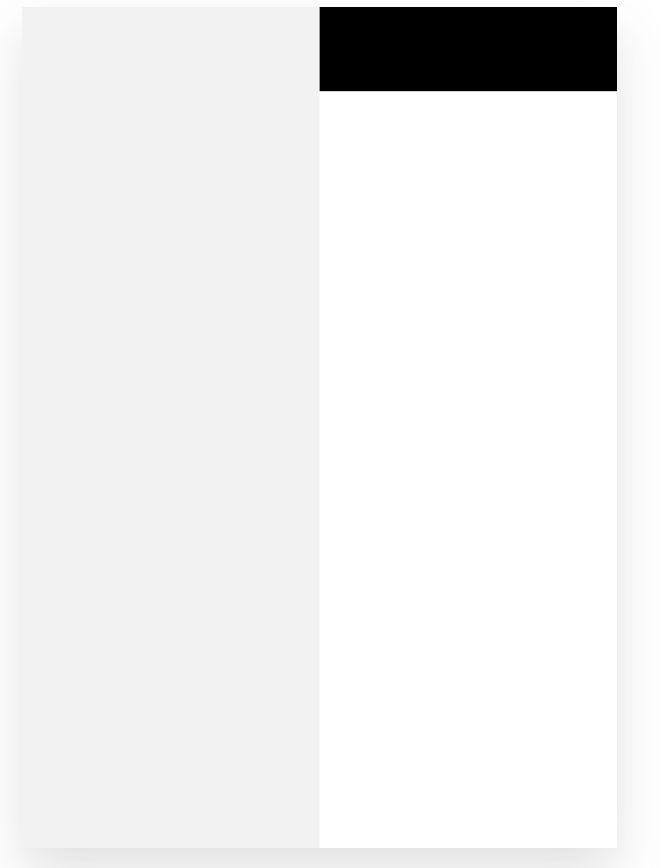
[repl](https://react-pdf.org/repl?code=3187b0760ce02e00408a057025803c450298c0bc300500943807cf805030c00f0022230080b6198531165d400a02180e619da74e5401a920c01dc3b0cad0027801b0cd8037aa99b3280231ec00359f004e201180026018442290460170c00e4018801880264f9e9c01a4d5a9248e65000168e4e00ac000c00a47e01b2a118487ca15011008cd171095a9400be058942b25400f4e252a5c26212d2f9300aca6a1a8d94c9a9e959b9feed304121e1ced9bd89c2000e2010485048e0113cda1036089879ed5020138ed17dedba06c6a616d6b60eceda8a7afa1b8d005e00921618288e99e330452589155592356a395780252854e80c662b1d80400371901100250c1e8a05c1a1b80074461639830463c15110a874161cac43859080000)
**Expected behavior**
With the code listed in the bug description, we should see the black box on top of the grey box
**Desktop (please complete the following information):**
- OS:Windows
- Browser none (on node v16.13.2)
- React-pdf version 2.1.0
Contributor guide
Assessment
This issue has not been assessed yet.