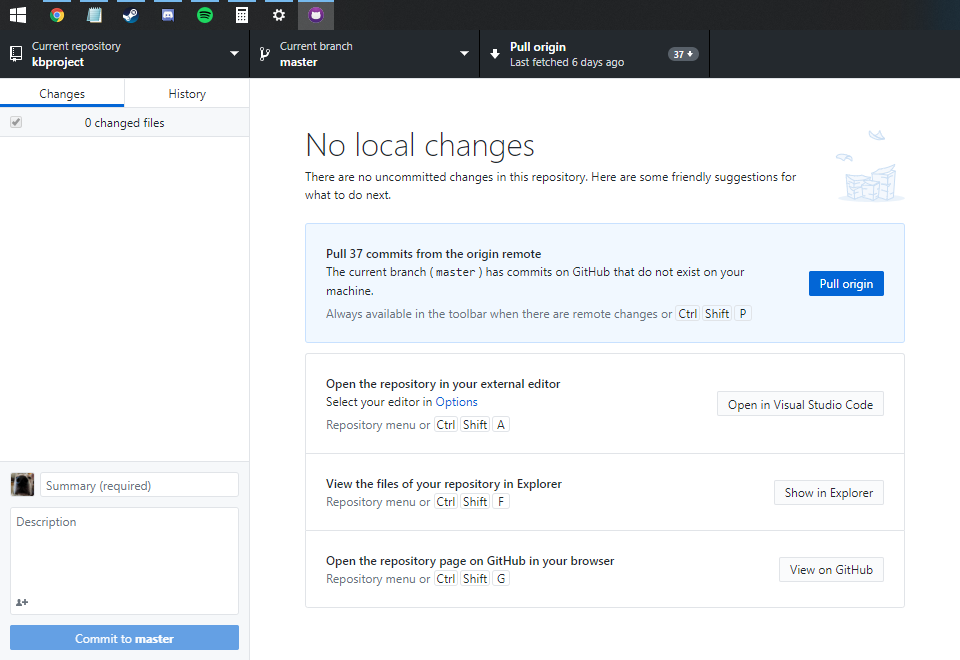
Initial launch of the window starts at top-left most corner underneath my taskbar
- Dominant language
- TypeScript
- Stars
- 21.8k
- Forks
- 10.5k
- Avg merge
- 1d 15h
- Merged PRs (30d)
- 25
Description
### Describe the bug
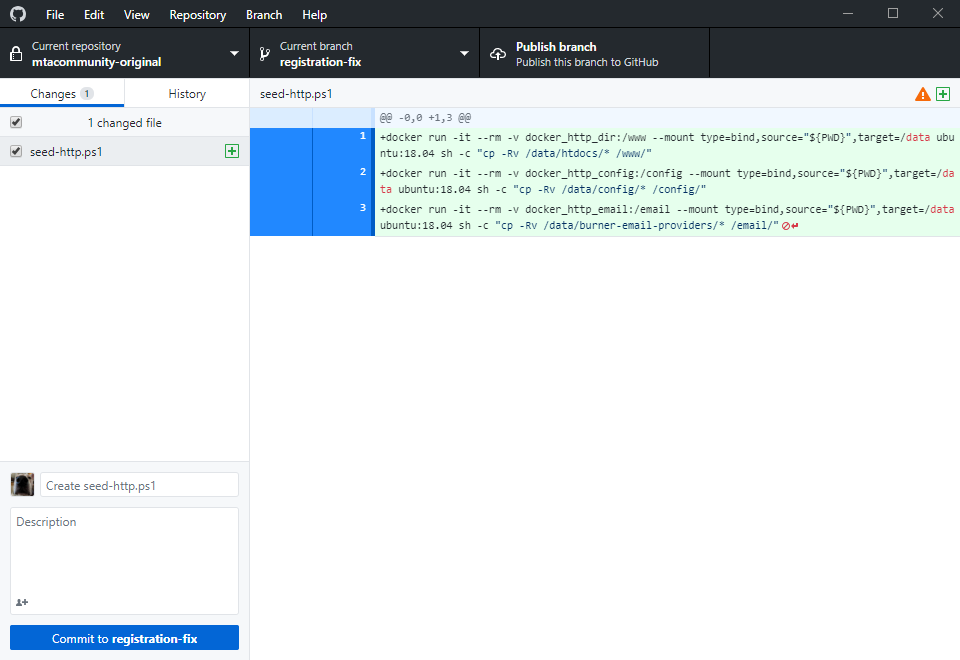
I keep my taskbar at the top of my screen. GitHub Desktop starts underneath it. I cannot move the window until I attempt resizing it and it snaps below the taskbar.
### Version & OS
Version 2.2.4
Windows 10, 1903, 18362.592
### Steps to reproduce the behavior
1. Reboot to ensure you do not get a saved window position of GitHub Desktop
2. Move your taskbar to the top of your screen
3. Open GitHub Desktop
### Expected behavior
The window should not be underneath my taskbar.
### Actual behavior
The window appeared beneath my taskbar.
### Screenshots
Immediately after launching:
After clicking on the right edge as if I were to resize the window:
Contributor guide
Assessment
This issue has not been assessed yet.