Add group sort to the "Group By" feature
- Dominant language
- JavaScript
- Stars
- 19.4k
- Forks
- 3.1k
- Avg merge
- 1d 14h
- Merged PRs (30d)
- 9
Description
**Is your feature request related to a problem? Please describe.**
Yes, see Slack thread https://netlifycms.slack.com/team/U01S6HQM3EK for more.
I have Netlify CMS implemented on a Hugo site with a content type of “Performance” and am using the beta “Group By” feature. Love it. But my groups don’t appear to be “sortable”, they appear in somewhat random order, like in the attached example screenshot.
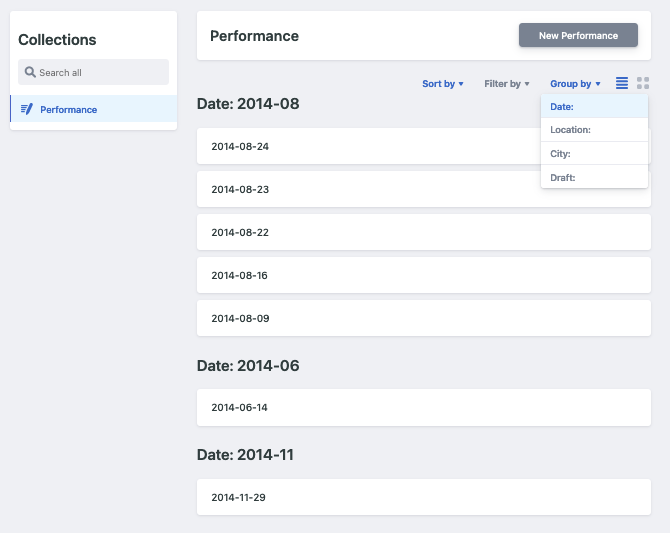
My “Date” groups, year-month, are defined by the config.yml spec you see below. It looks like dates within each group are sorted by ascending date, but I can’t find a way to control the sort of the groups themselves.
```
view_groups:
- label: 'Date:'
field: 'date'
pattern: \d{4}-\d{2}
```
Ideally, I’d love to see future months at the top of the list, and the oldest year-month groups at the bottom.
I’ve looked at Issue [#3614](https://github.com/netlify/netlify-cms/issues/3614) and related threads too, but found nothing that talks about controlling the order of groups.
**Describe the solution you'd like**
I'd like to control the order of the groups so that the newest YYYY-MM groups, presumably performances in future months, sort to the top of my display. Maybe a `config.yml` syntax like this could be implemented?
```
view_groups:
- label: 'Date:'
field: 'date:desc'
pattern: \d{4}-\d{2}
```
**Describe alternatives you've considered**
I have forked the code and considered tackling this issue myself, but I'm not a Javascript developer so it looked like a pretty steep learning curve for me. Sorry.
**Additional context**
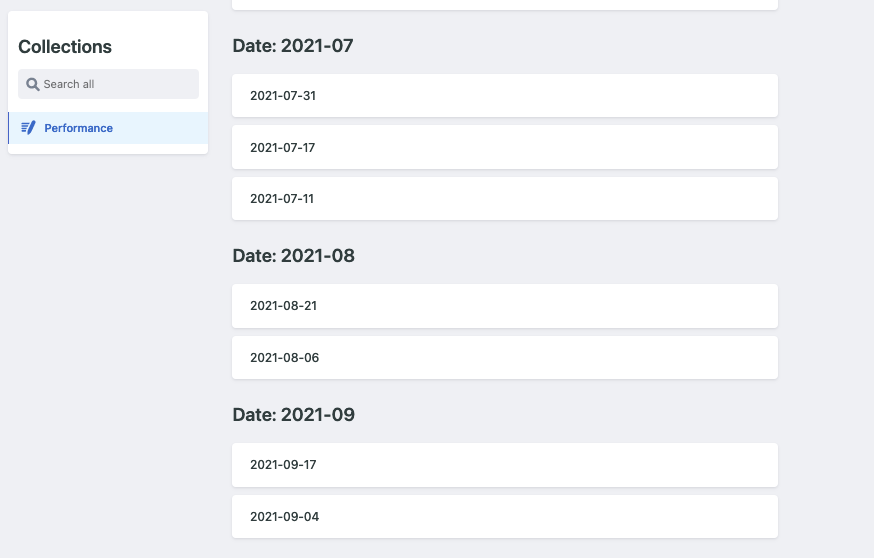
I don't have a mock-up of this, but the attache image shows the "bottom" of my screen when I Group By "Date:". What I'd like to see is this list flipped upside-down and at the "top" of my screen so that I don't have to scroll to the bottom to see the most relevant content.
Contributor guide
Assessment
This issue has not been assessed yet.