darktable-org / darktable-org/darktable
Portrait images not always aligned in culling view
Nobody has claimed this yet.
- Dominant language
- C
- Stars
- 13.1k
- Forks
- 1.4k
- Avg merge
- 22h 14m
- Merged PRs (30d)
- 198
Description
Describe the bug/issue
It's on actual master but there since a long time (maybe since culling view is there). I'm not sure but seems I have found some way to reproduce it. See screenshot below to understand issue :
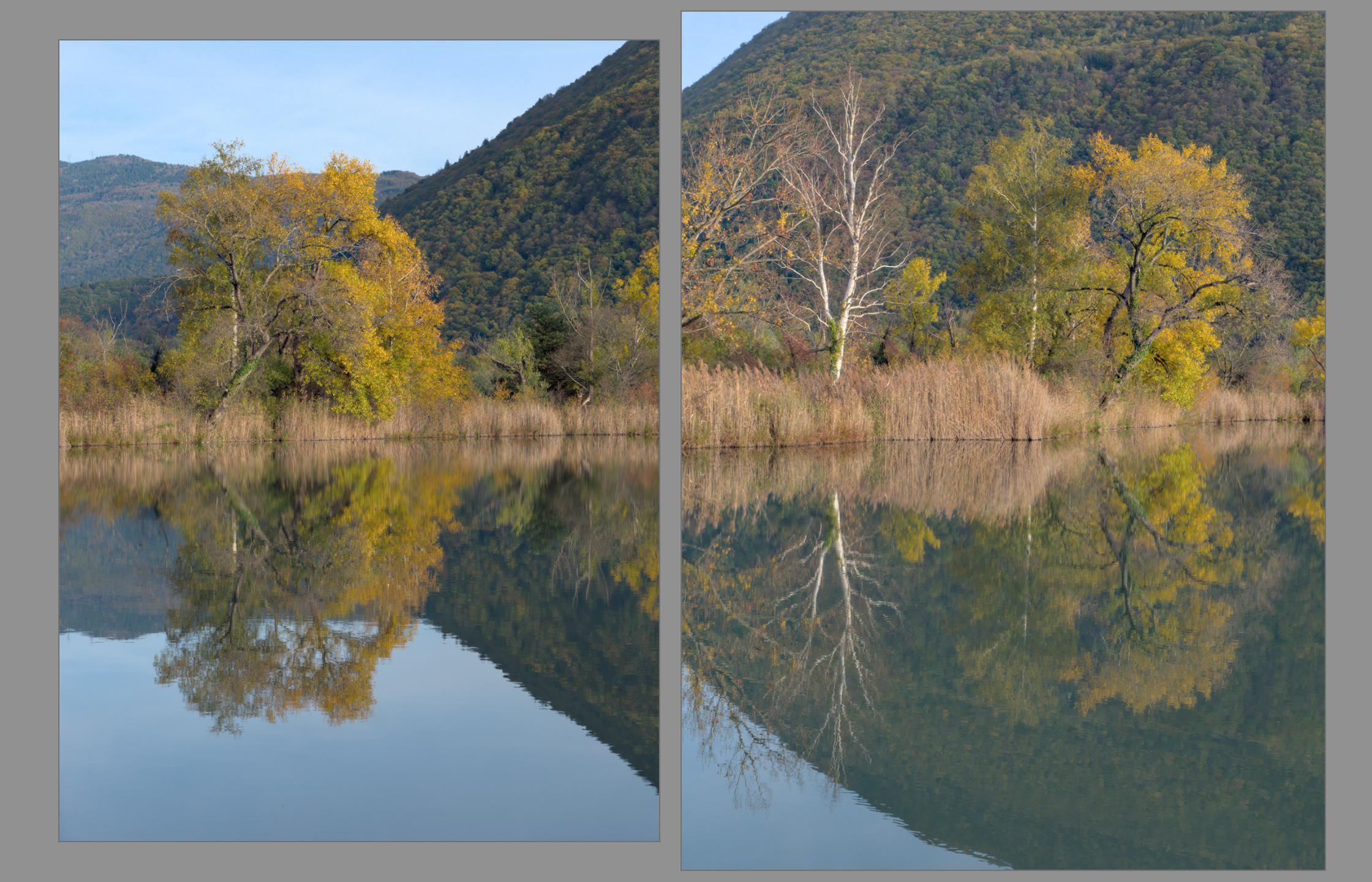
@AlicVB: this one for you. I hope you will reproduce and find the issue.
To Reproduce
- Have at least 2 portrait images following a landscape one
- Click on first portrait image (the one just after landscape one)
- Go to culling view (with here 2 images displayed)
- See the wrong alignment with the first image smaller than the second (like screenshot above)
If you can't reproduce, when on first step, go to darkroom, then go back to lighttable view and continue step 3 and 4.
I could also reproduce that when having a landscape after and then it could be the second image that its smaller instead of first one.
I often reproduce that but seems that sometimes not. Probably something that is related to have landscape is shown in culling view and some displayed error between landscape and portrait mode.
Expected behavior
When having 2 portrait images, always have them displayed same size on culling view.
Platform
- darktable version : actual master
Contributor guide
First steps
- Read the whole issue, then the project's contributing guide.
- Comment on the issue to say you are picking it up — it saves two people doing the same work.
- Fork the repository and make your change on a branch.
- Open a pull request that references the issue number.
Assessment
This issue has not been assessed yet.