Fix RAW File White Balance
Nobody has claimed this yet.
- Dominant language
- C#
- Stars
- 14.4k
- Forks
- 752
- Avg merge
- 10d 14h
- Merged PRs (30d)
- 1
Description
System info:
- ImageGlass version: 5.5.7.26
- OS version: Windows 10 1803
Expected behavior:
Correct white balance of DNG file
Actual behavior:
Incorrect white balance
Steps to reproduce:
- Open DNG file in ImageGlass
Other info:
See issue for context: https://imageglass.org/support?place=topic%2Fimageglass%2F-W3TZ_C3Z_8%2Fdiscussion
Examples:

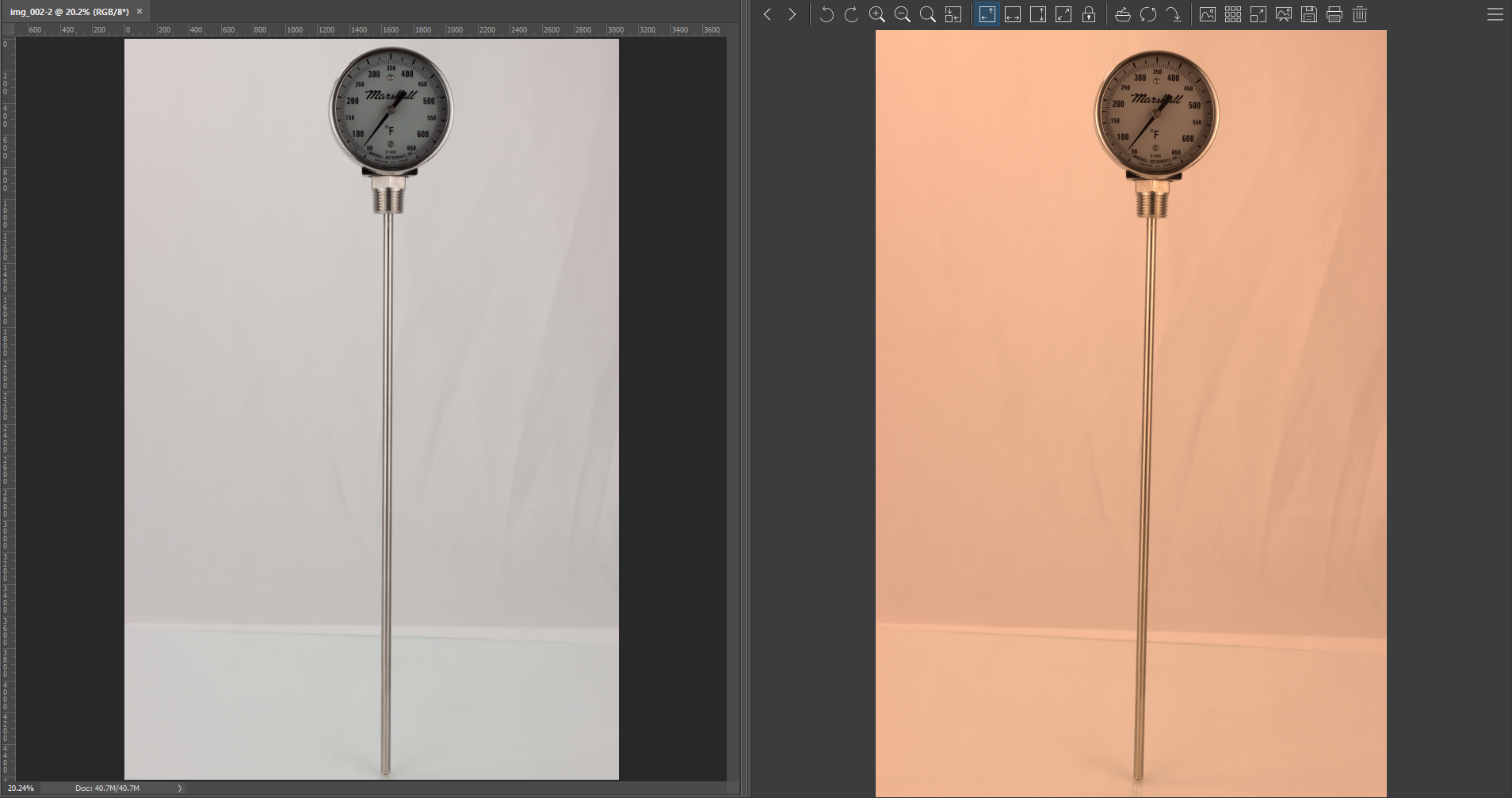
Note: No other steps were taken to produce different colors between programs. I simply opened the same DNG in each respective program.
Update 2020-11-01: Fixed title to reflect issues with all raw files, not just DNG as originally posted. Others have posted similar issues with various RAW formats.
Contributor guide
First steps
- Read the whole issue, then the project's contributing guide.
- Comment on the issue to say you are picking it up — it saves two people doing the same work.
- Fork the repository and make your change on a branch.
- Open a pull request that references the issue number.
Research direction
Reproduce the report by opening the supplied DNG or another RAW file in ImageGlass and compare its white balance with the examples and another image viewer. Trace the RAW decoding and white-balance handling from the image-open entry point; done means RAW files display with correct, consistent colors.
Written by the indexing model from the issue text.
Assessment
- Tech stack
- csharp
- Domain
- computer-vision, desktop
- Issue type
- Bug
- Difficulty
- 4/5
- Estimated time
- 3-5 days
- Activity status
- Stale
- Clarity
- Mostly clear
- Newbie friendliness
- 25/100