cuappdev / cuappdev/ithaca-transit-android
Add Bus Stop Icons on Homepage Map View
Open
Type: Feature
- Dominant language
- Java
- Stars
- 3
- Forks
- 0
- PR merge metrics
- No merged PRs in 30d
Description
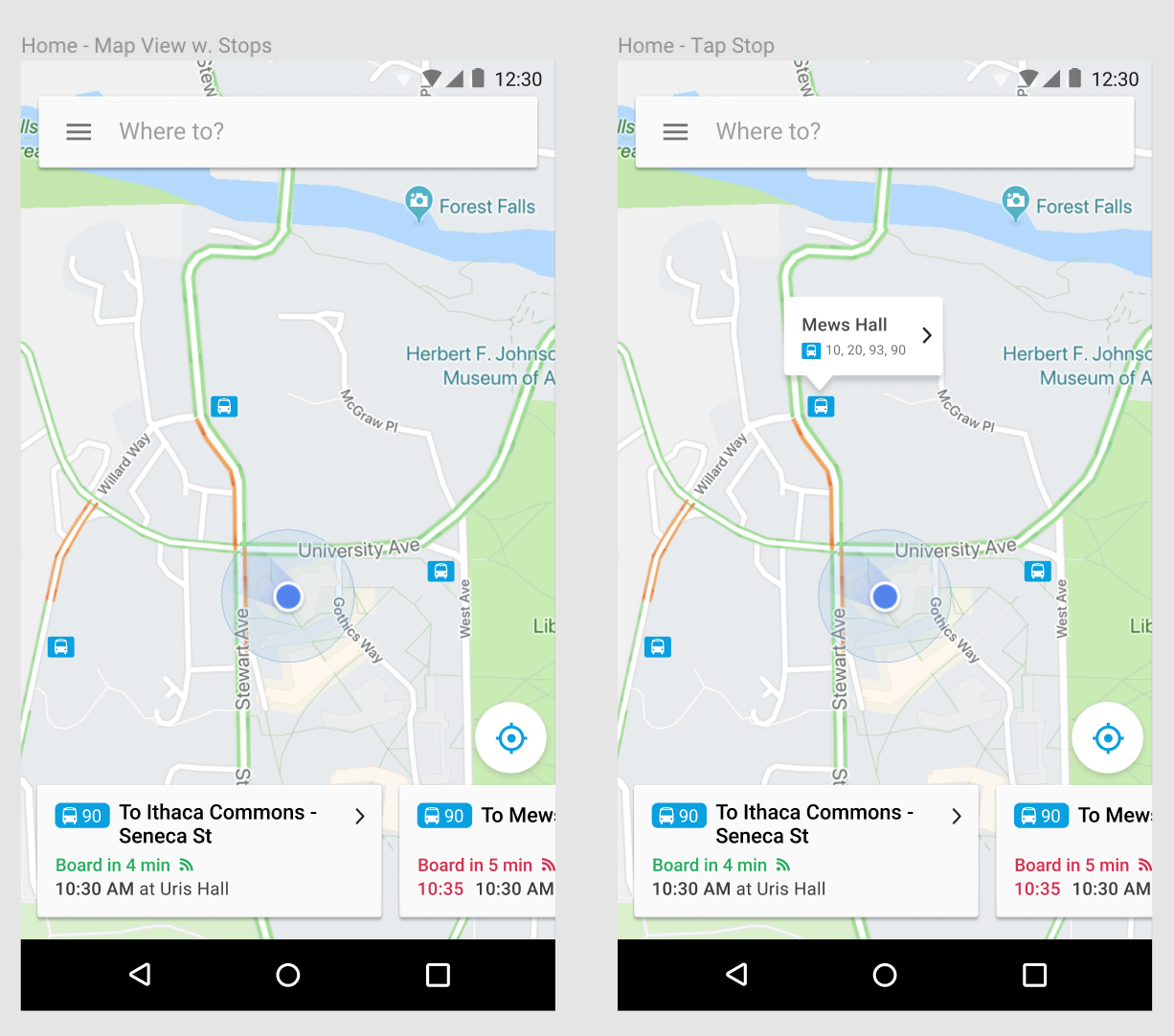
Upon launching the app, the homepage map view shows bus stops relative to your current location. When the user clicks on one of the bus stop icons, the bus stop information will show the routes that passes through the stop.
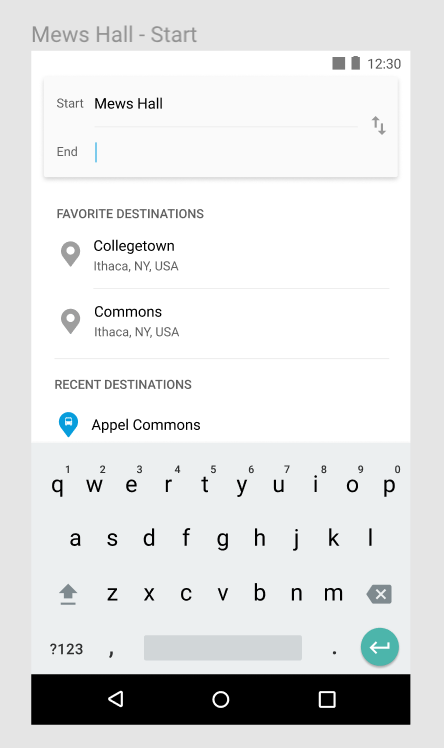
When the user clicks on the label with "Mews Hall", the search bar will be auto-filled with the bus stop name e.g. Mews Hall. (see second photo)
Contributor guide
No contributing guide indexed for this repository
Assessment
This issue has not been assessed yet.