如何为 Kup 生成合适的 GitHub token
Nobody has claimed this yet.
- Dominant language
- JavaScript
- Stars
- 11
- Forks
- 0
- PR merge metrics
- No merged PRs in 30d
Description
背景
操作 GitHub issue 是需要权限认证的,因此你需要向 Kup 提供 GitHub token,以便 Kup 调用 GitHub API。
步骤
-
进入 “Personal access tokens” 页面可以查看已经生成的 token。点击右上角的 “Generate new token” 按钮开始生成一个新的 token。

-
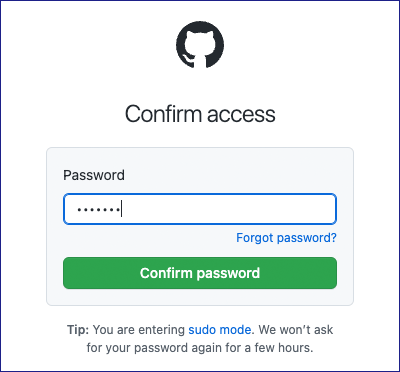
在生成新 token 之前,GitHub 通常会要求你输入登录密码来验证身份。毕竟是涉及身份和权限的敏感操作,安全第一。
-
验证通过,进入生成 token 的表单,填写必要的信息:
- 在 “Note” 一栏输入用途(比如给 Kup 用的就填 “Kup”)。
- 在 “Expiration” 一栏选择 token 的有效期。出于安全考虑,GitHub 不建议选择无限期。
- 在 “Select scopes” 这里勾择 token 的权限范围:
- 如果只需要在公开仓库发布或更新 issue,可以只选择 “public_repo”。
- 如果需要在私有仓库发布或更新 issue,需要选择 “repo”。

点击页面底部的 “Generate token” 按钮即可生成新 token。
-
随后我们回到第 1 步的 token 列表页,可以看到新 token 的明文,我们需要立即把它复制下来并妥善保管。因为刷新页面之后,GitHub 将不再展示 token 内容。如果遗忘了这个 token,我们只能把它删除后重新生成。

注意事项
-
拥有 token 的人可以在不知道你的密码的情况下以你的名义调用 GitHub API,它在一定程度上就相当于你的账号密码,因此不要把 token 告诉其他人。
-
如果你把 token 写入代码并提交到 GitHub 上的公开仓库,或者把它发布到公开仓库的 issue 或评论内,相当于这个 token 已经泄漏,那么 GitHub 出于安全考虑会立即删掉这个 token。
提示
由于 Kup 目前还没有保存 token 的功能,你需要在使用 Kup 之前通过环境变量把 token 传递给 Kup:
export GITHUB_TOKEN=ghp_**********
为了避免每次使用 Kup 之前都要重复这个动作,你可以把这行命令写入 ~/.zshrc 或 ~/.bash_profile 这样的终端初始化文件。
Contributor guide
No contributing guide indexed for this repository
First steps
- Read the whole issue, then the project's contributing guide.
- Comment on the issue to say you are picking it up — it saves two people doing the same work.
- Fork the repository and make your change on a branch.
- Open a pull request that references the issue number.
Research direction
Start by checking the repository's existing documentation entry points for Kup's GitHub token setup. The issue supplies the full Chinese procedure, screenshots, scope guidance, security warnings, and GITHUB_TOKEN shell example; done means this guidance is placed where Kup users can find it.
Written by the indexing model from the issue text.
Assessment
- Tech stack
- github, shell
- Domain
- authentication, cli, documentation
- Issue type
- Documentation
- Difficulty
- 2/5
- Estimated time
- 1-3 hours
- Activity status
- Stale
- Clarity
- Mostly clear
- Newbie friendliness
- 50/100