cryptoadvance / cryptoadvance/specter-desktop
UI Improvement Discussion: How to clarify which devices are involved in the wallet?
- Dominant language
- Python
- Stars
- 847
- Forks
- 259
- Avg merge
- 6d 18h
- Merged PRs (30d)
- 2
Description
Specter does not connect/link the devices on the left sidebar with the current wallet. One has to go to the wallet settings to see which devices are involved. While it works, it is indirect. Reusing the sidebar devices would be clearer.
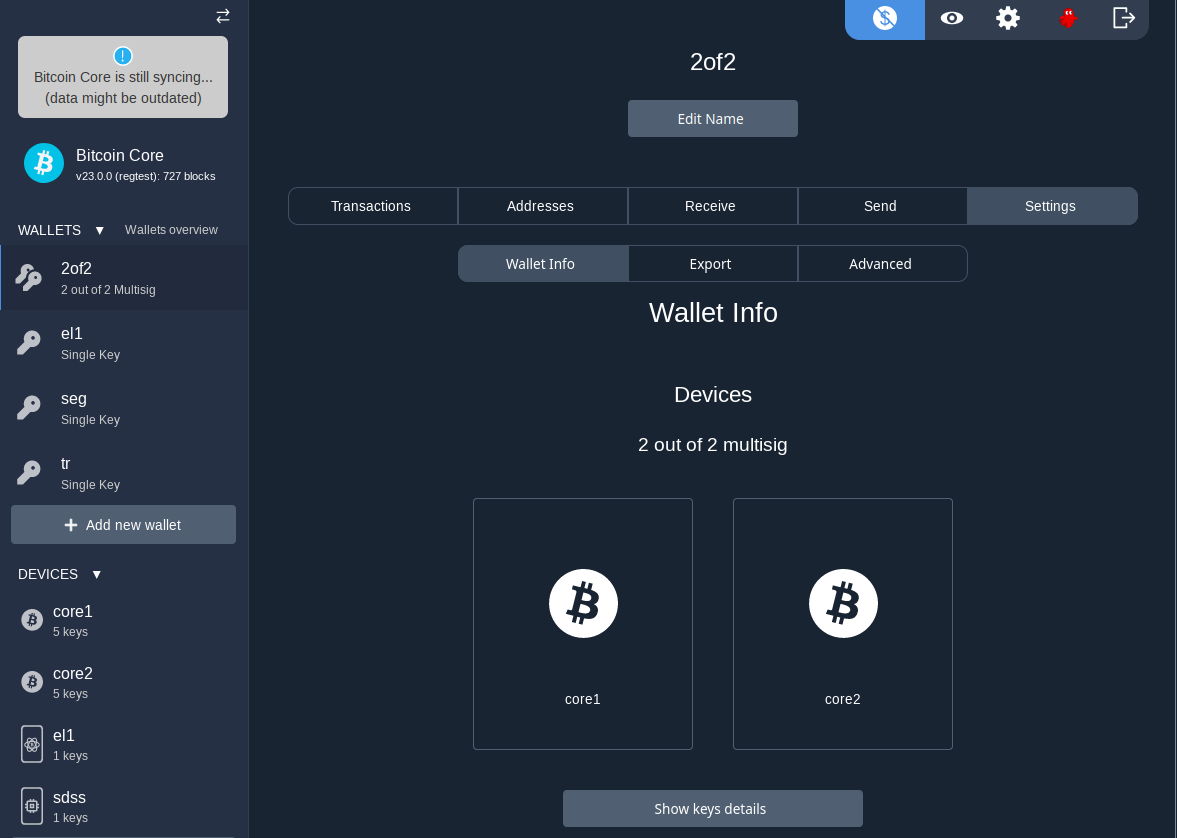
Casa (at least on their website) makes a way more intuitive UI:
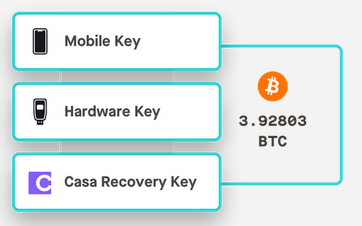
How to better show which devices are involved in the _current_ wallet?
- Highlighting?
- Splitting the devices collapsible section into "Involved devices" (not collapsible) and "Other devices" (collapsed)?
Any other ideas?
Contributor guide
Research direction
Start by reproducing the wallet view and comparing the current devices sidebar with the wallet settings, as described in the issue. No file, test, or entry point is named, so the first task is locating those UI components and agreeing on one design. Done means the current wallet's involved devices are clearly distinguishable from other devices.
Written by the indexing model from the issue text.
Assessment
- Tech stack
- python
- Domain
- desktop
- Issue type
- Feature
- Difficulty
- 5/5
- Estimated time
- Over a week
- Activity status
- Stale
- Clarity
- Needs clarification
- Newbie friendliness
- 20/100