project config unresolved changed
Open
@andris-sevcenko is already working on this.
Since Aug 13, 2021.
bug
project config :camel:
- Dominant language
- PHP
- Stars
- 3.6k
- Forks
- 705
- Avg merge
- 1d 5h
- Merged PRs (30d)
- 134
Description
Description
After synching project config—through the control panel or with ./craft project-config/apply --force—the next time I push up project config changes and synch in the control panel, Craft insists there are still changes to synch, which seems to just be { }. See image:
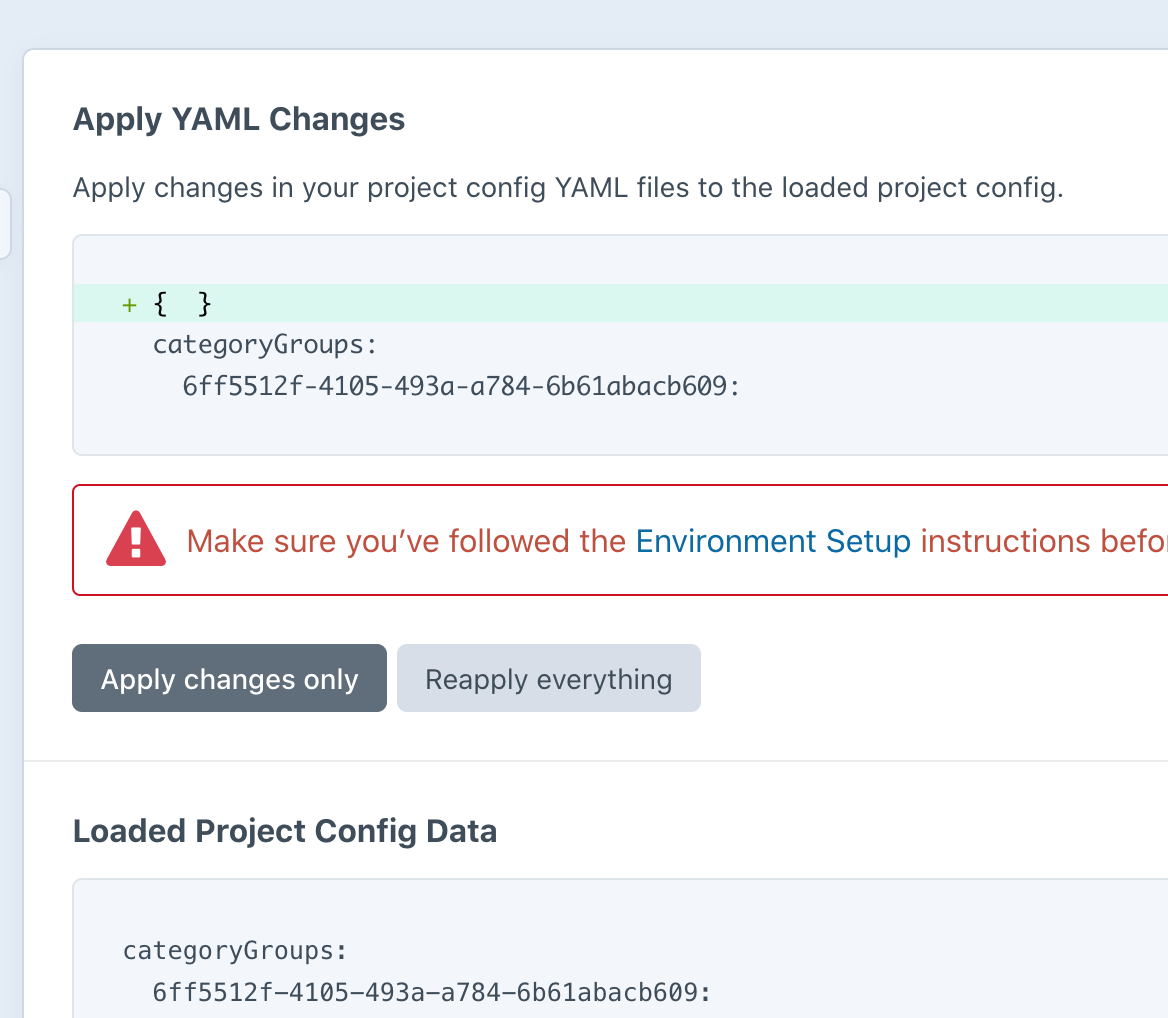
There was an issue at one point earlier today where "apply changes" threw a permissions error in the CP. I reset permissions on the config/project dir and haven't had any problems uploading or writing files since. I just did a diff on the project folder from the server and my local, and they match.
Steps to reproduce
- Push up config changes from dev.
- Head to Project Config in the Control Panel.
- Apply Changes Only. (Reapply times out via the control panel.)
- Prompted to apply changes again, and again, and again.
Additional info
- Craft version: 3.7.4
- PHP version: Arcustech v2 server
- Database driver & version:
- Plugins & versions: S3, Dashboard Begone, Entry Instructions, Express Forms, Fix Me a Link, Image Hotspots, Redactor, SS Twitter Feed, Inventory
Contributor guide
First steps
- Read the whole issue, then the project's contributing guide.
- Comment on the issue to say you are picking it up — it saves two people doing the same work.
- Fork the repository and make your change on a branch.
- Open a pull request that references the issue number.
Assessment
This issue has not been assessed yet.