Widgets overlapping
Open
Nobody has claimed this yet.
bug
- Dominant language
- PHP
- Stars
- 3.6k
- Forks
- 705
- Avg merge
- 1d 5h
- Merged PRs (30d)
- 134
Description
Description
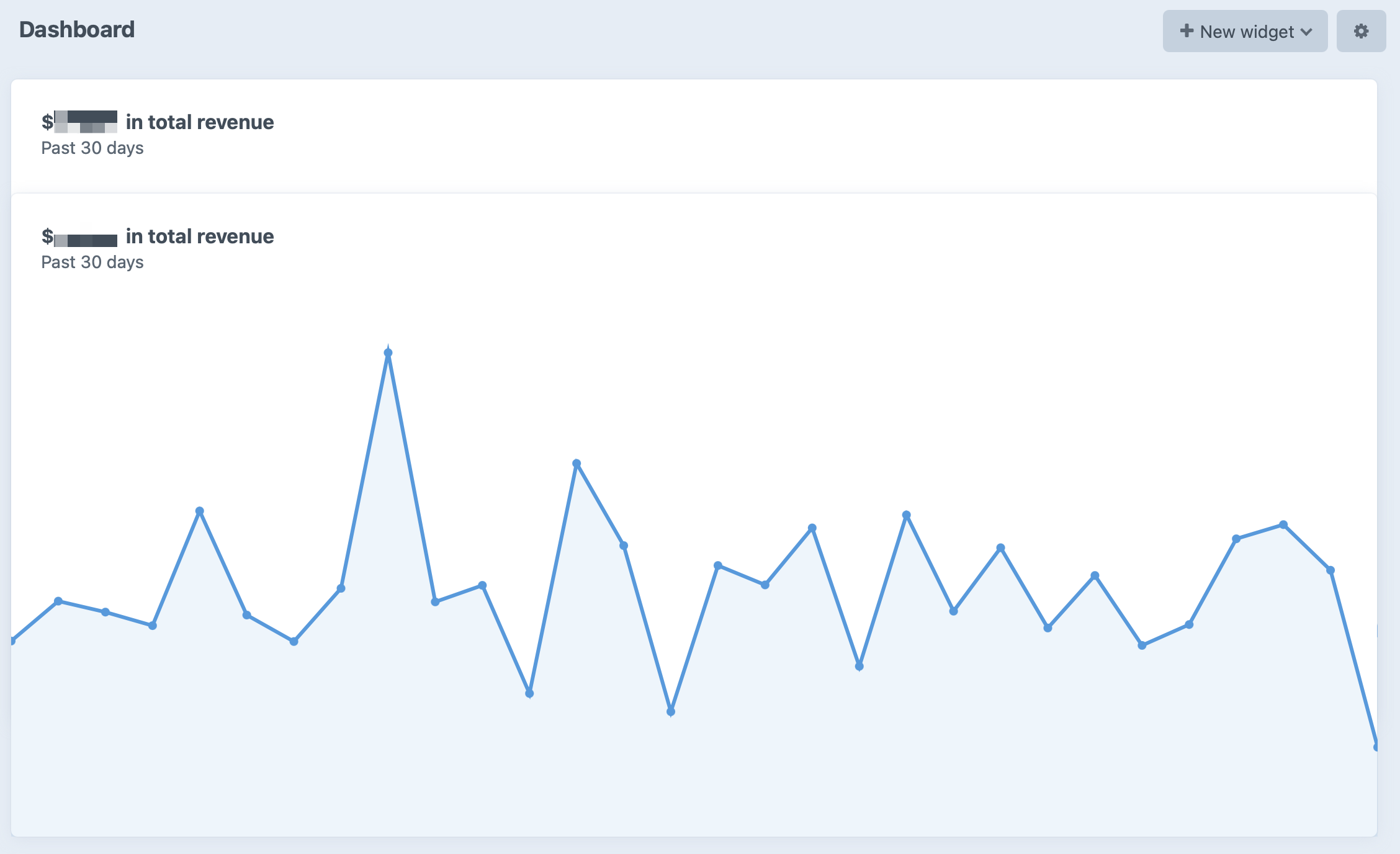
We have two “Total Revenue Settings” widgets stacked vertically. When we change the settings of the first one (from “Past 30 Days” to “Past 7 Days”, for instance), the second widget moves up and overlaps the first one:
Steps to reproduce
- Add 2 “Total Revenue Settings” widgets, one on top of another, on the Dashboard.
- Click on the little cog icon on the top right corner of the first widget.
- Change the value of the “Date Range” field.
- Click “Save”.
- Notice the second widget is now overlapping the first.
Additional info
- Craft version: 3.6.12
- PHP version: 7.4.13
- Database driver & version: MySQL 5.5.5
- Craft Commerce: 3.3.2
Contributor guide
First steps
- Read the whole issue, then the project's contributing guide.
- Comment on the issue to say you are picking it up — it saves two people doing the same work.
- Fork the repository and make your change on a branch.
- Open a pull request that references the issue number.
Research direction
Start by reproducing the issue on the Dashboard with two vertically stacked “Total Revenue Settings” widgets, following the listed date-range change and save steps. Investigate the widget layout behavior after the first widget changes size; done means the second widget no longer overlaps the first after saving.
Written by the indexing model from the issue text.
Assessment
- Tech stack
- php
- Domain
- frontend
- Issue type
- Bug
- Difficulty
- 3/5
- Estimated time
- 1-2 days
- Activity status
- Stale
- Clarity
- Mostly clear
- Newbie friendliness
- 35/100