Register new user- accessibility
Open
@gcamacho079 is already working on this.
Since Aug 1, 2024.
accessibility :bust_in_silhouette:
bug
- Dominant language
- PHP
- Stars
- 3.6k
- Forks
- 705
- Avg merge
- 1d 5h
- Merged PRs (30d)
- 134
Description
Below is an overview of accessibility issues on the Register New User page
Account
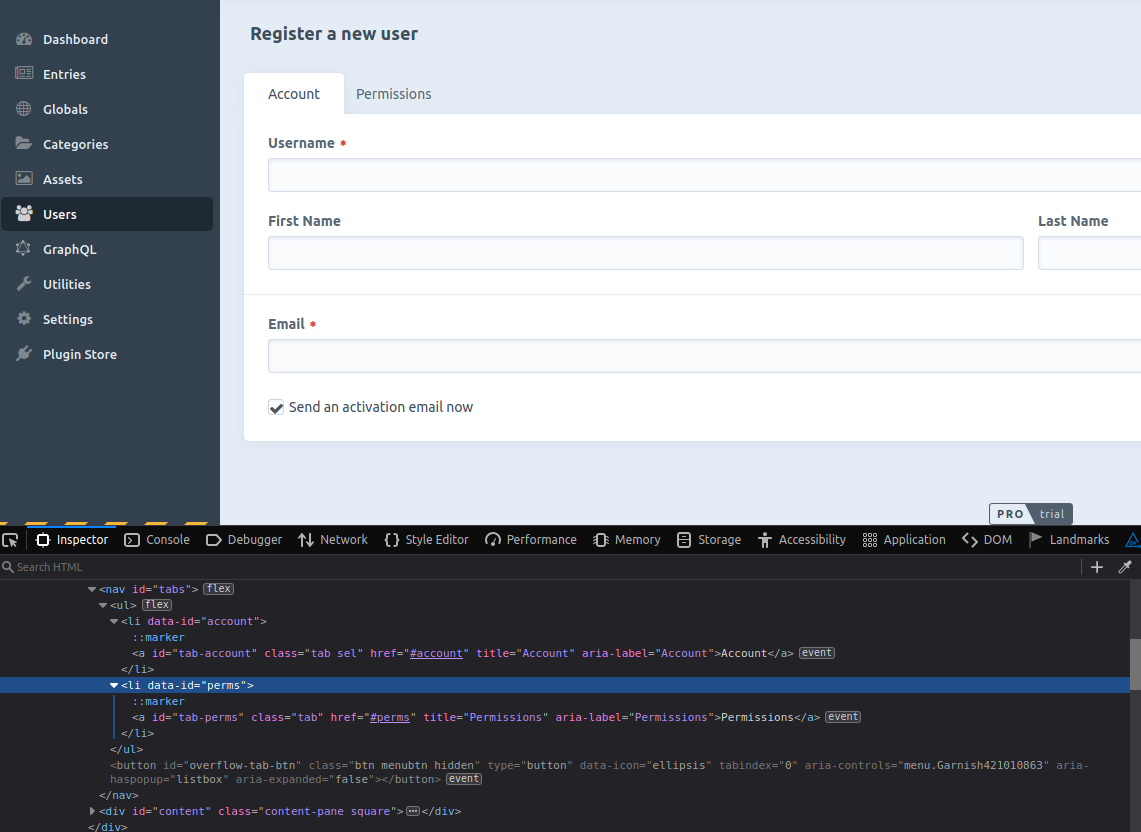
- The Account and Permissions tabs need appropriate role, state and properties- see aria example with automatic activation and aria example with manual activation (Fixed with #10606)
- Status update for not being able to save a user not picked up by screen reader software, although it wouldn’t need to be picked up if the following point was implemented
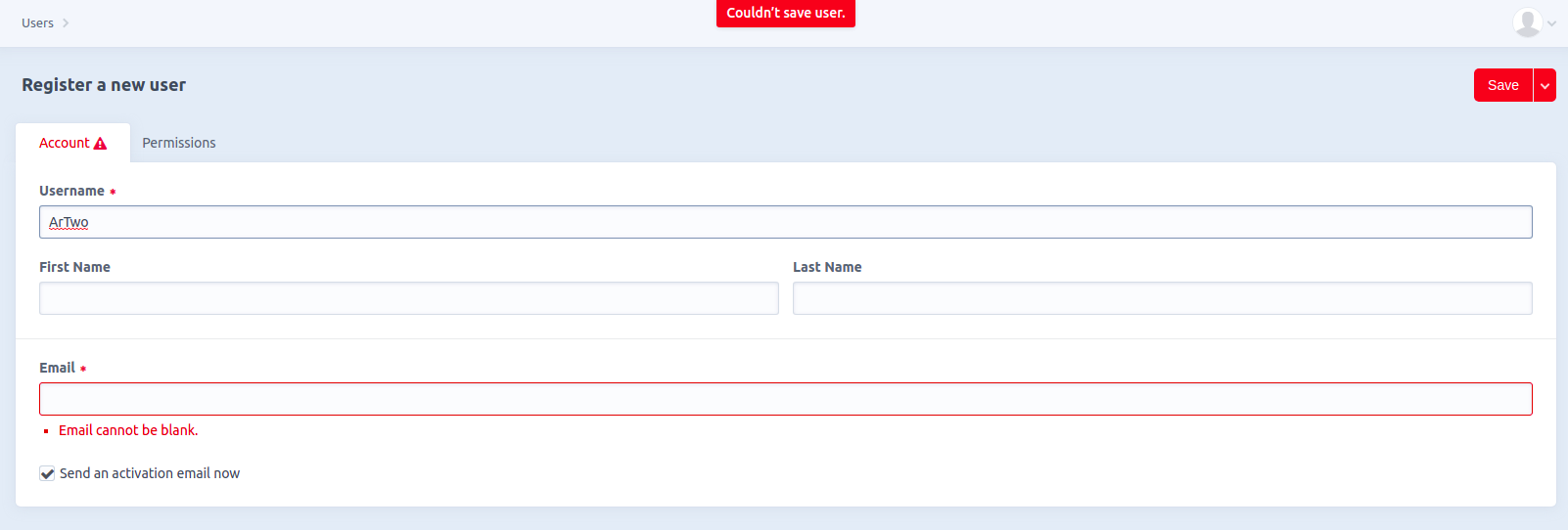
- It would be good if the error messages were associated with input fields using
aria-describedbyand the keyboard focus was moved to the first incorrect field - It would be good to either move the save button below the form or to make sure it is part of the
<form>element so that the user can just hit enter to save changes
Permissions
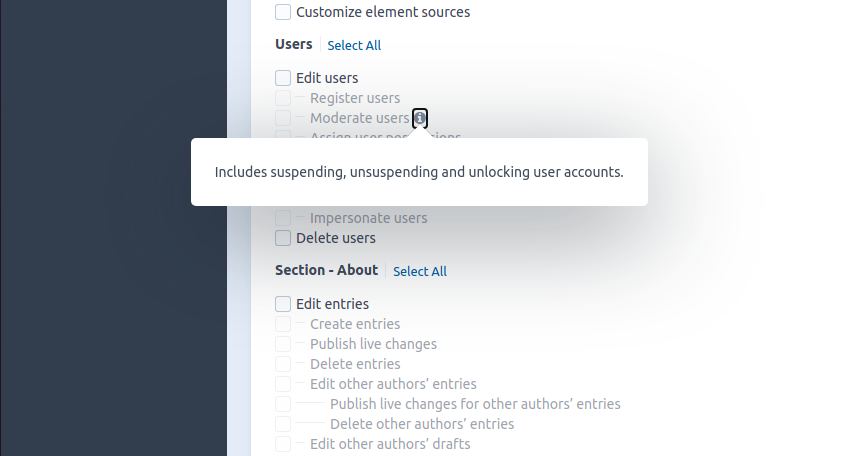
- Checkboxes should be grouped to provide context
- The select All elements are not keyboard accessible
- There is 1.47:1 contrast ratio between the dark body text and the Select All elements. Technically, bumping contrast ratio to at least 3:1 would work for WCAG compliance but I’d recommend using another visual clue, e.g. underline, or border with 3:1 contrast ratio against the background
- Information buttons need aria-expanded and aria-controls; I also think it would be better if they didn’t receive keyboard focus when the checkbox is disabled and their name was more descriptive (e.g. More about moderate users)
Additional info
- Craft version: 3.6.5
Contributor guide
First steps
- Read the whole issue, then the project's contributing guide.
- Comment on the issue to say you are picking it up — it saves two people doing the same work.
- Fork the repository and make your change on a branch.
- Open a pull request that references the issue number.
Assessment
This issue has not been assessed yet.