Date and time fields accessibility
Open
@gcamacho079 is already working on this.
Since Feb 11, 2022.
accessibility :bust_in_silhouette:
bug
- Dominant language
- PHP
- Stars
- 3.6k
- Forks
- 705
- Avg merge
- 1d 5h
- Merged PRs (30d)
- 134
Description
Description
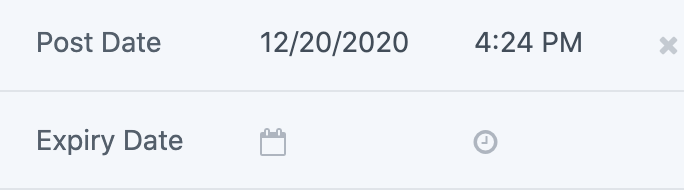
For date and time fields in the main content editor and details sidebar:
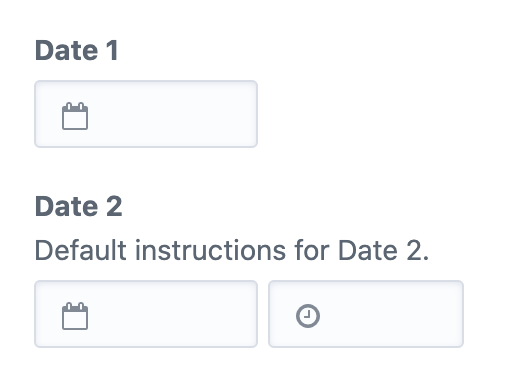
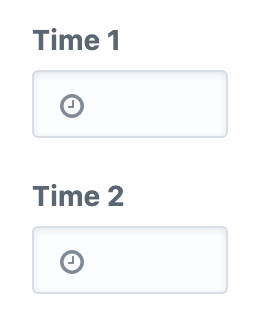
- Calendar picker doesn't seem to be keyboard-accessible.
I think it's using jQuery UI, this post from Deque may be helpful. Or Deque's demo here.
Actually those examples look kind of hacky and janky... maybe we can use the WAI-ARIA example or IBM's Vue a11y datepicker. - It's not clear what format or constraints apply to the date or time, especially when a user is typing directly into the input rather than using the datepicker or time dropdown. Date formatting should be validated, sometimes the date is able to be saved even though the format is wrong (https://github.com/craftcms/cms/issues/7308#issuecomment-754990576). Note: the format depends on the user's (formatting) locale settings.
- Inputs are not associated with labels. For the date-only and time-only fields, the visible label can be its label. This will also put the input into focus when the label is clicked. For the date/time fields, the date field and time field should have
aria-labelto indicate one is for date and one is for time. (fixed) - The calendar and clock icons for date/time fields in the details sidebar have insufficient contrast. (fixed)
- Not sure if it's clear that the x/remove icon to the right of the time field clears both the date and time. (fixed)
- The x/remove icon should be in a button element rather than an anchor. (fixed)
- The x/remove icon has insufficient contrast. (fixed)
Steps to reproduce
- Create and inspect date and time fields.
Additional info
- Craft version: 3.5.17.1
Contributor guide
First steps
- Read the whole issue, then the project's contributing guide.
- Comment on the issue to say you are picking it up — it saves two people doing the same work.
- Fork the repository and make your change on a branch.
- Open a pull request that references the issue number.
Assessment
This issue has not been assessed yet.