Pro Edition Call-To-Action Proposal
Nobody has claimed this yet.
- Dominant language
- PHP
- Stars
- 3.6k
- Forks
- 705
- Avg merge
- 1d 5h
- Merged PRs (30d)
- 134
Description
With the introduction of plugin editions in Craft 3.1, a standardised way of displaying the availability of more features in Lite/Plus editions is being proposed.
In a discussion with some other plugin developers today, we discussed possibilities for indicating the availability of Pro features in Lite editions of plugins. Commerce Lite currently hides any pages that are Pro features (Settings → Shipping; Settings → Taxes) and the only indicators of more features are the badge on the plugin settings page and the plugin page in the plugin store.
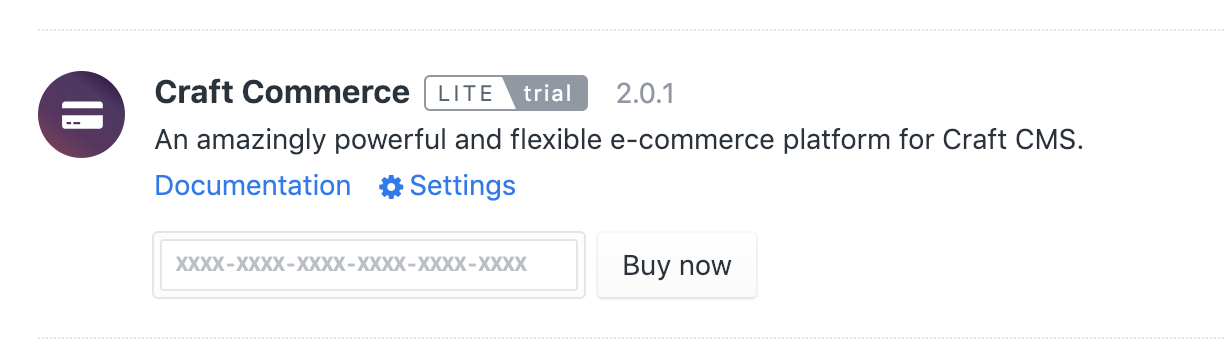
Some ideas we discussed are as follows. The intention is to be as unobtrusive as possible, while making it obvious that there are more goodies to be had.
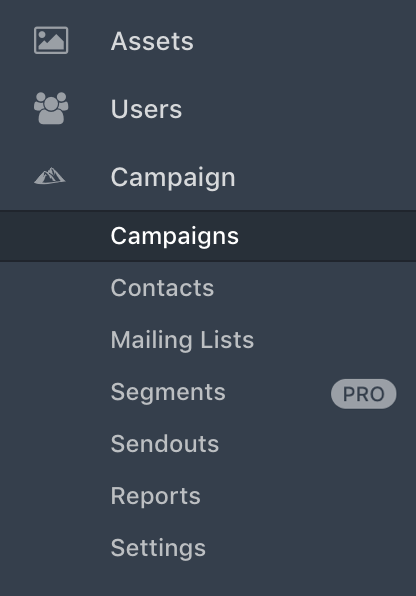
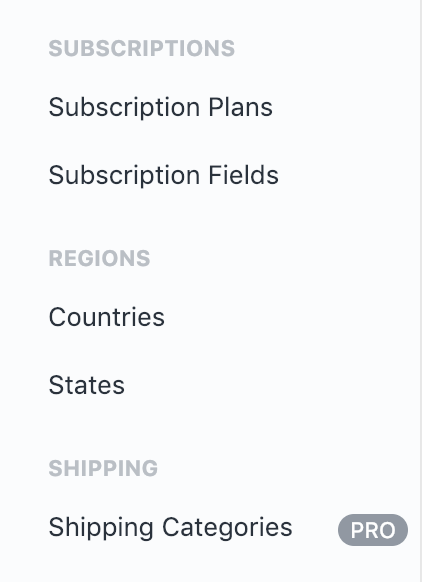
1. The Badge
The badge is displayed in places where pages with Pro features exist. The links could be either disabled completely, or enabled and link to placeholder pages. The mark-up for these badges already exists (in Utilities and Updates).
2. The Placeholder Page
The placeholder page is a page that would be available in the Pro edition of the plugin. In a Lite edition the user could still visit those pages but would see a placeholder image of what the page would offer in the Pro edition. This image could take the form of a silhouette or of sample output, along with a call-to-action.

Perhaps there is a better place to post this question, but it would be great to get the opinion of developers as well as end-users of plugins that are currently offering or considering editions. Specifically, would you consider this a useful feature or more of a naggy feature?
Contributor guide
First steps
- Read the whole issue, then the project's contributing guide.
- Comment on the issue to say you are picking it up — it saves two people doing the same work.
- Fork the repository and make your change on a branch.
- Open a pull request that references the issue number.
Research direction
Start by reading the discussion and reviewing the existing badge markup in Utilities and Updates, along with the Lite plugin pages mentioned for Settings → Shipping and Settings → Taxes. The issue is a proposal without an agreed approach, so completion would require a decided standard for the badge or placeholder page before implementation can be scoped.
Written by the indexing model from the issue text.
Assessment
- Tech stack
- php
- Domain
- backend, design
- Issue type
- Feature
- Difficulty
- 5/5
- Estimated time
- Over a week
- Activity status
- Stale
- Clarity
- Needs clarification
- Newbie friendliness
- 25/100