Can't scroll/move when editing 'Entries' page column layout for sections
Open
Nobody has claimed this yet.
bug
severity:minor
- Dominant language
- PHP
- Stars
- 3.6k
- Forks
- 705
- Avg merge
- 1d 5h
- Merged PRs (30d)
- 134
Description
Description
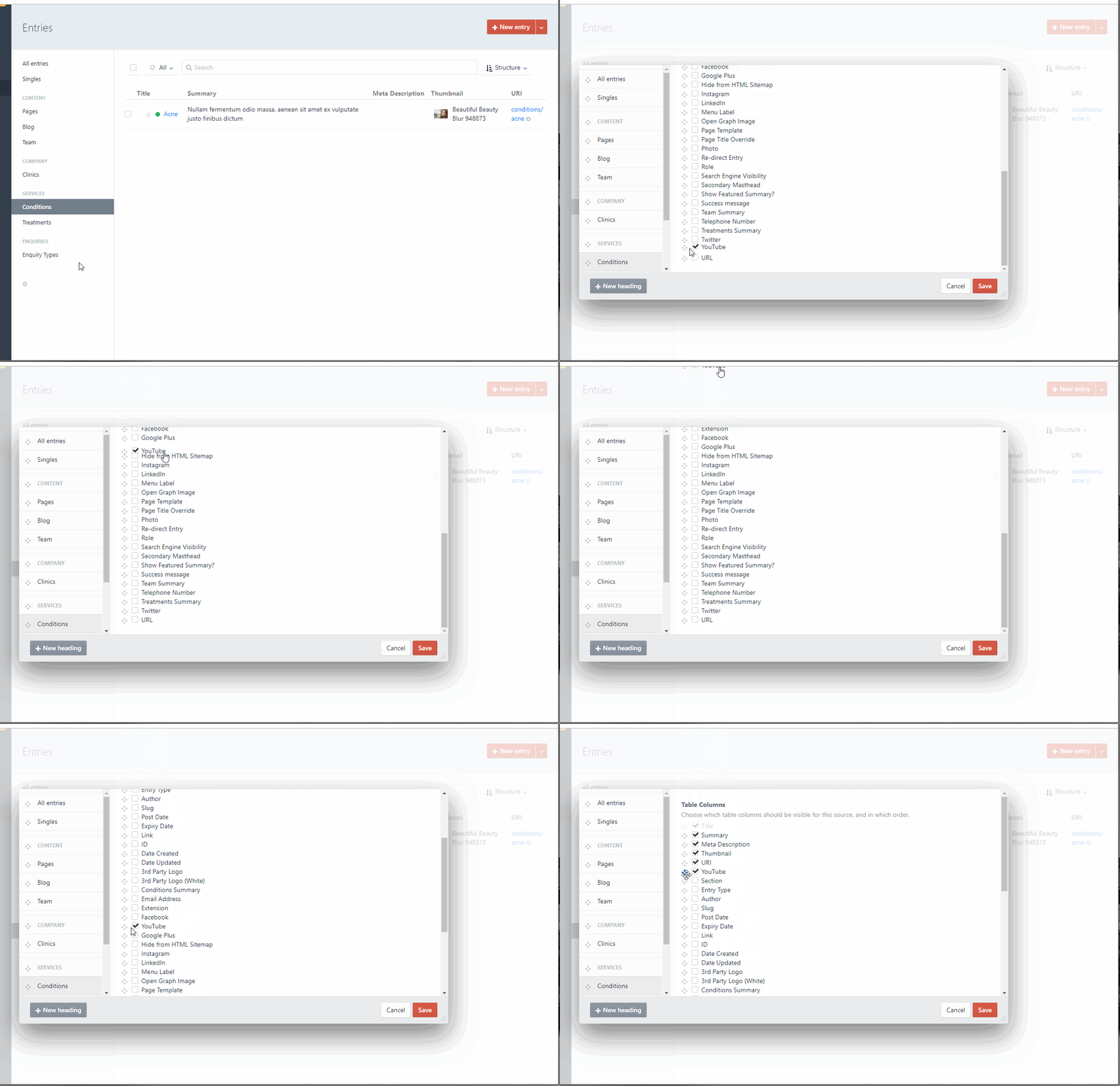
When customising which columns to show for each section in the Entries page, it's impossible to move up when dragging a field.
I am also trying to scroll up using the mouse wheel, but that doesn't work either.
Steps to reproduce
- Edit the column layout for any section
- Try and enable a field and move it to the top of the list
Additional info
- Google Chrome 69.0.3497.81 (latest)
- Craft version: 3.0.23.1
- PHP version: 7.2.2
- Database driver & version: MySQL 5.7.23
Contributor guide
First steps
- Read the whole issue, then the project's contributing guide.
- Comment on the issue to say you are picking it up — it saves two people doing the same work.
- Fork the repository and make your change on a branch.
- Open a pull request that references the issue number.
Research direction
Reproduce the issue by editing the column layout for an Entries page section in Chrome and trying to enable a field, drag it upward, and scroll with the mouse wheel. Trace the Entries page column-layout interface and identify the change needed so fields can be moved to the top and the list can scroll; done means both interactions work reliably.
Written by the indexing model from the issue text.
Assessment
- Tech stack
- php
- Domain
- frontend
- Issue type
- Bug
- Difficulty
- 3/5
- Estimated time
- 1-2 days
- Activity status
- Stale
- Clarity
- Mostly clear
- Newbie friendliness
- 35/100