component-driven / component-driven/cypress-axe
Inconsistent color contrast calculation
Nobody has claimed this yet.
- Dominant language
- TypeScript
- Stars
- 641
- Forks
- 90
- Avg merge
- 6h 8m
- Merged PRs (30d)
- 1
Description
The color contrast ratio differs everytime upon running the scan and sometimes reports the violated result for the same styled element.
Below is the snapshot of the computed style of the element for which issue is being reported -
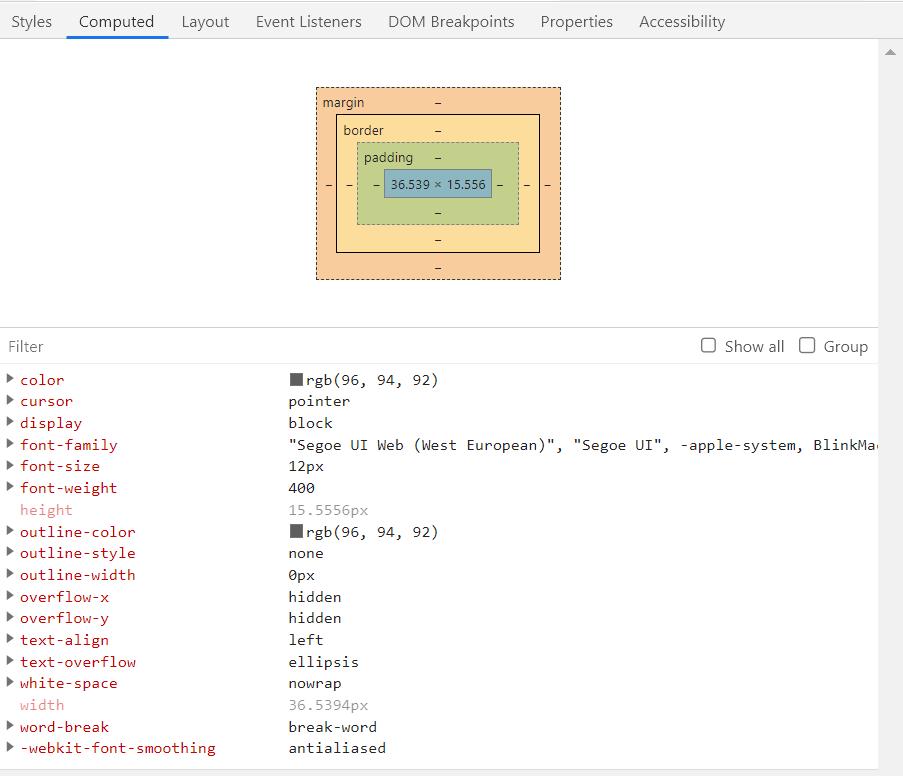
For the same element we get violations with different color contrast ratios -



I tried logging the actual value of the color of the desired element during the run. It logs the correct desired color value -

Color logged is rgb(96, 94, 92) which is #605e5c
But the axe is assigning fgColor as #9b9998 and hence violating the rule for color contrast.
Any idea what could be the issue here?
Contributor guide
No contributing guide indexed for this repository
First steps
- Read the whole issue, then the project's contributing guide.
- Comment on the issue to say you are picking it up — it saves two people doing the same work.
- Fork the repository and make your change on a branch.
- Open a pull request that references the issue number.
Research direction
Start by reproducing the accessibility scan described in the issue and compare the logged rgb(96, 94, 92) value with the reported fgColor and contrast ratio across repeated runs. Done means the same styled element produces a consistent contrast result that uses the observed color, with a regression test if the existing test structure can be located.
Written by the indexing model from the issue text.
Assessment
- Tech stack
- cypress, typescript
- Domain
- accessibility, testing-qa
- Issue type
- Bug
- Difficulty
- 4/5
- Estimated time
- 3-5 days
- Activity status
- Stale
- Clarity
- Needs clarification
- Newbie friendliness
- 25/100