codestates / codestates/Lumiere
[에러 핸들링] npm ERR! Missing script: "build" 에러
- Dominant language
- TypeScript
- Stars
- 7
- Forks
- 4
- PR merge metrics
- No merged PRs in 30d
Description
에러메시지 : 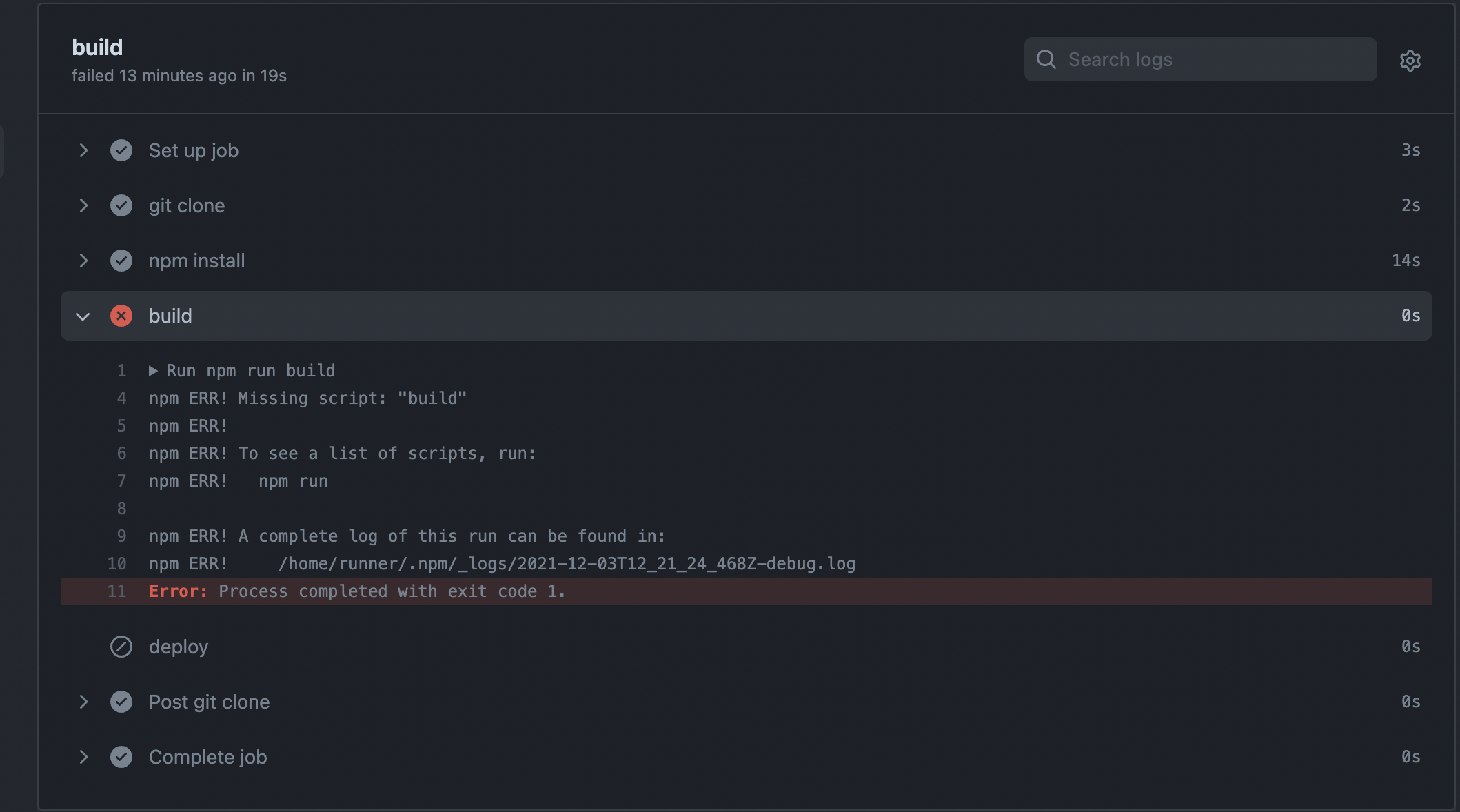
흠..생각을 해보니 yml 파일에
```yml
name: deploy-to-s3-example
on:
push:
branches: [ dev ]
jobs:
build:
runs-on: ubuntu-18.04
steps:
- name: git clone
uses: actions/checkout@v2
- name: npm install
run: npm install
- name: build
run: npm run build
- name: deploy
env:
AWS_ACCESS_KEY_ID: '${{ secrets.AWS_ACCESS_KEY_ID }}'
AWS_SECRET_ACCESS_KEY: '${{ secrets.AWS_SECRET_ACCESS_KEY }}'
run: |
aws s3 cp \
--recursive \
--region ap-northeast-2 \
dist www.lumieregallery.site
```
이렇게 작성되어 있었는데 client로 안들어가고 build를 해서 그런 것 같다. 그래서 중간에 cd client 를 넣어줘야한다! 물론 npm install 전에 해줘야한다. 클라이언트기 때문에!!
그래서 npm install 위에
```yml
- name : cd client
run : cd client
```
를 했지만 어김없이 빌드를 못찾는단 에러가 떳다.
한참을 헤메다가 해결법을 찾았다!!
해결법은 아래와 같다.
```
- name : npm install
run : npm install
working-directory: ./client
- name : build
run : npm run build
working-directory: ./client
```
이렇게 명시해줬어야 한다.
왜냐면..우리 프로젝트는 최상단 루트에 client가 바로 있는게 아니라
client폴더와 server폴더로 나눠져 있기 때문이다.. 후 ㅠㅠ 이젠 이걸 해결했더니 eslint airbnb가 난리다..
----
eslint는 클라이언트 폴더 바깥쪽에서 설치를 했어야했기 때문에
```js
name: deploy-to-s3-example
on:
push:
branches: [ dev ]
jobs:
build:
runs-on: ubuntu-18.04
steps:
- name: git clone
uses: actions/checkout@v2
- name: npm install for eslint
run : npm install
- name: npm install
run: npm install
working-directory: ./client
- name: build
run: npm run build
working-directory: ./client
- name: deploy
env:
AWS_ACCESS_KEY_ID: '${{ secrets.AWS_ACCESS_KEY_ID }}'
AWS_SECRET_ACCESS_KEY: '${{ secrets.AWS_SECRET_ACCESS_KEY }}'
run: |
aws s3 cp \
--recursive \
--region ap-northeast-2 \
dist www.lumieregallery.site
```
이렇게해서 에러를 핸들링했다.
이제는 이런 에러가 나오네..

Contributor guide
No contributing guide indexed for this repository
Assessment
This issue has not been assessed yet.