codesandbox / codesandbox/codesandbox-client
Svelte Kit project renders blank page
Nobody has claimed this yet.
- Dominant language
- JavaScript
- Stars
- 13.6k
- Forks
- 2.4k
- Avg merge
- 6d 19h
- Merged PRs (30d)
- 2
Description
🐛 bug report
Preflight Checklist
- I have read the Contributing Guidelines for this project.
- I agree to follow the Code of Conduct that this project
adheres to. - I have searched the issue tracker for an issue that matches the one I want
to file, without success.
Description of the problem
I created a Svelte Kit project locally (using the standard command npm init svelte@next cstest-sveltekit-1) and pushed it to this public repo: https://github.com/oliversturm/cstest-sveltekit-1
I imported it into CSB and a fork was created. However, the preview only shows a blank page.
I tried this in Firefox (98.0.2 (64-bit) on Arch Linux) and Chromium (Version 100.0.4896.60, same 64 bit Arch Linux), and the results are similar - blank preview.
One difference is that Chromium displays a couple errors in the console panel:
Problems consuming cache
Error: Failed to read the 'localStorage' property from 'Window': Access is denied for this document.
These errors are refreshed at least once a second, it was pretty difficult to copy the text between refreshes. Eventually I found that I could open the browser console and grab screenshots of the two issues. At the bottom there's also an extra POST problem that didn't appear in the console panel.
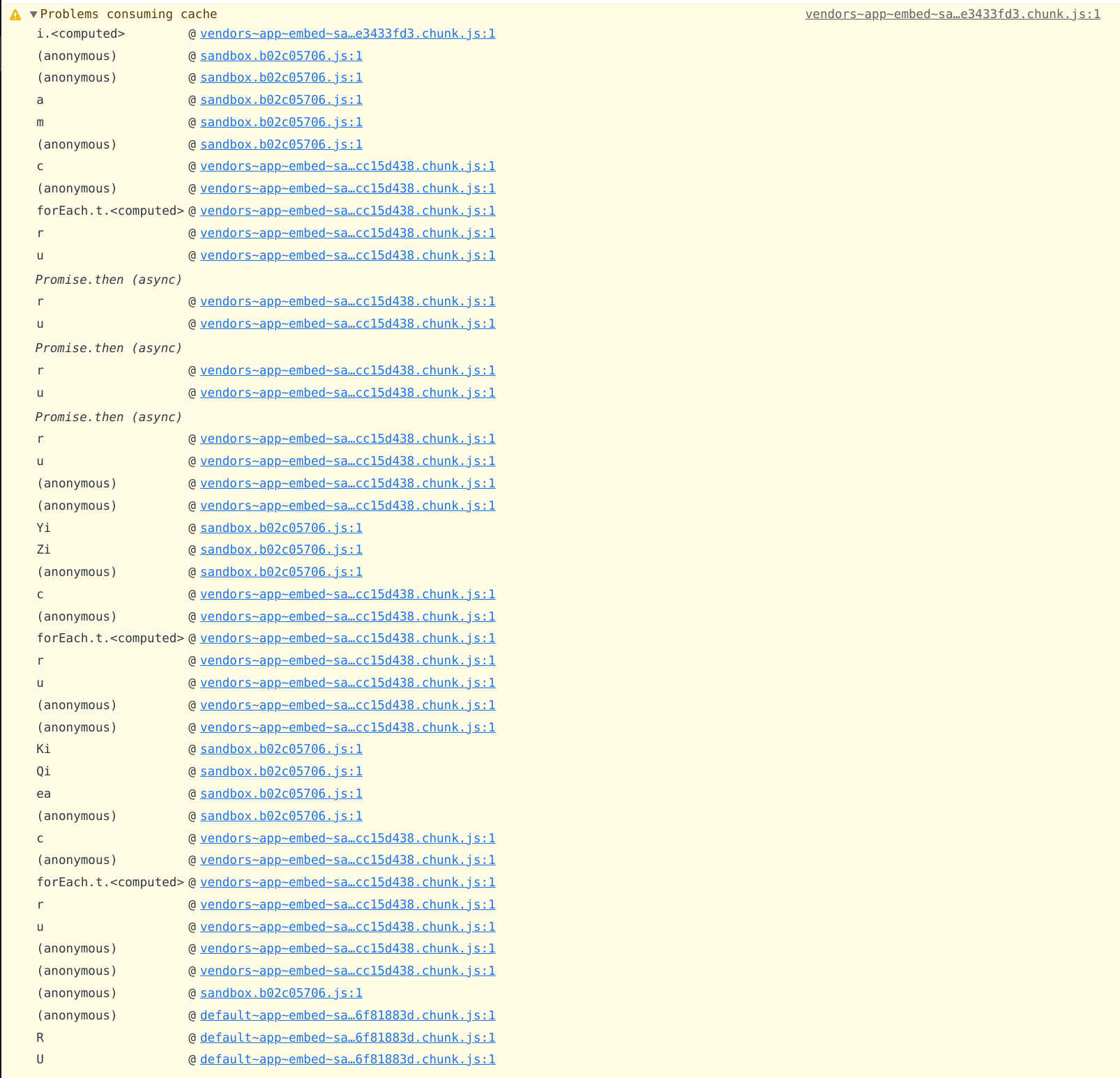
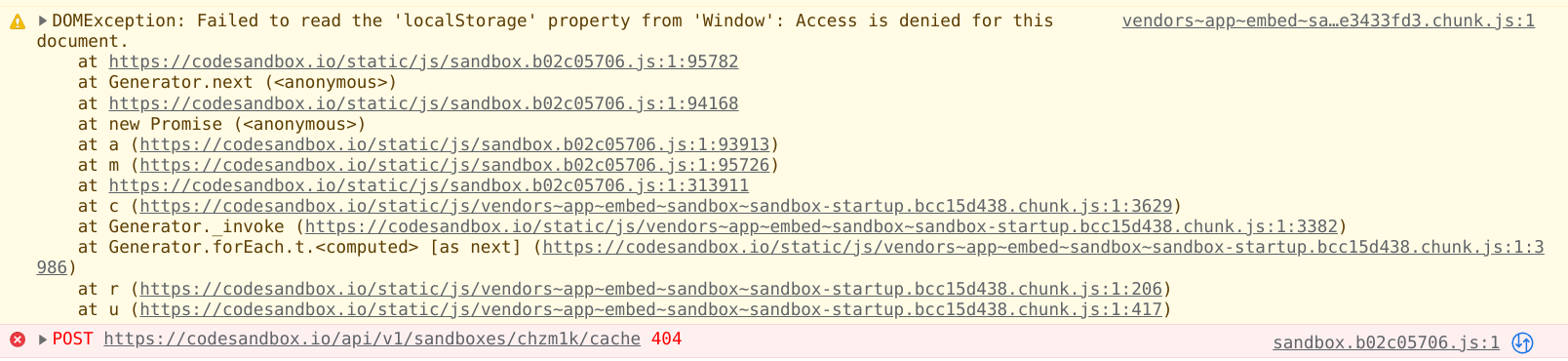
(The same steps are not possible in Firefox - the console is always empty there.)
How has this issue affected you? What are you trying to accomplish?
I think I should be able to run this project in CSB. (Edit: Failing that, some kind of meaningful error message would be useful!)
To Reproduce
I believe if you import the public repo https://github.com/oliversturm/cstest-sveltekit-1 you should see the same thing.
Your Environment
| Software | Name/Version |
|---|---|
| Сodesandbox | e334d85ce |
| Browser | Described above |
| Operating System | Arch Linux |
Contributor guide
First steps
- Read the whole issue, then the project's contributing guide.
- Comment on the issue to say you are picking it up — it saves two people doing the same work.
- Fork the repository and make your change on a branch.
- Open a pull request that references the issue number.
Research direction
Start by importing the linked public repository https://github.com/oliversturm/cstest-sveltekit-1 into CodeSandbox and reproducing the blank preview in Chromium. Inspect the recurring localStorage/cache errors and the additional POST failure; done means the SvelteKit project renders or the user receives a meaningful error message.
Written by the indexing model from the issue text.
Assessment
- Tech stack
- javascript
- Domain
- frontend, web-dev
- Issue type
- Bug
- Difficulty
- 4/5
- Estimated time
- 3-5 days
- Activity status
- Stale
- Clarity
- Mostly clear
- Newbie friendliness
- 25/100