codesandbox / codesandbox/codesandbox-client
Hide Activity Bar? (aka "Workspaces")
Nobody has claimed this yet.
- Dominant language
- JavaScript
- Stars
- 13.6k
- Forks
- 2.4k
- Avg merge
- 6d 19h
- Merged PRs (30d)
- 2
Description
🌈 Feature
Would CodeSandbox be open to supporting hiding (or moving the buttons) of the Activity Bar column on the right with the action buttons to achieve additional horizontal space for the rest of the screen?
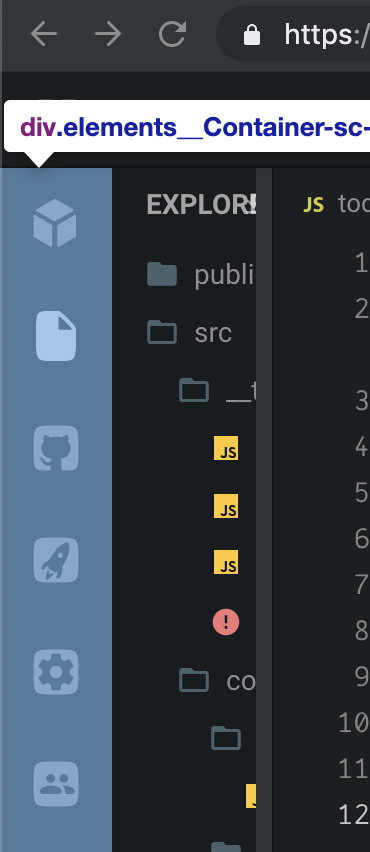
My use case is that I often have two columns of files next to each other and then also the preview or tests on the right.
A workaround for now is to hide the file explorer, which yields a bit more space.
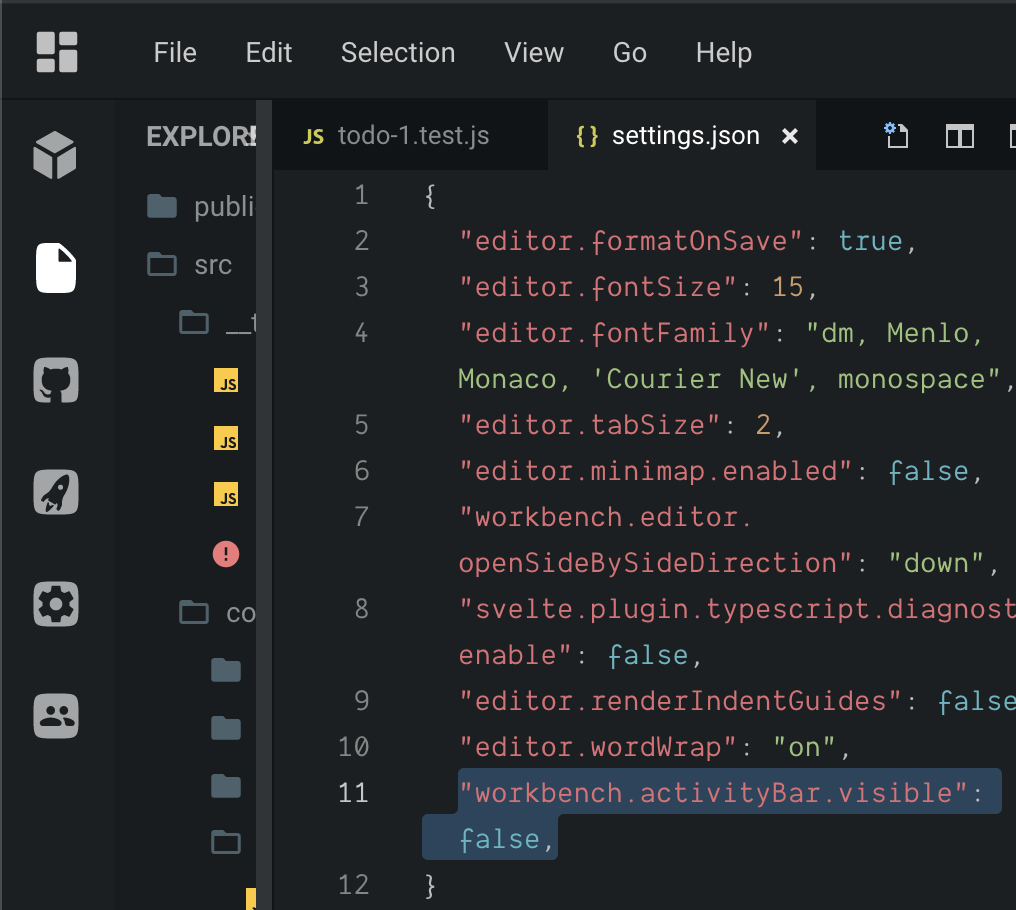
I've taken the name "Activity Bar" from VS Code, which defines a setting workbench.activityBar.visible to hide it.
I tested this setting but it doesn't work:
Keywords for search: sidebar, side bar, hiding
Contributor guide
First steps
- Read the whole issue, then the project's contributing guide.
- Comment on the issue to say you are picking it up — it saves two people doing the same work.
- Fork the repository and make your change on a branch.
- Open a pull request that references the issue number.
Research direction
Start by locating the client-side Activity Bar or sidebar entry point and compare its behavior with the VS Code visibility setting linked in the issue. Confirm whether hiding or moving the action buttons is supported, then verify that the remaining workspace gains horizontal space without losing access to those actions.
Written by the indexing model from the issue text.
Assessment
- Tech stack
- javascript, react
- Domain
- design, frontend
- Issue type
- Feature
- Difficulty
- 4/5
- Estimated time
- 3-5 days
- Activity status
- Stale
- Clarity
- Mostly clear
- Newbie friendliness
- 35/100