code4romania / code4romania/teacher-workout-ios
Implement exercise answers screen
- Dominant language
- Swift
- Stars
- 2
- Forks
- 11
- PR merge metrics
- No merged PRs in 30d
Description
[The Figma document](https://www.figma.com/file/uLiqrlxmOB5xCppIzmiUXV/Teacher-Workout?node-id=0%3A1) contains the entire UI of the project.
You can export any image (asset) directly from Figma. [Here's how](https://drive.google.com/file/d/1KJncuAGFvKEo6zrjC9H3O59auITE0q2h/view).
**Please do not try to recreate the UI design exactly.** Prioritize using default UI mobile components and following the [Human Interface Guidelines](https://developer.apple.com/design/human-interface-guidelines/ios). The UI objects should be positioned roughly the same as in the Figma screens.
[The mobile flow can be found in the project Wiki](https://github.com/code4romania/teacher-workout-backend/wiki/Teacher-Workout-Mobile-flow).
_Please define related colors and text & button styles in the corresponding values files. Please extract all text values in the corresponding Localizable files so we can easily adjust them. <3_
---
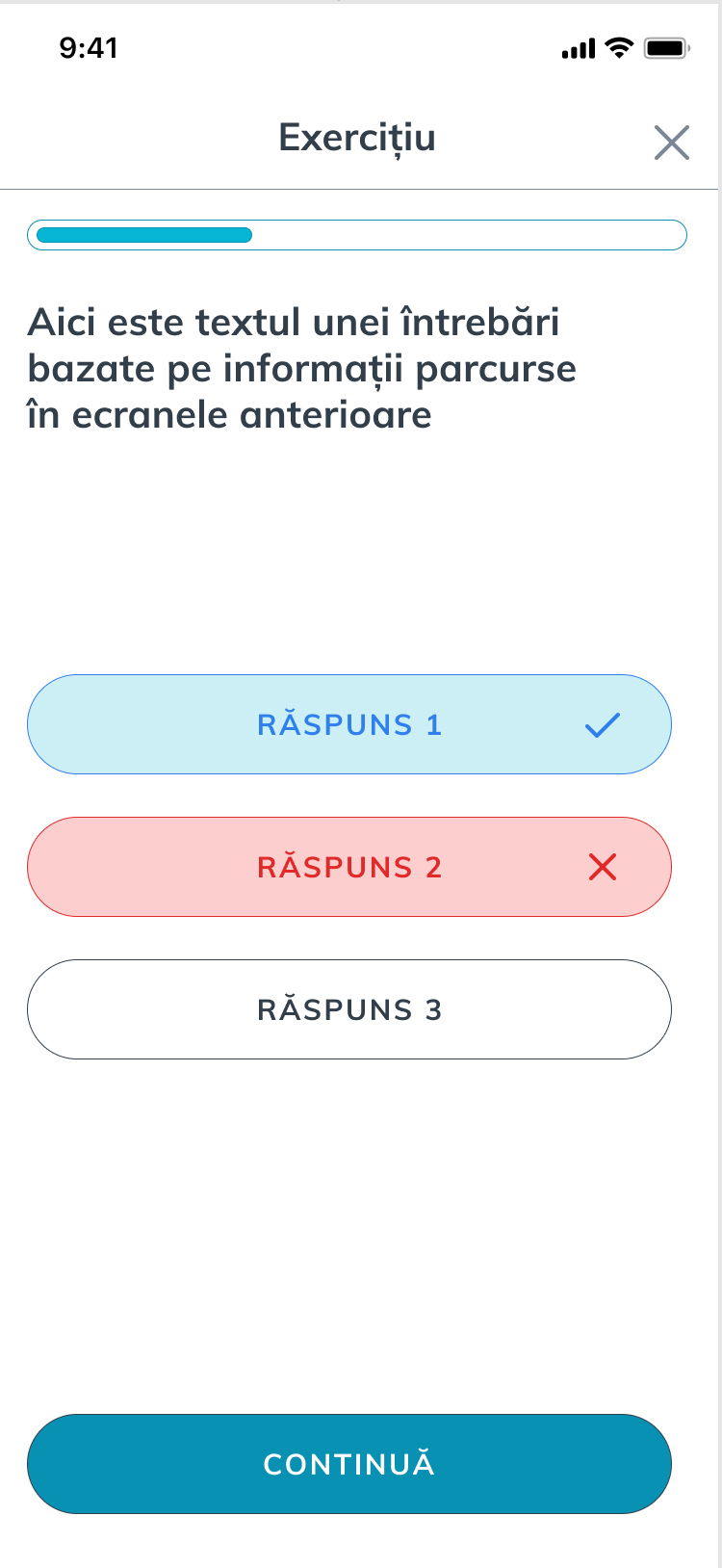
After an exercise slide, we have to display the right and wrongs answers. An exercise answers slide has a title, right and wrong answers and a continue button.
For API, use our stagging environment (https://teacher.heroesof.tech/graphql)
Contributor guide
Research direction
Start with the Figma document and the Teacher-Workout Mobile flow in the project Wiki, then inspect the staging GraphQL API. Done means an exercise answers slide shows its title, right and wrong answers, and a continue button, with colors, styles, and text placed in the corresponding values and Localizable files.
Written by the indexing model from the issue text.
Assessment
- Tech stack
- graphql, swift
- Domain
- api, mobile
- Issue type
- Feature
- Difficulty
- 4/5
- Estimated time
- 3-5 days
- Activity status
- Stale
- Clarity
- Mostly clear
- Newbie friendliness
- 35/100