code4romania / code4romania/alex-api
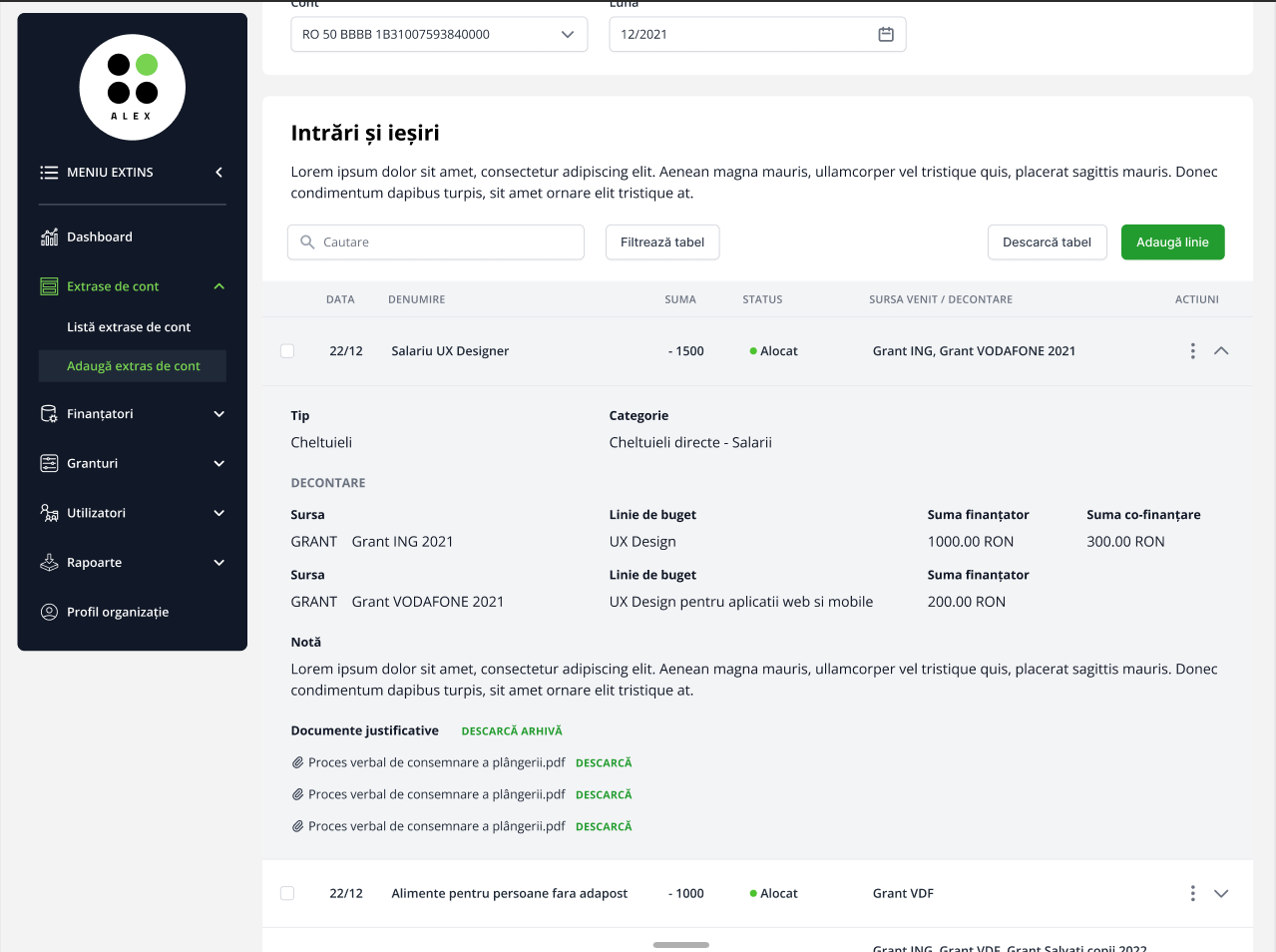
[Balance sheet] View expanded row in Balance sheet table
- Dominant language
- Dockerfile
- Stars
- 5
- Forks
- 1
- PR merge metrics
- No merged PRs in 30d
Description
**Feature description: A user can view the details of a row/entry in a Balance Sheet table**
Flow:
1. Go to Main menu > "Extrase de cont" > select a _Balance sheet_ from the _Balance sheet list_ / add new _Balance sheet_ > "Intrări și ieșiri"
2. Click on the arrow button  (expand button) for the desired row and see all the details filled when the entry was added - [Figma mockup](https://www.figma.com/file/W7ppl5xGFpB3atVWwYL7qN/Alex-(asistentul-bugetar-al-ONG-urilor)?node-id=3124%3A44729)
3. To unexpand the row, the user needs to click on the button  (collapse row)
**Actions on View expanded row in Balance Sheet table:**
- Document title (clickable for view), extension, size
- Download button “Descarcă”
- Download all button button “Descarcă arhiva”
Contributor guide
Assessment
This issue has not been assessed yet.