cloudfoundry / cloudfoundry/stratos
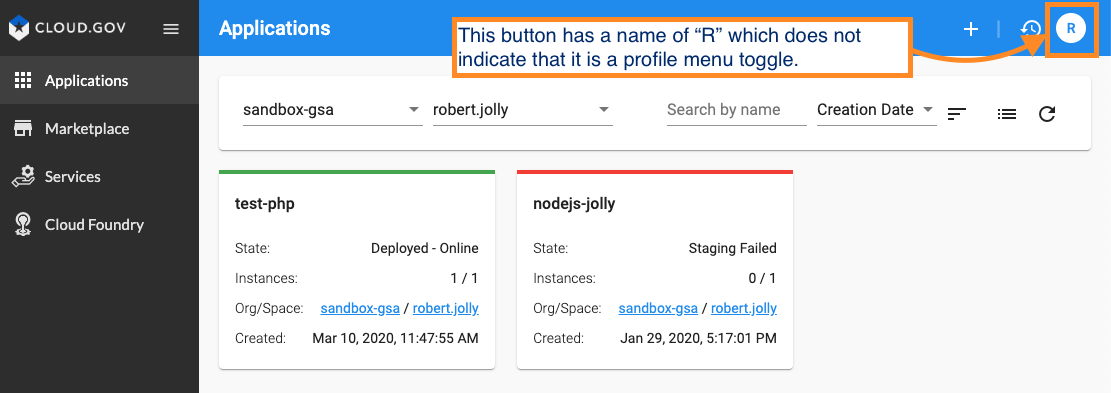
a11y: Profile button has inadequate accessible name
Nobody has claimed this yet.
- Dominant language
- TypeScript
- Stars
- 267
- Forks
- 137
- Avg merge
- 5h 14m
- Merged PRs (30d)
- 77
Description
Frontend Deployment type
- Cloud Foundry Application (cf push)
- Kubernetes, using a helm chart
- Docker, single container deploying all components
- npm run start
- Other (please specify below)
- cloud.gov stratos dashboard
Expected behaviour
All interactive elements will have an accessible name available to assistive technology (AT e.g. screen reader and voice dictation/control) users.
Actual behaviour
Profile menu toggle button is an initial, which is not descriptive enough to people who cannot see the screen for context.
Context
Users affected: Low vision, Blind, Motor impaired
Severity: High
Applicable WCAG 2 SC(s)
Screenshots
Recommendations
How to fix:
Fix any of the following:
- Use
aria-labeloraria-labelledbyattributes on button to assign a descriptive, accessible name to the button.
Contributor guide
First steps
- Read the whole issue, then the project's contributing guide.
- Comment on the issue to say you are picking it up — it saves two people doing the same work.
- Fork the repository and make your change on a branch.
- Open a pull request that references the issue number.
Research direction
Start by searching the frontend for the Profile menu toggle button described in the issue and inspect its rendered accessible name. Verify that the button has a descriptive name for assistive technology and confirm the result with an accessibility check or screen reader.
Written by the indexing model from the issue text.
Assessment
- Tech stack
- angular, typescript
- Domain
- accessibility, frontend
- Issue type
- Bug
- Difficulty
- 2/5
- Estimated time
- 1-3 hours
- Activity status
- Stale
- Clarity
- Mostly clear
- Newbie friendliness
- 45/100