cloudfoundry / cloudfoundry/stratos
a11y: Keyboard access problems
Nobody has claimed this yet.
- Dominant language
- TypeScript
- Stars
- 267
- Forks
- 137
- Avg merge
- 5h 14m
- Merged PRs (30d)
- 77
Description
Frontend Deployment type
- Cloud Foundry Application (cf push)
- Kubernetes, using a helm chart
- Docker, single container deploying all components
- npm run start
- Other (please specify below)
- cloud.gov stratos dashboard
Expected behaviour
Any element activated by mouse click should also be operable via keyboard.
Actual behaviour
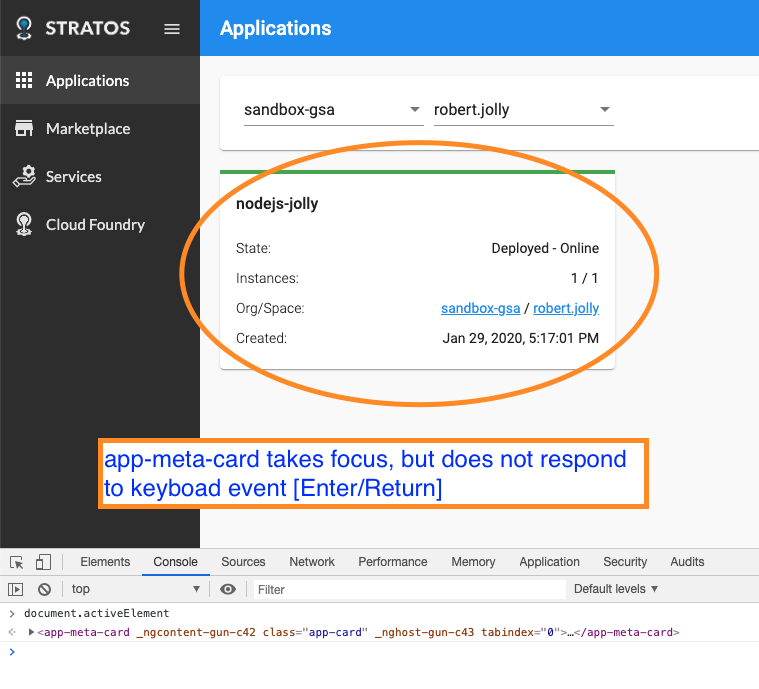
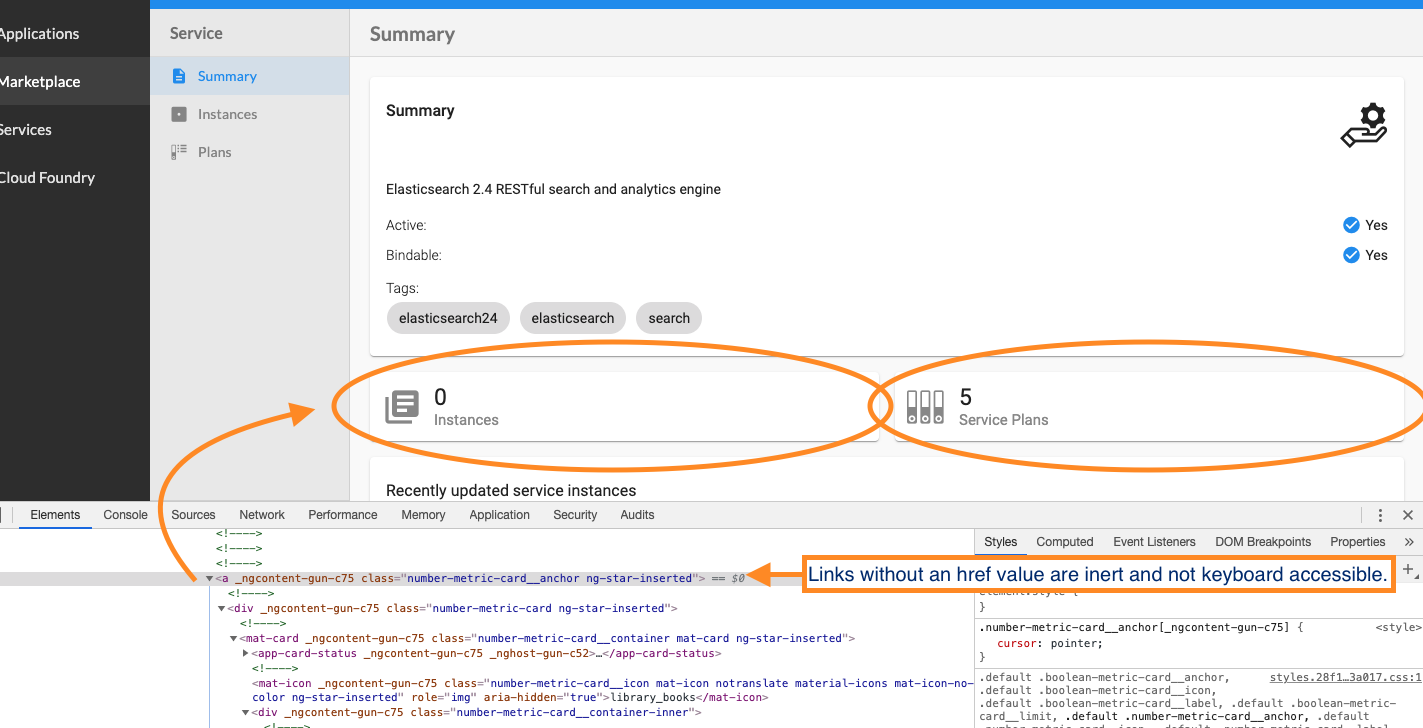
Some elements are actionable via mouse event while ignoring keyboard events.
Steps to reproduce the behavior
Tab through the app's focusable elements to find any items where focus exists and are inert/inactive for keyboard or where focus is missed but the same items are actionable via a mouse.
Context
Users affected: Keyboard-only users with vision, Blind users, Low Vision users
Severity: High
Applicable WCAG 2 SCs
Screenshots
Contributor guide
First steps
- Read the whole issue, then the project's contributing guide.
- Comment on the issue to say you are picking it up — it saves two people doing the same work.
- Fork the repository and make your change on a branch.
- Open a pull request that references the issue number.
Research direction
Start by tabbing through the cloud.gov Stratos dashboard and compare controls that respond to mouse events with those reached or activated by the keyboard. Identify each missed or inert actionable element and verify that all such elements can be reached and operated with the keyboard, as required by WCAG 2.1.1.
Written by the indexing model from the issue text.
Assessment
- Tech stack
- angular, typescript
- Domain
- accessibility, frontend
- Issue type
- Bug
- Difficulty
- 4/5
- Estimated time
- 3-5 days
- Activity status
- Stale
- Clarity
- Needs clarification
- Newbie friendliness
- 25/100