cloudfoundry / cloudfoundry/stratos
"Create instance" is in the wrong place
Nobody has claimed this yet.
- Dominant language
- TypeScript
- Stars
- 267
- Forks
- 137
- Avg merge
- 5h 14m
- Merged PRs (30d)
- 77
Description
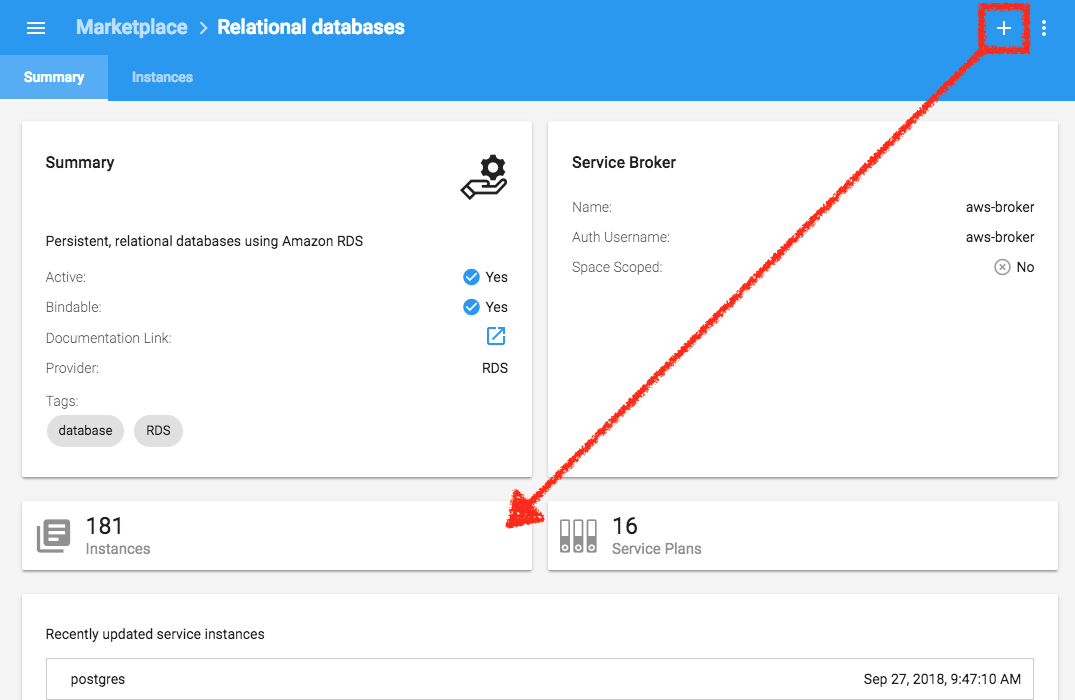
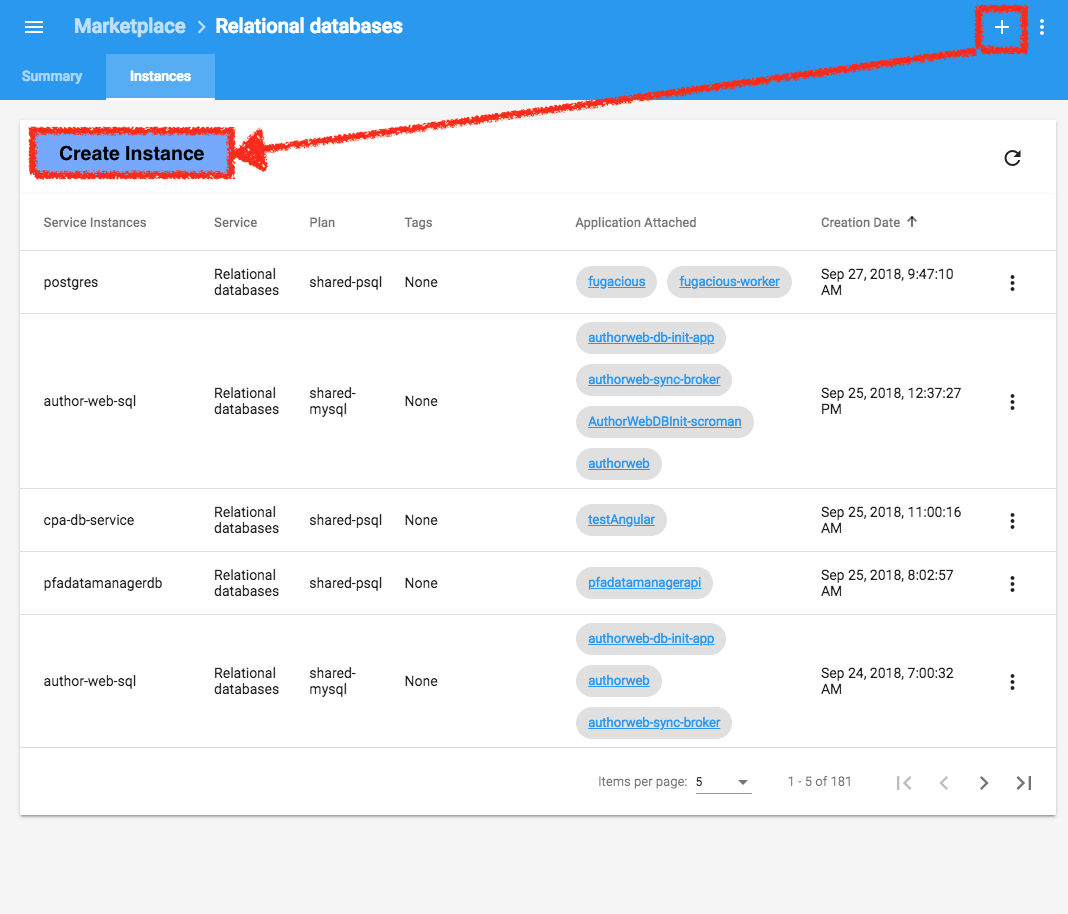
As a user, I expect icons to be placed in locations that help convey the hierarchy of the things I'm interacting with.
Expected behaviour
GIVEN I go to the Marketplace
WHEN I click on a service
THEN the icon for adding a service instance only appears near lists of instances
Actual behaviour
GIVEN I go to the Marketplace
WHEN I click on a service
THEN the icon for adding a service instance appears in the header next to the service itself.
Contributor guide
First steps
- Read the whole issue, then the project's contributing guide.
- Comment on the issue to say you are picking it up — it saves two people doing the same work.
- Fork the repository and make your change on a branch.
- Open a pull request that references the issue number.
Research direction
Start by opening the Marketplace, selecting a service, and comparing the service header with the instance-list area shown in the issue screenshots. Trace the UI entry point that renders the “Create instance” icon; done means the icon appears only near lists of service instances, not beside the service in the header.
Written by the indexing model from the issue text.
Assessment
- Tech stack
- angular, typescript
- Domain
- design, frontend
- Issue type
- Bug
- Difficulty
- 3/5
- Estimated time
- 1-2 days
- Activity status
- Stale
- Clarity
- Mostly clear
- Newbie friendliness
- 35/100