classtranscribe / classtranscribe/FrontEnd
Improve embeddable player creation (provide html hyperlink and iframe text to copy-paste)
- Dominant language
- JavaScript
- Stars
- 24
- Forks
- 29
- PR merge metrics
- No merged PRs in 30d
Description
It should be possible to copy just the URL link and copy the html iframe
e.g "Copy link" "Copy html" buttons
If you use the link and open it in a web page the bottom right full screen toggle on the embed player does not work if the embed iframe URL is used just as a URL-
https://classtranscribe-dev.ncsa.illinois.edu/embed/337937dd-e03f-4497-8715-c8c51b9f0aa9?begin=72&playbackRate=0.5&openCC=true&lang=ko
Also when opening the 'embed' panel during normal playback and selecting share-
the video of the panel appears to be reloading the whole app again? It says ClassTranscribe with the animation until the video is loaded-
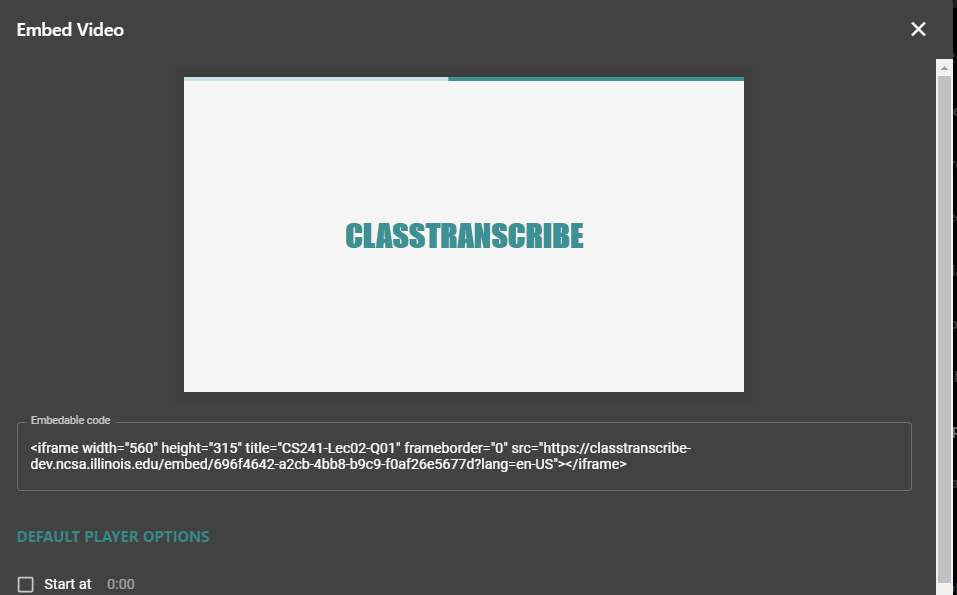
IMHO It "works" as a loading screen but a loading screen "Loading..." might be better.
^Note the embedded video player that actually runs in the "created embed code" panel should not provide full screen option!
The embedded player does not provide all accessibility options. It should be possible to jump out to the real site in a new window. Maybe an option under the gear? ("Watch video in ClassTranscribe")
Contributor guide
No contributing guide indexed for this repository
Assessment
This issue has not been assessed yet.