Bar chart has border artifacts
- Dominant language
- JavaScript
- Stars
- 67.7k
- Forks
- 11.9k
- Avg merge
- 7h 39m
- Merged PRs (30d)
- 5
Description
## Expected Behavior
Bar chart with borderWidth = 0 has no border. The bar itself should be a solid block of the chosen color.
Bar chart with borderWidth > 0 should have a border in the chosen color, but no other lines/colors.
## Current Behavior
Bar chart has some kind of border, when borderWidth = 0:

https://codepen.io/nwi4/pen/KKvOdbW
Bar chart has some other lines around the border, with borderWidth > 0:
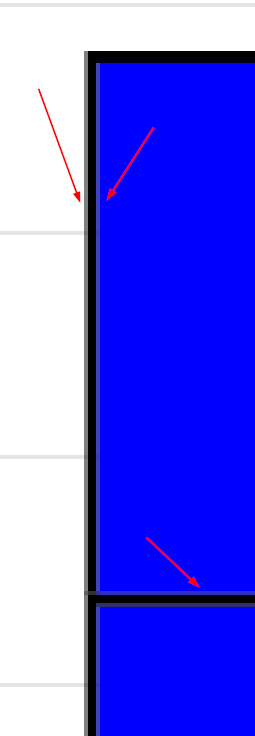
https://codepen.io/nwi4/pen/mdMNBJw
Are there some settings I am missing to tweak this behavior?
## Context
When stacking multiple (small) bars on each other, the unwanted lines blur the edges and it looks more like a gradient than multiple distinct bars:

There are 2 big bars, and 3 very small bars, which looks like the fade out of the bigger one before.
## Environment
* Chart.js version: 3.6.0
* Browser name and version: Chrome 96
Contributor guide
No contributing guide indexed for this repository
Assessment
This issue has not been assessed yet.